Chapter 8 Playback & Search
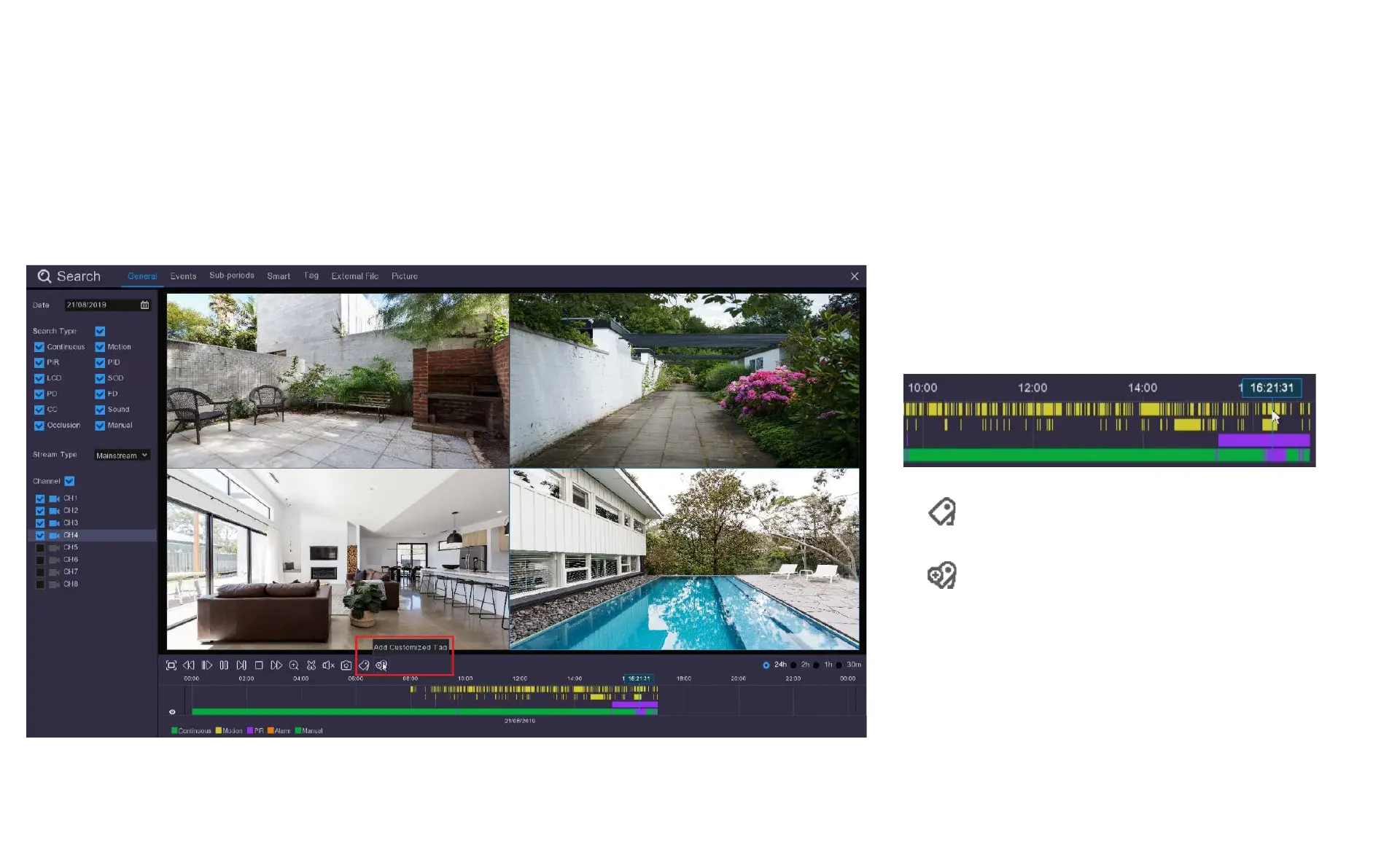
8.3 Tag Search and View
1. While in the Search General view, click on the
recording you want to tag in the timeline.
Then either click:
Add Default Tag
Or
Add Customized Tag
2. A Default Tag will save with a default file name of
Tag, Tag1, Tag2 etc.
3. A Customized Tag will allow you to create an
individual name for the tag to make it easier to identify
in the Tag menu.
A simple of way of saving videos to view or download later is to use tags to identify these recordings. This is a handy tool if you have a lot of stored recordings but
you are only interested in downloading videos that contain particular content.



 To Next Page