Power ON/OFF 17
Timer Function – Scheduling ON/OFF Times
Scanners: HD5450, HD4250, HD4230, HD3650,
HD3630, HD2530
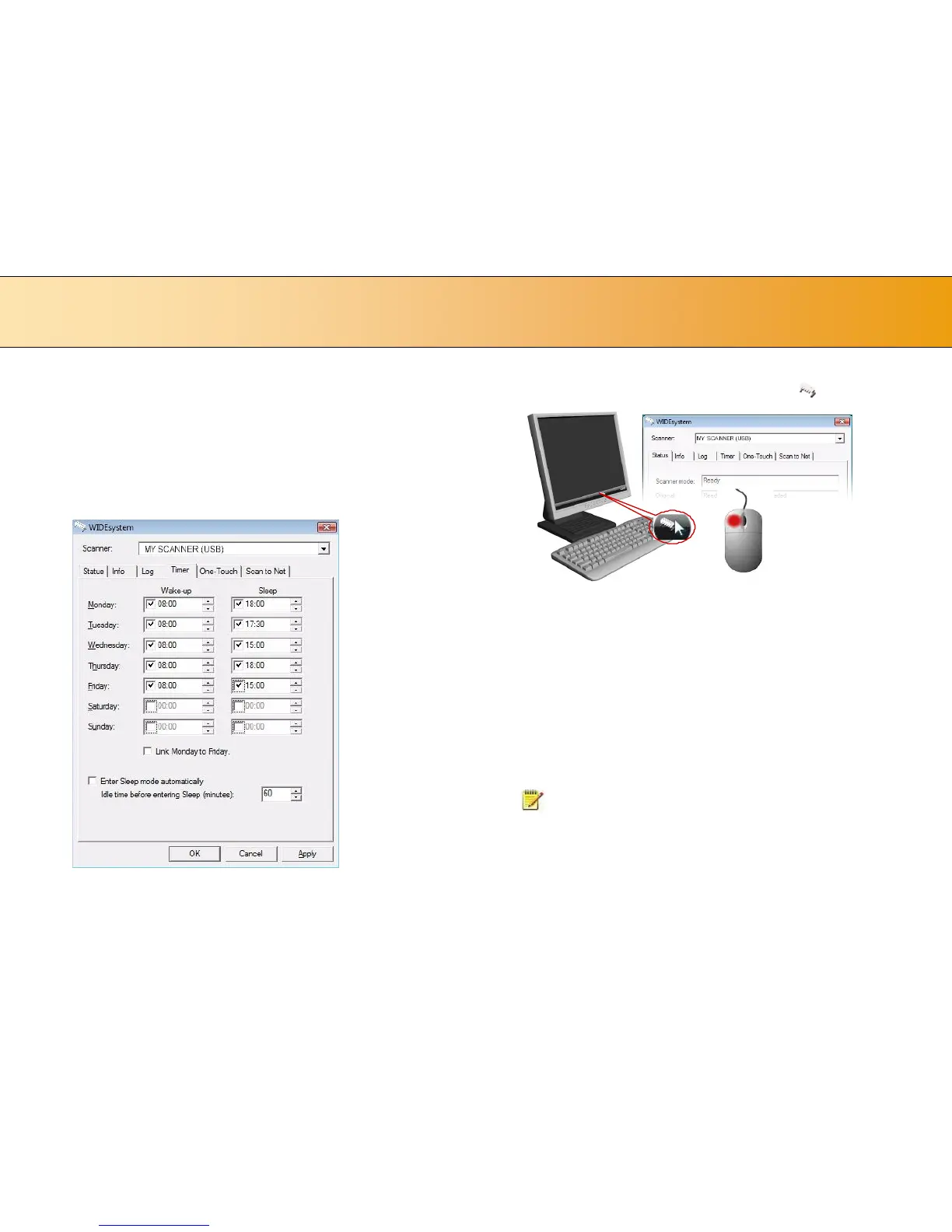
You can program your whole weekly schedule into the scanner so it powers
ON and OFF (wake – sleep) on its own. You enter your schedule’s wake-
up and sleep times in WIDEsystem’s Timer tab as shown in the example
below. .
To set the Timer:
1. Open WIDEsystem - double-left-click the scanner icon in the
system tray.
2. Select the Timer Tab.
3. Click the checkmark fields for each day you want automatic wake-up
and sleep actions.
4. Under the Wake-up column - Click on the hour digits in the day’s edit
field to highlight them. Use the arrow box to increase or decrease the
hour value or use your keyboard to write the value in the field.
5. Move to the Wake-up column’s minute digits for the same day - Click
on the minute digits in the day’s edit field to highlight them. Use the
arrow box to increase or decrease the hour value or use your keyboard
to write the value in the field.
6. Repeat this process in the Sleep column for the same week-day.
7. Make settings for the other week-days in the same manner or….
8. You can use the Link Monday to Friday option to make your settings
for Monday apply for the whole work-day-week.
9. NOTE that the Idle time before sleep time setting will still apply
and may conflict with your Timer settings. Change or disable the Idle
time before sleep time setting if it does.
10. When you have filled out the dialog, press Apply to download your
settings into the scanner’s memory.













 To Next Page