Maintenance 44
Replacing the Glass-plate
Scanner Models: HD5450, HD4250, HD4230, HD3650,
HD3630
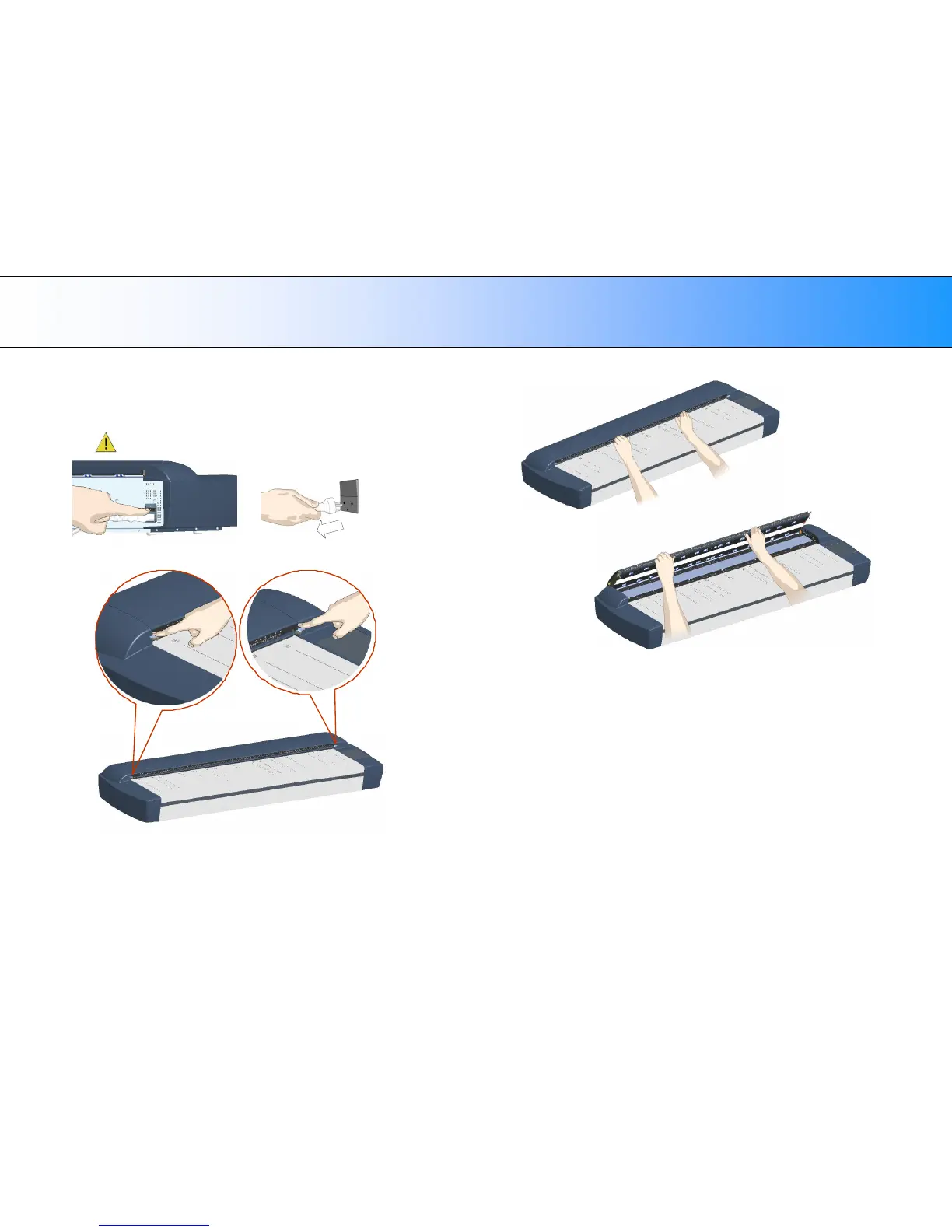
1. Turn the scanner power off and disconnect the power plug.
2. Open the scan area lid - Push down on the two lever buttons found
near the insertion slot on each side of the lid.
3. The scanning area lid locking mechanism should now be disengaged.
4. Place your thumbs in the insertion slot and flip the scanning area lid
back to its open position.
5. The glass-plate will be exposed and accessible.













 To Next Page