Maintenance 45
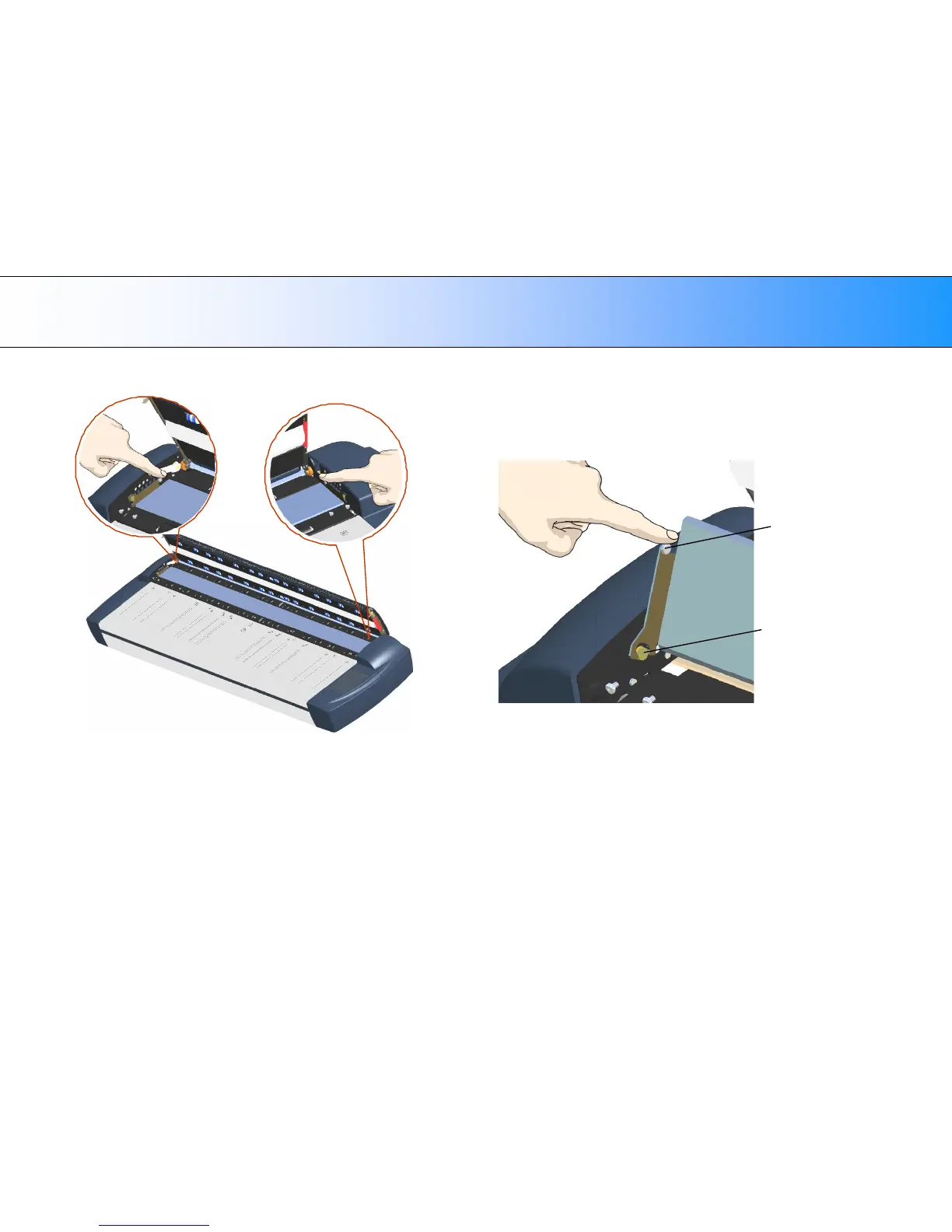
6. On each side of the glass-plate there is a small lever with a round
lever-handle on its end. Place a finger under both round lever handles
on each side of the scanner (see illustration below).
7. With both arms, pull simultaneously on the left and right levers to flip
the glass-plate towards your body so it tilts upwards and is fee from
the scan area bed.
Lever
handle
on round
pin.
Pull back on the levers to tilt the glass towards your body:
8. Each lever is attached to the scanner chassis with a small hook that
rests on a round pin. As you hold the glass-plate on both its edges, lift
it upwards to detach both lever’s hooks from the pins and thus free the
glass-plate from the scanner.













 To Next Page