Maintenance 51
Replacing the Scanner Lamp-Unit
Scanner Models: HD5450, HD4250, HD4230, HD3650,
HD3630
The lamp’s effectiveness can gradually weaken over time and this can
effect the quality of your scans. A new lamp-unit (lamp, reflector, power
connectors) can be obtained through your dealer. WIDEsystem monitors
lamp usage and will warn you when it is time for a replacement.
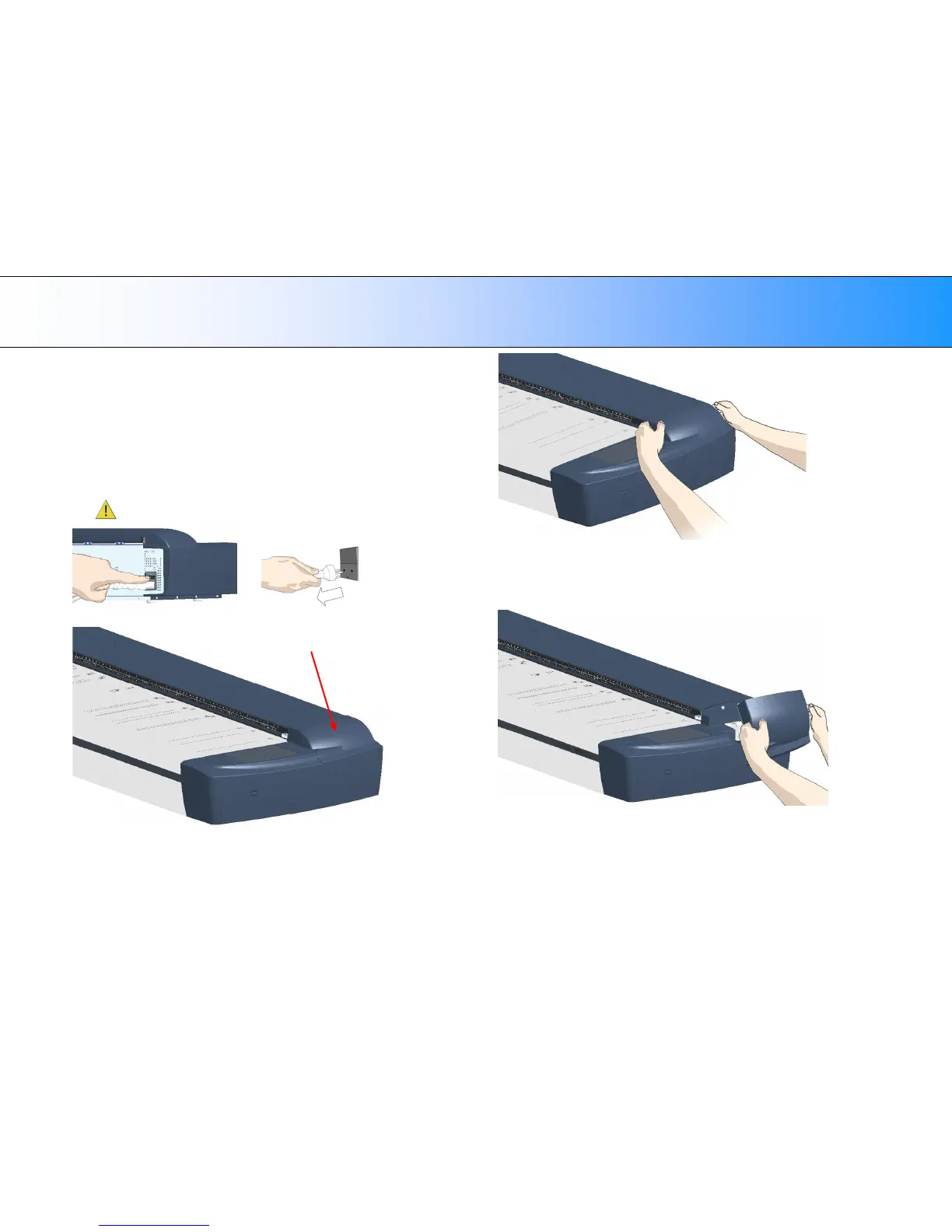
1. Turn the scanner power off and disconnect the power plug.
2. The lamp cover is on the top right side of the scanner.
Lamp cover
3. Grasp the cover on each side with both hands and pull back to detach.
4. Lift the cover upwards to free it from the scanner.
5. You must remove the whole lamp-unit. A lamp-unit consists of a lamp
mounted in a reflector brace and fixed power connectors.













 To Next Page