Maintenance 52
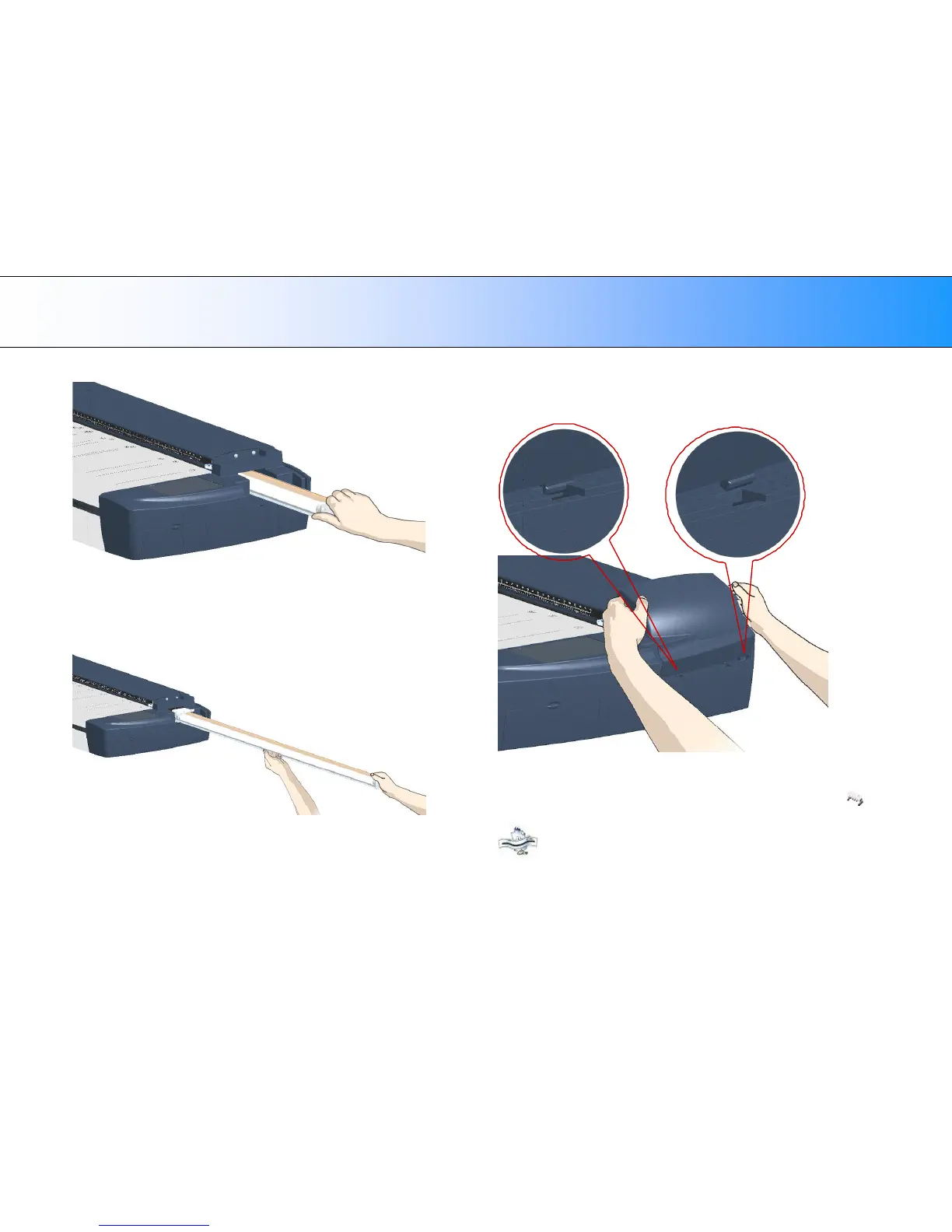
6. Grasp the edge of the old lamp-unit and carefully pull it out of the
scanner.
7. Reinsert the new lamp-unit. Rest the power-connector side on the
slider and carefully push the lamp-unit into the scanner.
8. Insert the lamp-unit all the way so the internal power connections
engage with the connections on the lamp-unit.
9. Replace the lamp cover on the scanner - fit the bottom notches in the
holes and snap the cover shut. The cover must always be closed
before turning scanner power ON.
Fit the cover’s bottom notches into the holes
10. Test the replacement by turning power and scanner on to see if the
lamp lights.
11. Reset the part replacement warning flag though WIDEsystem’s
“Status” tab. Click on the lamp replacement message link to reset.
NOTE: It is recommended to recalibrate after changing the lamp.













 To Next Page