Genus G1 MARK II Users Manual
UM3010-2
Offline Setup Mode Menu Options
The following menu options for configuration changes become available when the Terminal is
switched to offline.
TERMINAL INFORMATION
CLEAR RAM
CLEAR FLASH
NETWORK SETUP
WIFI NETWORK SETUP
WIFI NETWORK INFO
QUICK CHECK
COMM TEST
READER SETUP
SETUP PIN
SETUP TIME ZONE
DIAL-UP NETWORK
TADMIN SETUP
WEB SETUP
BIOMETRIC TEST (available when Biometric reader enabled)
EXIT SETUP
Note: The Genus API provides the option to add user defined Setup Mode
functions to the existing menu options.
See the Offline Mode Menu Map in the Reference section of this document.
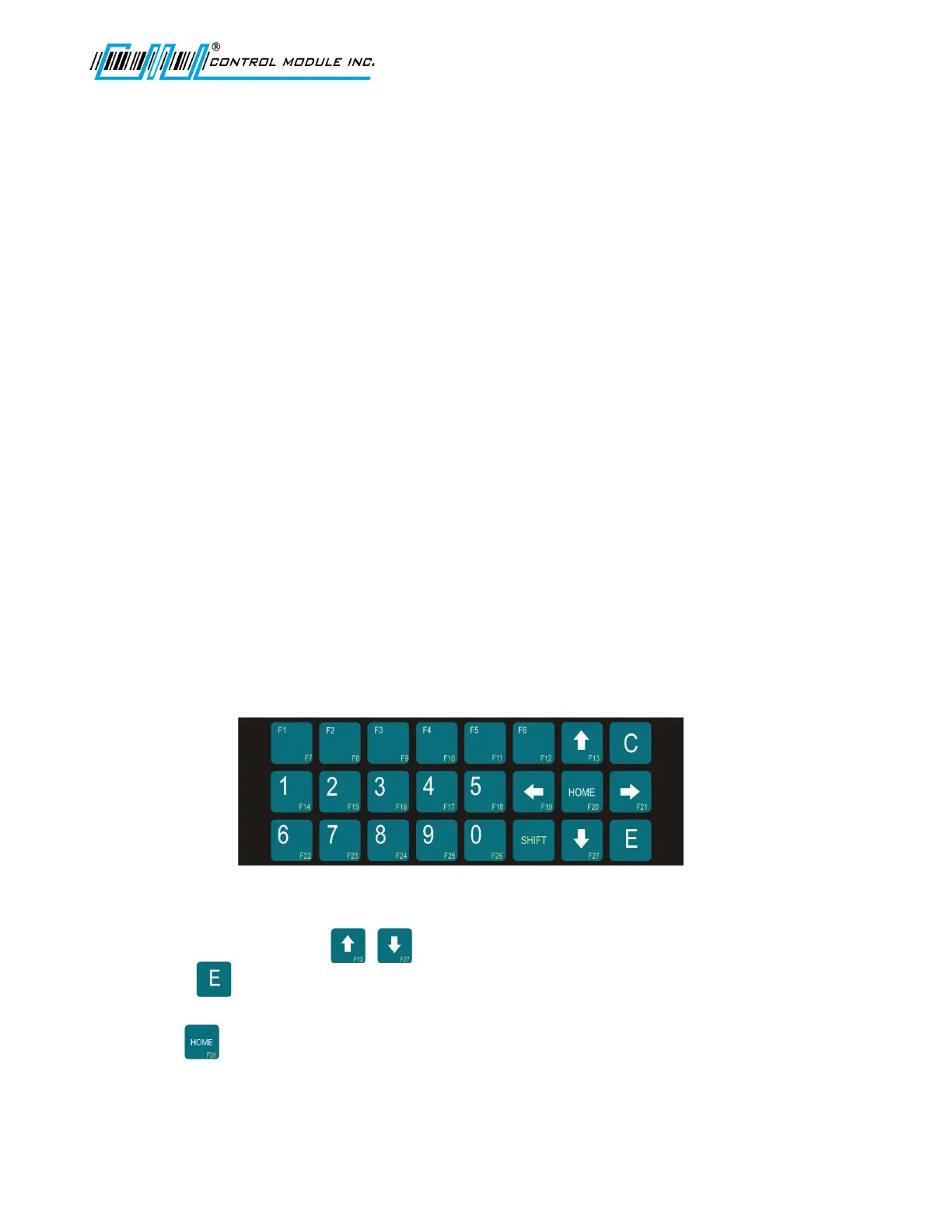
Keypad Layout
Key Activity
Use the arrow direction keys in Offline mode to scroll through the main menu.
Press Enter to select an option from the main menu and follow the key directions
displayed.
The Home key while in setup levels exits back to the main menu options at the
“Terminal Info?” prompt.
Revision B 10-30-07 17



 To Next Page