Genus G1 MARK II Users Manual
UM3010-2
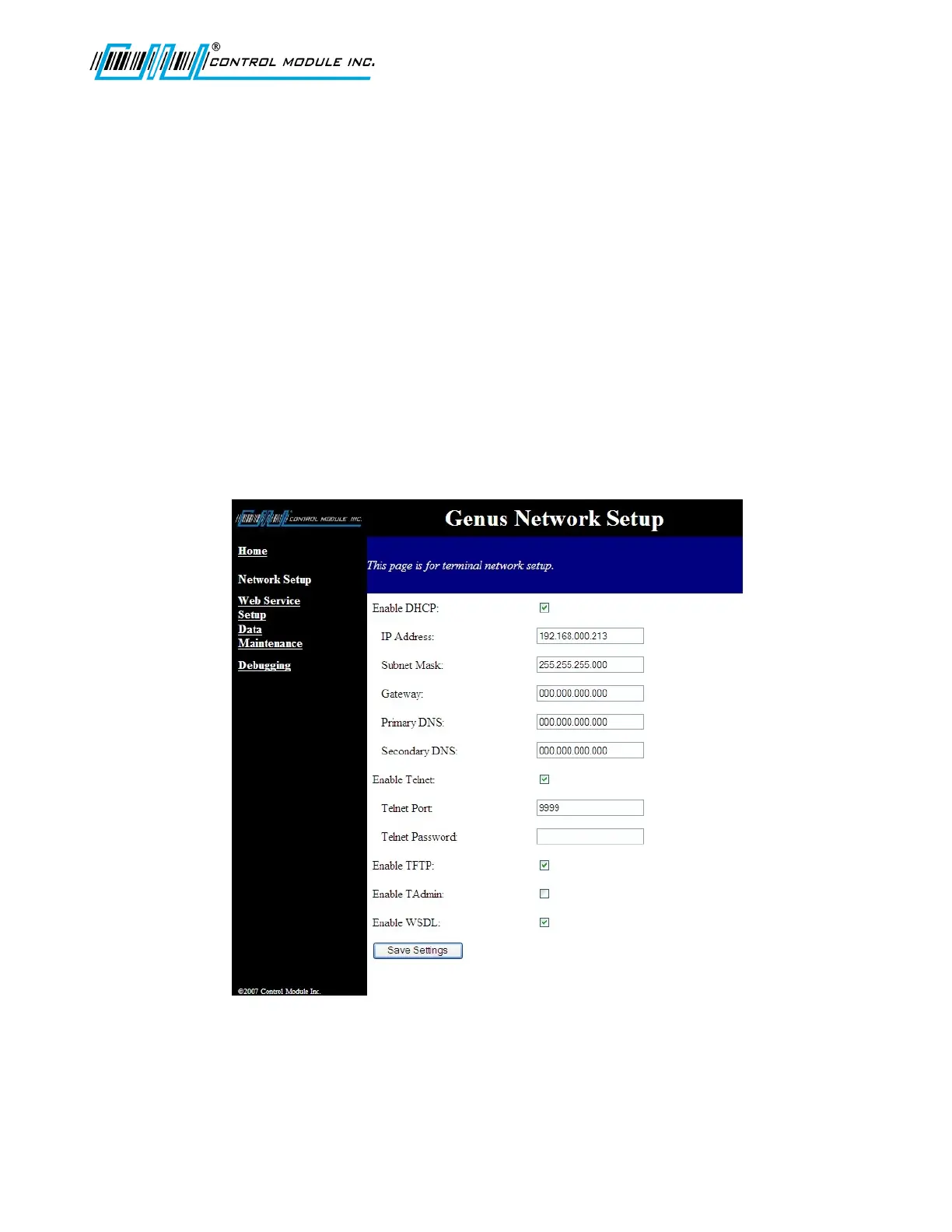
Network setup
The network setup screen provides standard network setting fields to allow administrators to
configure the terminal’s network parameters. All settings on the Network Setup page except
the ‘Enable WSDL’ correspond to the Offline Setup menus in the Terminal.
Network parameters include:
• DHCP enable/disable - check box • Telnet port – text input
• IP Address – text input • Telnet password– text input
• Subnet mask – text input • TFTP enable/disable - check box
• Gateway – text input • Checkbox to enable/disable TAdmin
• Primary DNS – text input
• Secondary DNS – text input
• Checkbox to enable/disable Web
Service Description Language (WSDL)
response
• Telnet enable/disable - check box • A button to Cancel or Save settings
Note: If DHCP has been enabled the IP address is filled in by the DHCP server. Subnet
Mask, Gateway, Primary and Secondary DNS will not be available to change.
Note: The Telnet Password/Pin can only be 20 characters. If longer the Password/Pin will
be truncated.
Revision B 10-30-07 46



 To Next Page