Plato Complete Guide V1.3.0
Convert Technologies 40
6. Playing music from external inputs
Once your system is correctly installed, you can begin playing music from your connected CD
player or turntable.
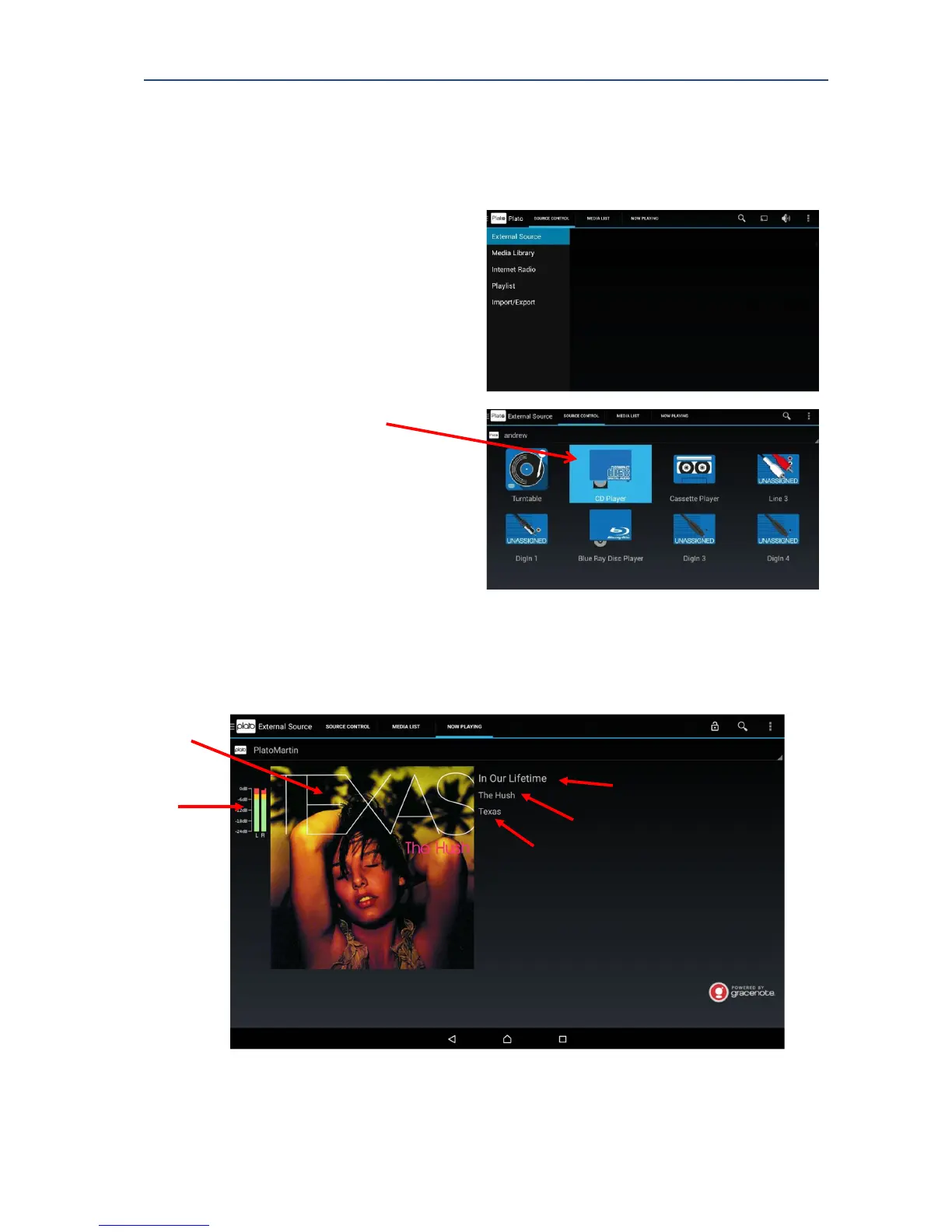
1. Select External Source from the
MAIN Plato menu.
2. Select the appropriate source by
touching the appropriate icon.
For example, Turntable (your record
player), CD Player or Cassette
Player.
The selected input is highlighted.
In the example shown, this is the
CD Player.
3. Start playing music from the
selected source. For example, press
‘Play’ CD player.
4. Select the NOW PLAYING tab to
display the screen below.



 To Next Page