Plato Complete Guide V1.3.0
Convert Technologies 52
It is possible to add a 4-digit pin code to prevent unauthorised deletion of media content,
please see section 14 for details.
Once the data has been deleted there is no means of recovery, so use with caution!
8.3.5. Download
The download option is only available if the selected server is a Plato device.
It provides a simple means of transferring the selected media item from the Plato server to
the current mobile device. This could be useful for transferring data to your phone for use in
the car or on the move. The selected media item could be an artist collection, album, track,
image or video.
The download process also includes format conversion where appropriate, and will attempt
to match the downloaded format to one which is supported on the target device (usually 16
bit 48kHz FLAC or MP3).
The download will begin once the option is selected. Its progress can be tracked using the
Android notifications available in the top-left hand corner of the main screen on the mobile
device.
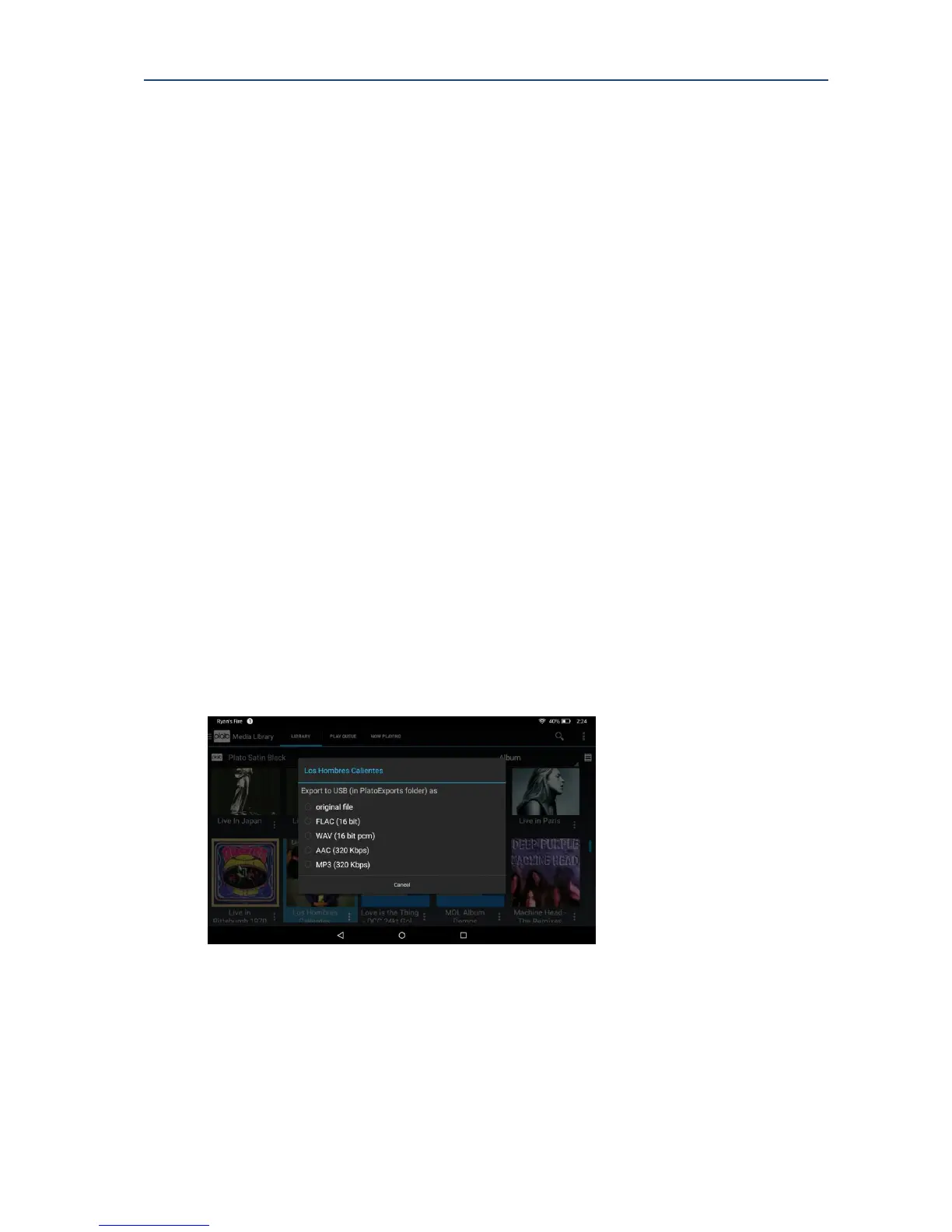
8.3.6. Export As
The export option is only available if the selected server is a Plato device.
Export provides a means of exporting the selected media item onto a USB device plugged
into the FRONT USB socket of Plato.
In this case it is possible to select which audio format you would like to export your data as:
Once the format is chosen export progress can be tracked via Android notifications in the top
left hand corner of the main screen.
If there is no USB device plugged into the main Plato unit, the notification will show this. The
export process will start once a valid USB device (with enough free space) has been plugged
into the front USB socket.



 To Next Page