Plato Complete Guide V1.3.0
Convert Technologies 67
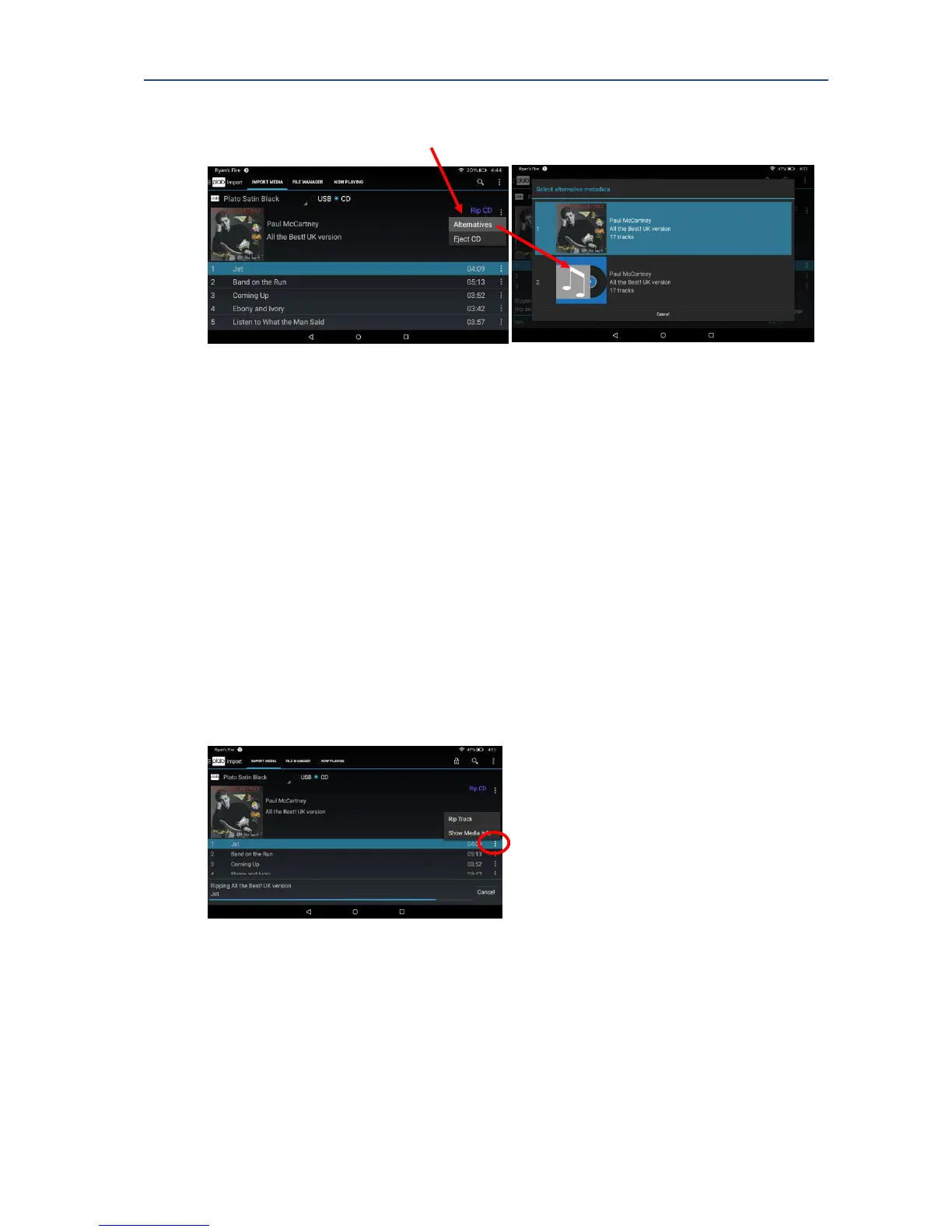
The more options menu in the top right hand side of the screen offers additional functions to
show alternative tagging options, or eject the drive.
11.1.1. Alternatives
If the META tags suggested do not match your version of the CD (maybe because the CD was
re-released a number of times), you can explore alternative options via the More Options
menu before you choose to start the rip operation.
Note that it is possible to edit META data tags once the CD has been imported into Plato
using the editing tools as described in section 16.
11.1.2. Eject CD
Choose this option to eject the CD immediately from the drive.
11.1.3. Individual track ripping
If you are not interested in ripping the entire CD it is possible to rip each track individually by
selecting the Rip Track option from the more options menu option in the track listing
11.1.4. Show Media Info
Select Show Media Info for each track to display the detailed META tags, and data formatting
information read from the drive.



 To Next Page