Plato Complete Guide V1.3.0
Convert Technologies 71
12. Streaming audio and video
You can use your Plato unit to stream music to a wireless speaker, or video to a Smart TV in
other locations in your house.
You must first have wireless speakers or Smart TVs configured on the same home network
that your Plato unit is connected to.
Plato is capable of supporting multiple simultaneous streams to different devices, so you can
use Plato to supply audio/video streams to different rooms in the house. Note each stream
can be controlled using a different control device (tablet or smartphone).
12.1. Streaming music out to remote wireless speakers
The Plato unit automatically detects UPnP compliant wireless speakers.
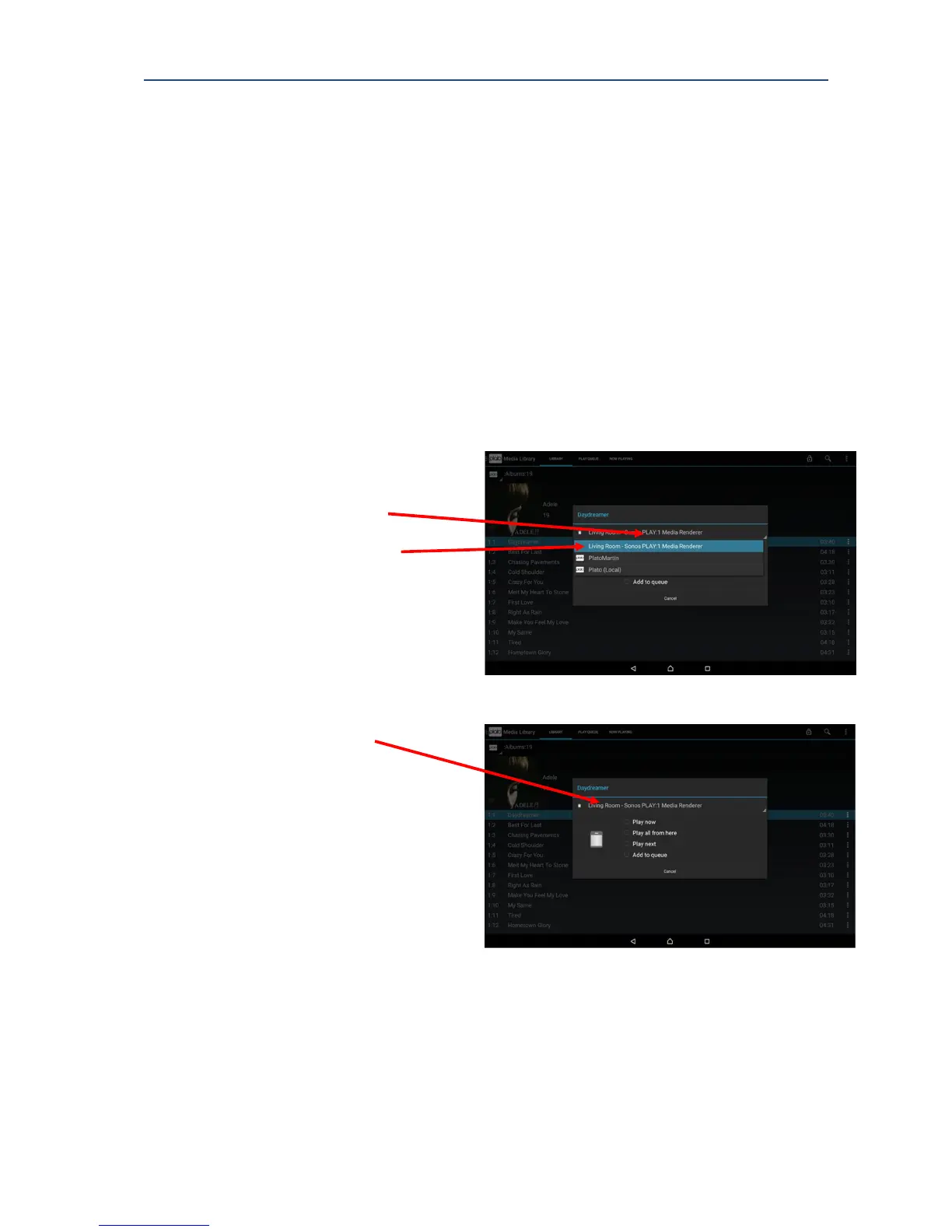
1. Choose a song, album or playlist.
2. Activate the device list to display
available devices.
3. Select the correct playback device.
In example right, this is a Sonos
PLAY:1 Media Renderer.
The speaker device is then shown as
the selected device.
4. Choose from the Play options.
The selected music plays to your
selected device.
12.2. Video playback
Using Plato, it is possible to playback video:
• To a device directly connected to Plato’s HDMI connection.
• To a SMART TV by streaming over your home network.
• To a tablet or smartphone running the Plato app.



 To Next Page