Plato Complete Guide V1.3.0
Convert Technologies 42
7. Recording from an external source
Now that you have your Plato system up and running, you can play music and record your
music collection to the internal Plato disk drive automatically. Plato’s automatic music
recognition system will detect the music that is playing and generate tag information. This is
especially useful for recording records.
Note that audio recording can only be done at playback speed. If you would like to rip your
CD collection directly into Plato, use the supplied USB CD/DVD drive which can perform high
speed rips directly to Plato’s internal hard drive. See section 11.1 for more details.
Before recording can begin it is important to ensure the input level is set correctly.
7.1. Monitoring Input Levels
For optimum recording quality please ensure the input level to the ADC is set correctly. If it is
too low the recording will not be making the most of the available resolution of the ADC, if it
is too high the recording could be distorted as the ADC input saturates (clips).
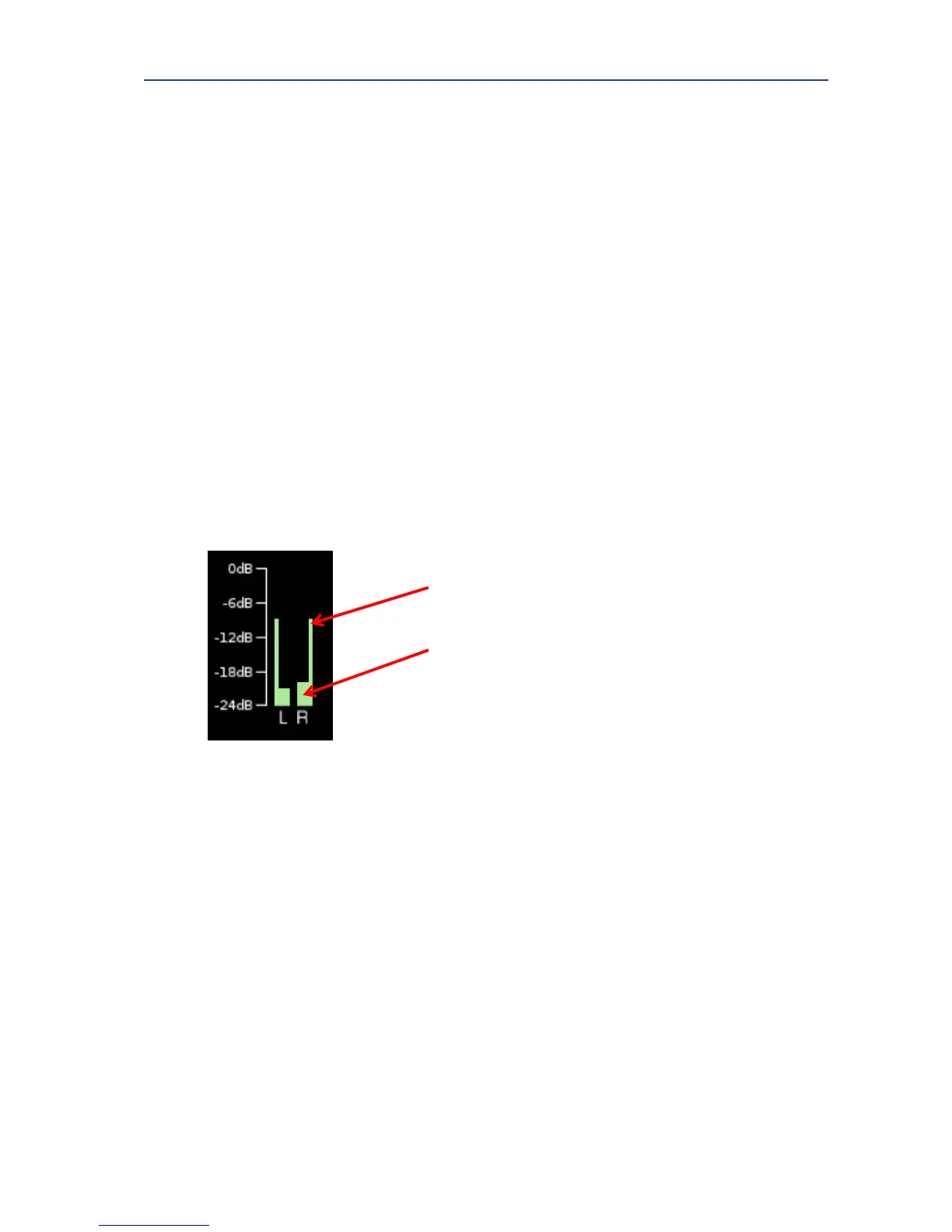
The input level can be monitored via the level meters on the Now Playing screen. For
optimum recording the peak gain levels should not peak at over -6dB.
The input levels for both the left and right channels are displayed in the input level meter.
The input levels change as the music changes. The current input levels go higher when the
music is louder. The peak input level shows the highest input level reached during the
previous 20 seconds.
If the level peaks at 0dB, then the recording has been clipped, and this will lead to distortion
of the recorded track. This is shown by a red dot above the channel’s level meter. This clip
indicator dot stays visible until the Reset Clip button is pressed.
For optimum listening and recording quality, the level meters should be averaging at around
-6dB. This will ensure the full dynamic range of the ADC is achieved, without leading to
distortion due to clipping.
The peak input level will show spikes into yellow (-6 dB to -3 dB) and red (-3 dB to 0 dB)
regions to serve as a warning that clipping may be imminent, but no data will be lost until
clipping actually occurs.



 To Next Page