Plato Complete Guide V1.3.0
Convert Technologies 57
9. Internet Radio
The Internet Radio feature provides access to online radio stations from around the world.
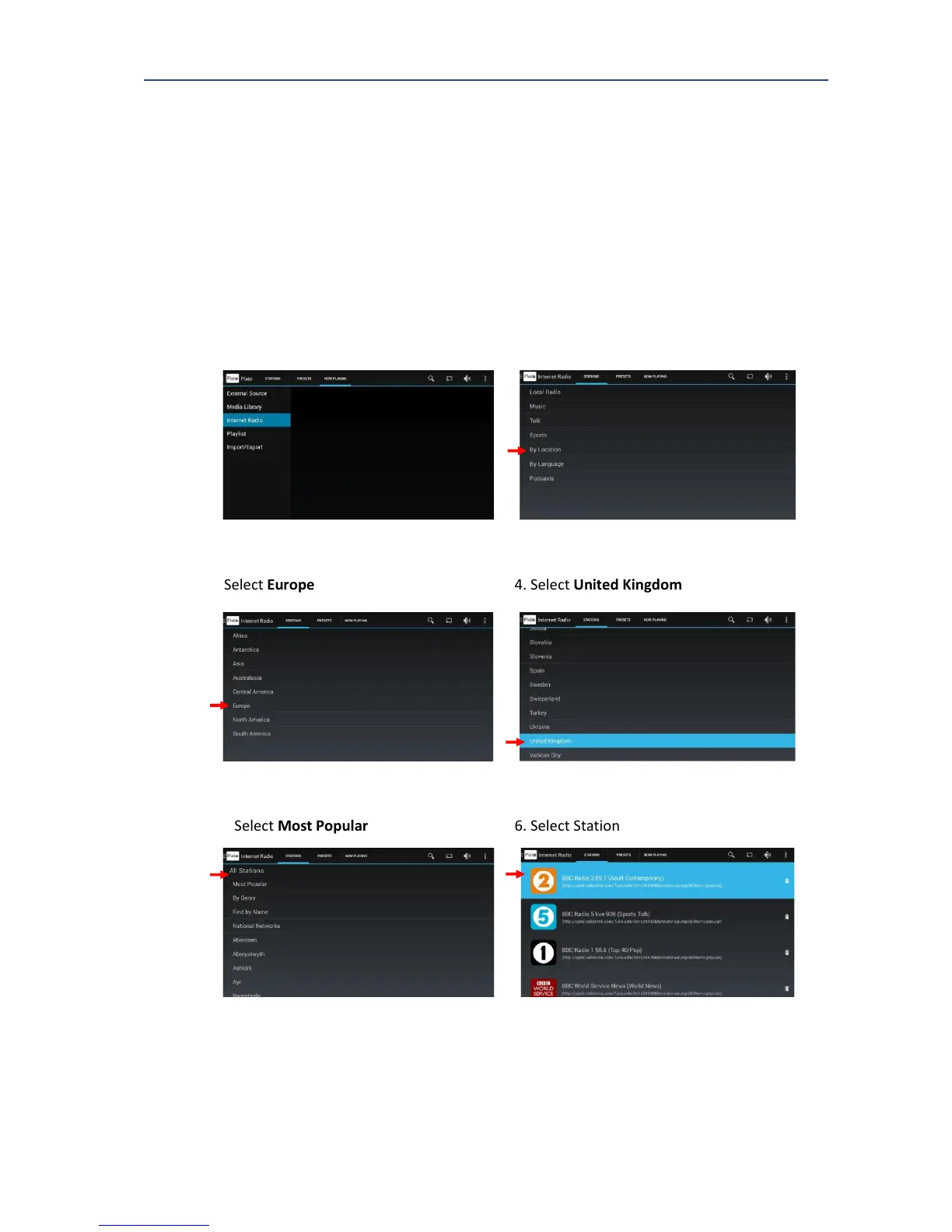
From the STATION tab it is possible to browse categories to your chosen radio station.
The example below shows browse steps to find BBC Radio 2.
The screens and menus displayed will vary depending on which browse options you choose.
1. Select Internet Radio 2. Select by Location
3. Select Europe 4. Select United Kingdom
6. Select Most Popular 6. Select Station
Once the station is selected, the Plato screen automatically changes to display the NOW
PLAYING tab and shows an icon of the selected radio station.
Note that there may be a short delay before audio content is played while Plato fills its
internal buffers prior to audio playback.



 To Next Page