Plato Complete Guide V1.3.0
Convert Technologies 95
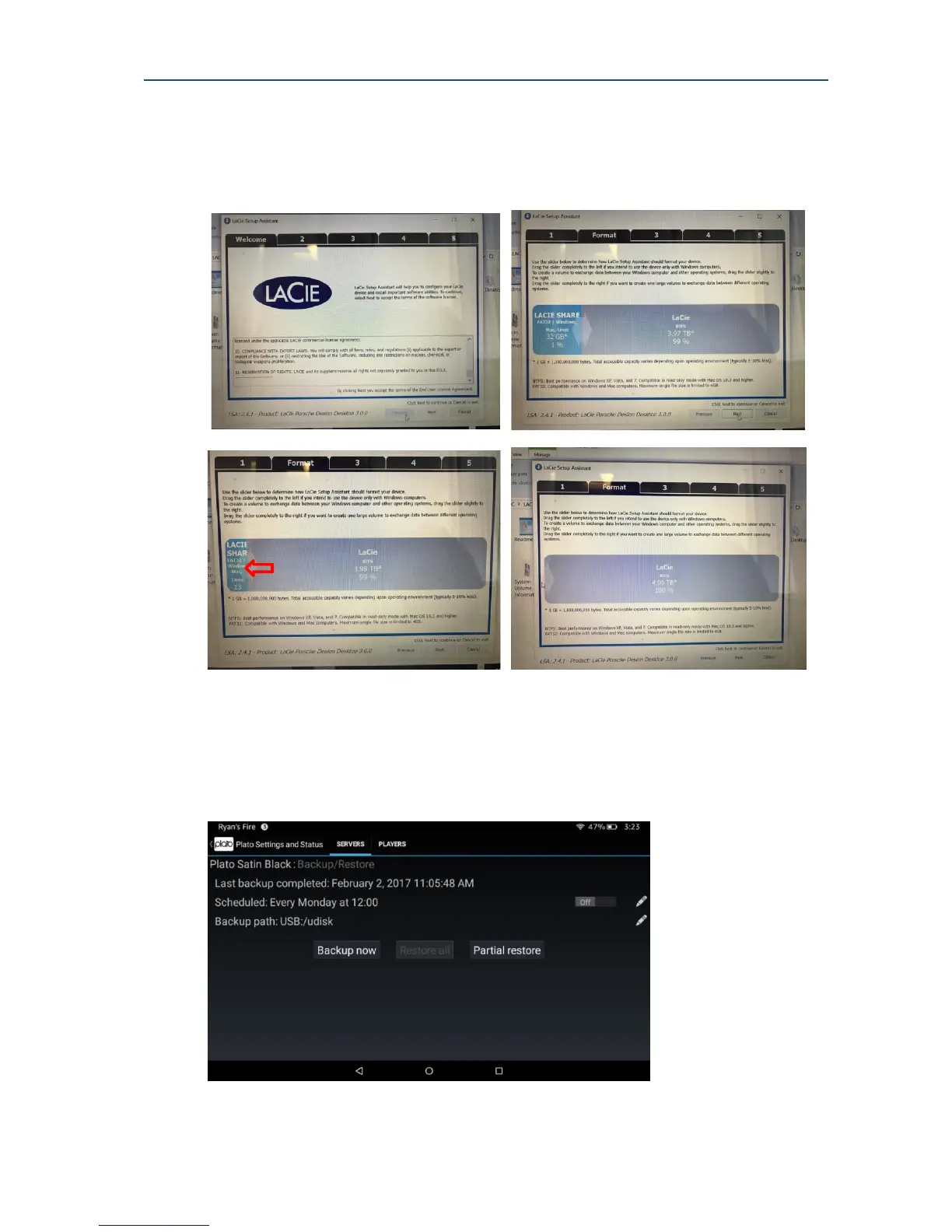
drive to be a single 4TB NTFS partition, using the pre installed LaCie Setup Assistant. Simply
follow the instructions on screen and click on the partition ‘arrow slider’, moving it all the
way to the left hand side. This reduces the exisiting FAT32 (32Gb) partition to zero and
increases the NTFS partition to use the full amount of available space on the drive.
17.2. Configuring your backup
As described in section 14.1 the backup feature is available in the Server Settings and Status
controls, on the advanced options menu. The main backup screen shows the current backup
status as shown below.



 To Next Page