Plato Complete Guide V1.3.0
Convert Technologies 90
16.4. Merging a fragmented album
When recording a compilation or greatest hits album, Gracenote can sometimes return
incorrect artwork for individual tracks, thereby creating numerous album titles/covers with
only one or two tracks contained within them. This happens because some of these songs
may well have appeared on multiple albums over the years, so Gracenote can’t be 100% sure
which album you are recording. Again, Plato has editing tools to help merge all songs into a
single album, as described below. If you have only just recorded this album, then the easiest
way of modifying all of the tracks is to use the Recently Added playlist.
1. Download the correct album artwork, as in Section 16.1. This will be used later.
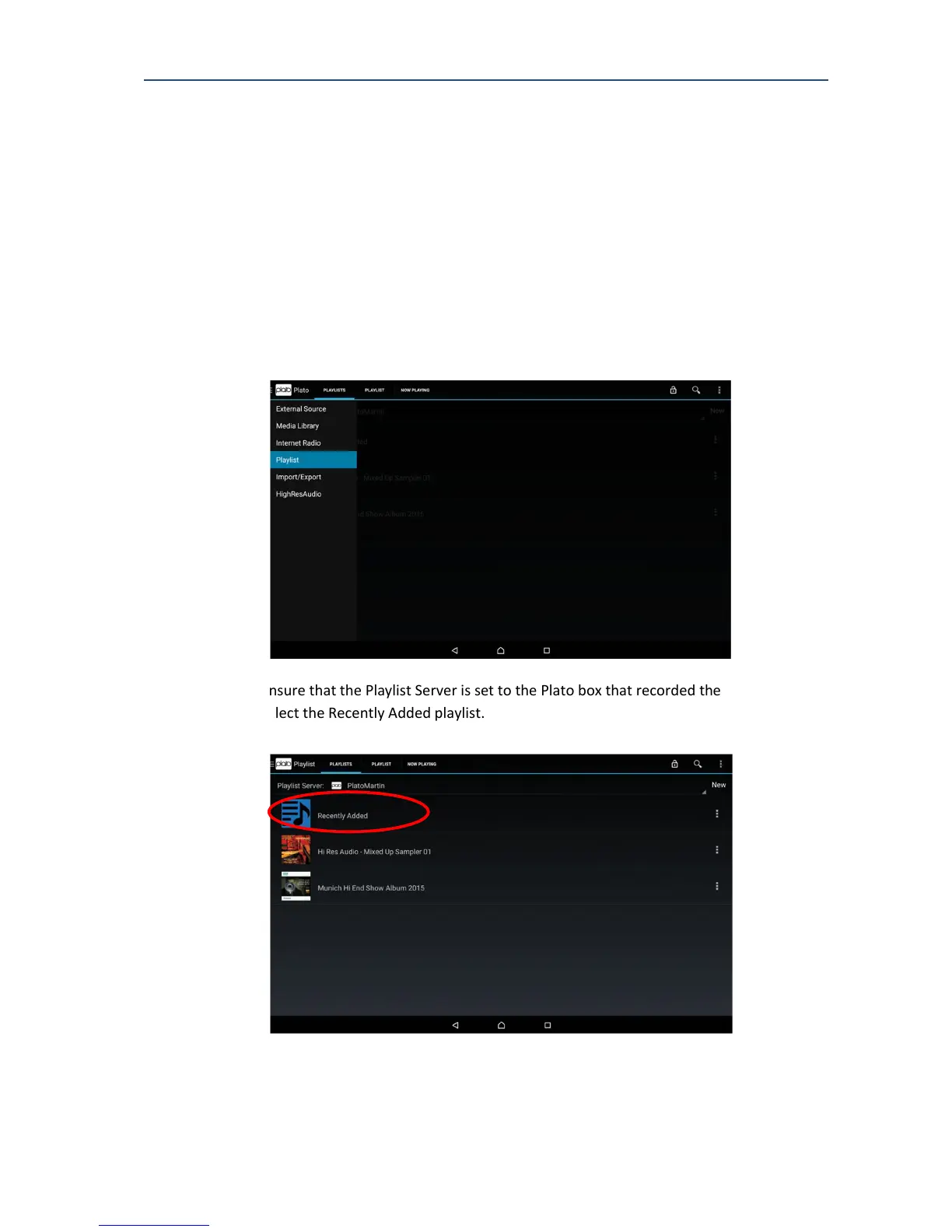
2. Select the Playlist drawer.
3. Ensure that the Playlist Server is set to the Plato box that recorded the music, then
select the Recently Added playlist.



 To Next Page