Plato Complete Guide V1.3.0
Convert Technologies 91
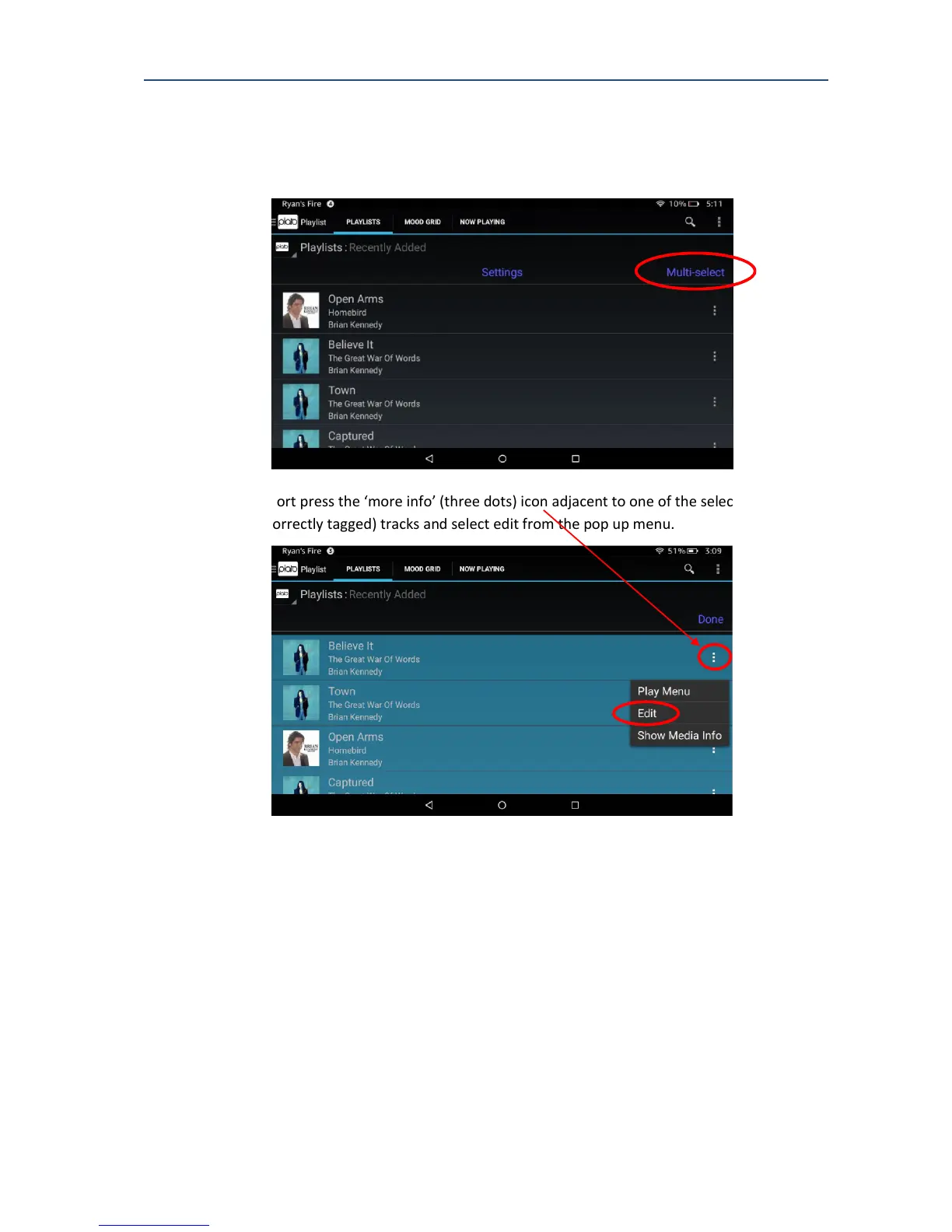
4. Press Multi-select, then select the tracks that make up the album. If this album was
the last thing you recorded, then these tracks will be at the top of this playlist.
5. Short press the ‘more info’ (three dots) icon adjacent to one of the selected
(correctly tagged) tracks and select edit from the pop up menu.



 To Next Page