Plato Complete Guide V1.3.0
Convert Technologies 49
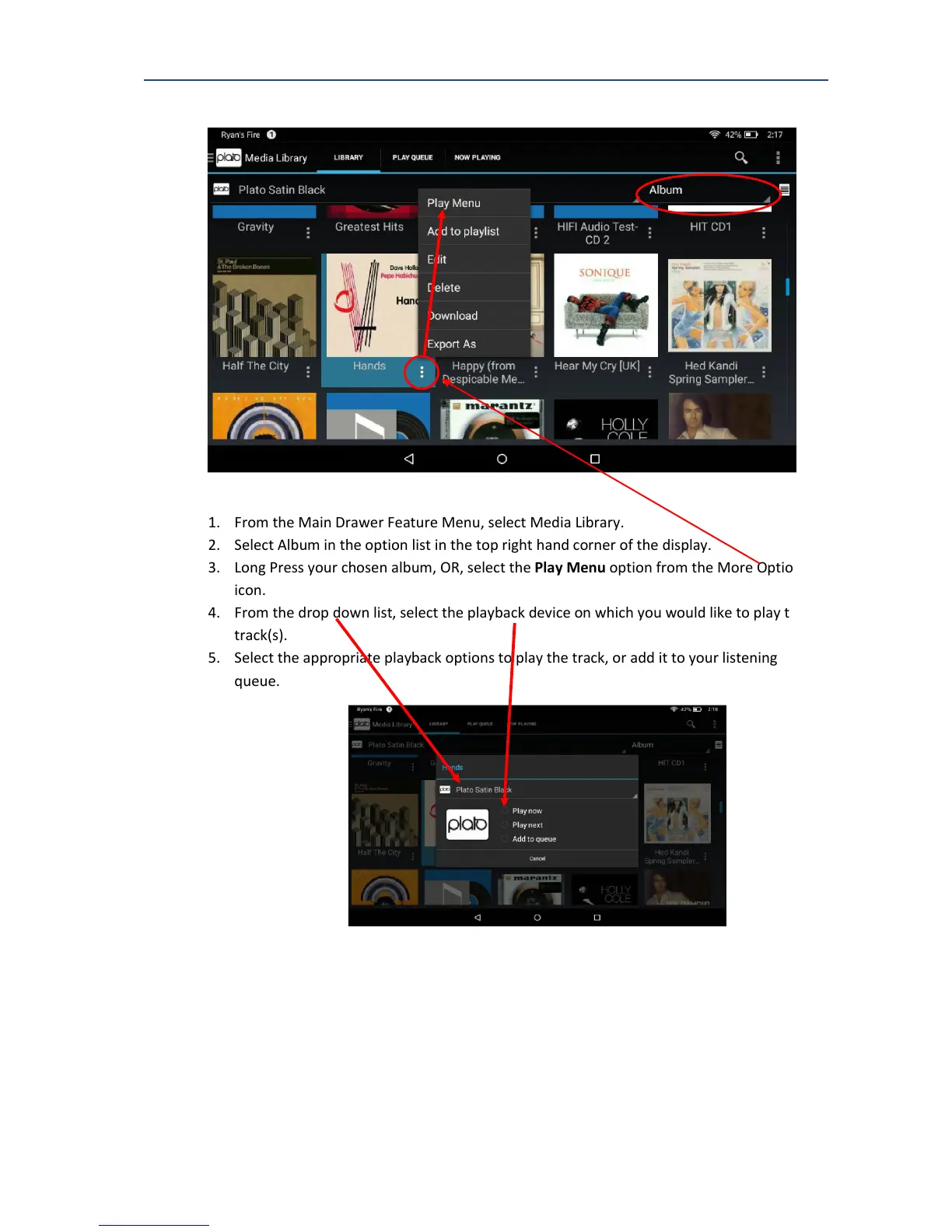
To listen to an album that you have recorded or imported.
1. From the Main Drawer Feature Menu, select Media Library.
2. Select Album in the option list in the top right hand corner of the display.
3. Long Press your chosen album, OR, select the Play Menu option from the More Options
icon.
4. From the drop down list, select the playback device on which you would like to play the
track(s).
5. Select the appropriate playback options to play the track, or add it to your listening
queue.
The Play Menu dialog box provides the following playback options:



 To Next Page