EasyManua.ls Logo

Convert Technologies PLATO - Page 89

Convert Technologies PLATO
102 pages
Print Icon
To Next Page IconTo Next Page
To Previous Page IconTo Previous Page
Loading...
Plato Complete Guide V1.3.0
Convert Technologies 88
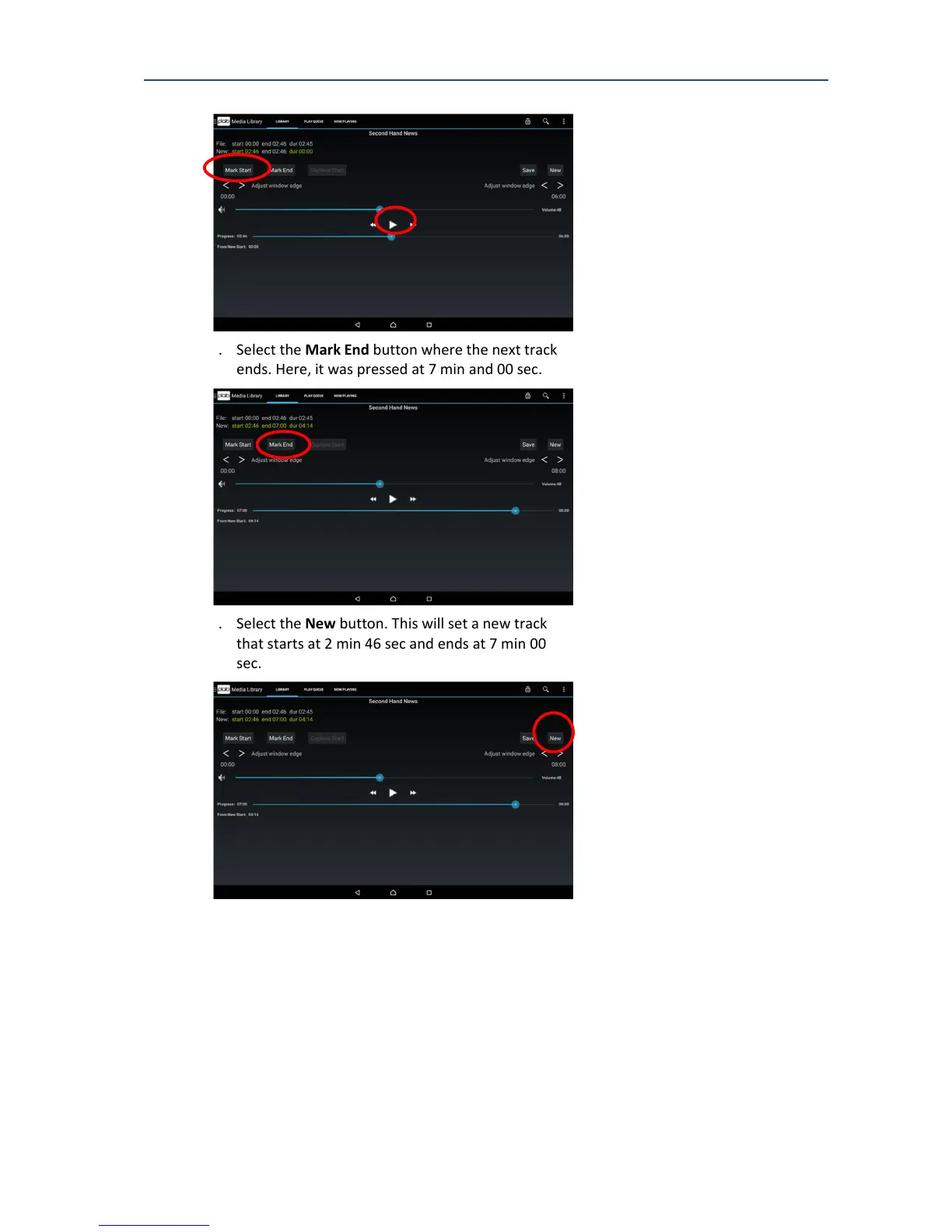
6. Select the Mark End button where the next track
ends. Here, it was pressed at 7 min and 00 sec.
7. Select the New button. This will set a new track
that starts at 2 min 46 sec and ends at 7 min 00
sec.
8. Use the pop up dialog to enter the track specific
tags. The album specific tags, including the
artwork, will be copied from the current track,
track 1. Change the title and track number and
press OK to save this new track


Table of Contents