Home
Coredy
Voice Recorder
VM3311
Page 16
Coredy VM3311 - Page 16
82 pages
Manual
Save Page as PDF
To Next Page
To Next Page
To Previous Page
To Previous Page
Loading...
Note
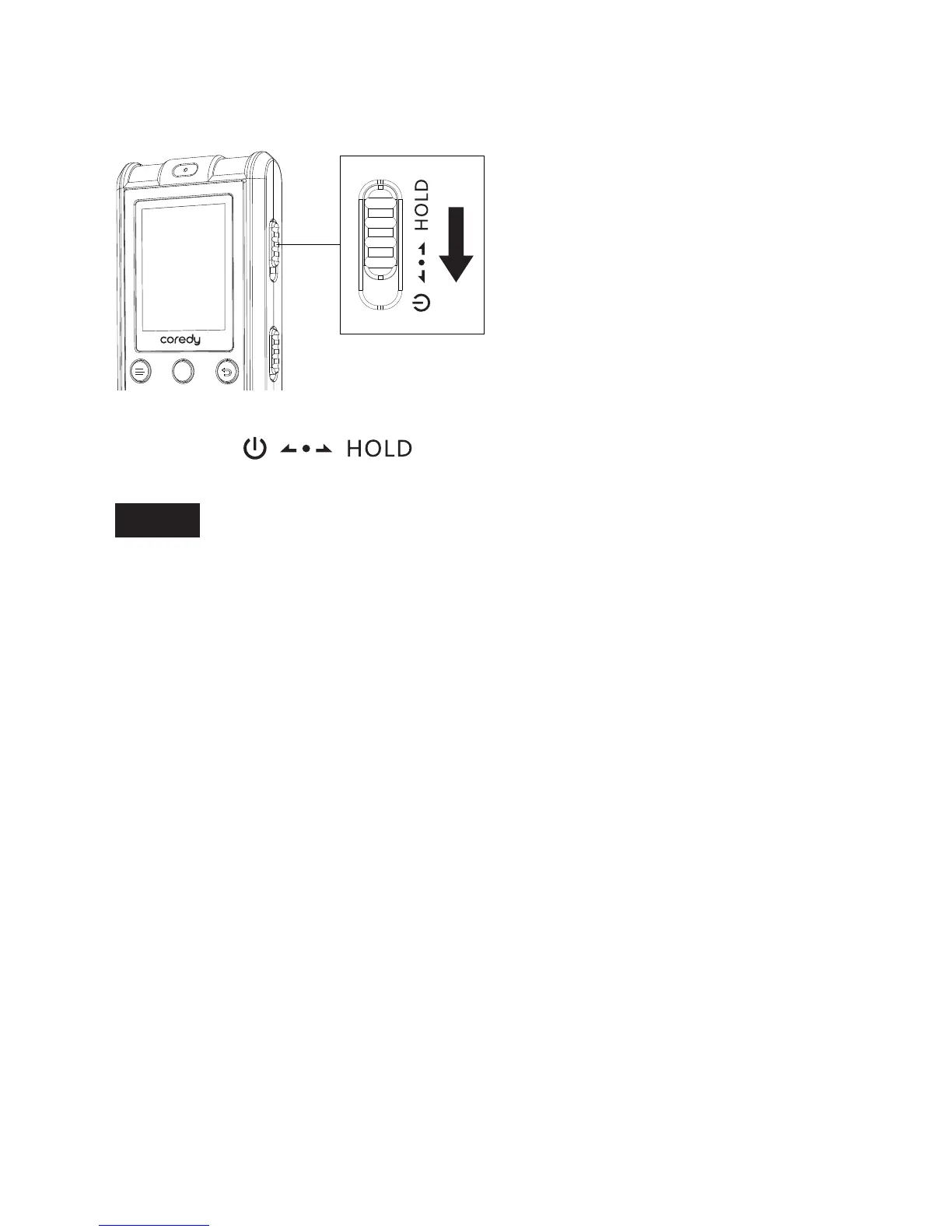
Slide the switch towards the center
.
When the HOLD function is activated during recording,
all the button operations are disabled.
T
o stop recording,
cancel the HOLD function first.
T
o enable the button operations
A-B
REC
SA
VE
09
15
17
Table of Contents
Main Page
Default Chapter
2
Table of Contents
2
Warning
7
Caution
7
Notice for Users
7
1 Preparing the Recorder
8
Checking the Parts and Controls
8
Using the Display Window
10
Preventing Unintentional
15
Turning the Recorder on
17
Recharging the Battery Using a Computer
17
Disconnecting the Coredy Recorder from Your Computer
18
Recharging the Battery Using a USB AC Adaptor
19
Disconnecting the Coredy Recorder from the USB AC Adaptor
20
Turning the Power on
22
Turning the Power off
22
Setting the Clock
23
1Setting the Clock after Preparing a Power Source
23
Setting the Clock Using the Menu
25
Selecting a Folder and a File
26
Switching the Counter Information Display
28
2 Recording Files
29
Basic Recording
29
REC MON ( Monitoring the Recording )
31
Stopping the Recording
31
Other Operations
32
Changing the Recording Settings
33
Selecting a Recording Scene for each Situation
33
Tips for Better Recording
33
Selecting a Recording Mode
35
Starting to Record Automatically in
37
Response to Sound - the vor Function
37
Recording Via Other Devices
39
Recording with an External Microphone
39
Recording from Other Equipment
40
Recording from Telephone
41
3 Playing Files
42
Basic Playback
42
Stopping Playback
43
Other Operations
44
Searching Forward/Backward During Playback - Cue/Review
44
Changing the Playback Settings
45
Adjusting the Playback Speed - the DPC (Digital Pitch Control) Function
45
Changing the Playback Mode
47
Playing Back a File Repeatedly
47
Playing Back a Specified Section Repeatedly -A-B Repeat
48
Convenient Playback Methods
50
Listening with Better Sound Quality
50
Playback Via Other Devices
50
Recording with Other Equipment
50
4 Erasing File
51
Erasing a Files
51
5 Playback Marks
53
Adding a Playback Marks
53
Skip the Playback Marks
54
Erasing a Playback Marks
54
6 About the Menu Function
55
Making Settings for the Menu
55
Menu Settings
57
7 Utilizing Your Computer
60
Using the Coredy Recorder with Your Computer
60
Connecting the Coredy Recorder to Your Computer
61
Structure of Folders and Files
61
Copying Music Files from Your Computer to the Coredy Recorder and Playing Them Back
65
Copying a Music File from Your Computer to the Coredy Recorder (Drag and Drop)
66
Playing Back Music Files Copied from Your Computer Using the Coredy Recorder
67
Computer Using the Coredy Recorder
67
Using the Coredy Recorder as USB Memory
67
8 Additional Information
68
Precautions
68
Specifications
69
System Requirements
69
Design and Specifications
71
Battery Life *1
73
About Compatible Memory Card
74
9 Troubleshooting
75
On the Coredy Recorder Operations
75
Messages List
80
System Limitations
81
Trademarks
81



 To Next Page