① In the stop mode, connect other equipment to the
Coredy recorder.
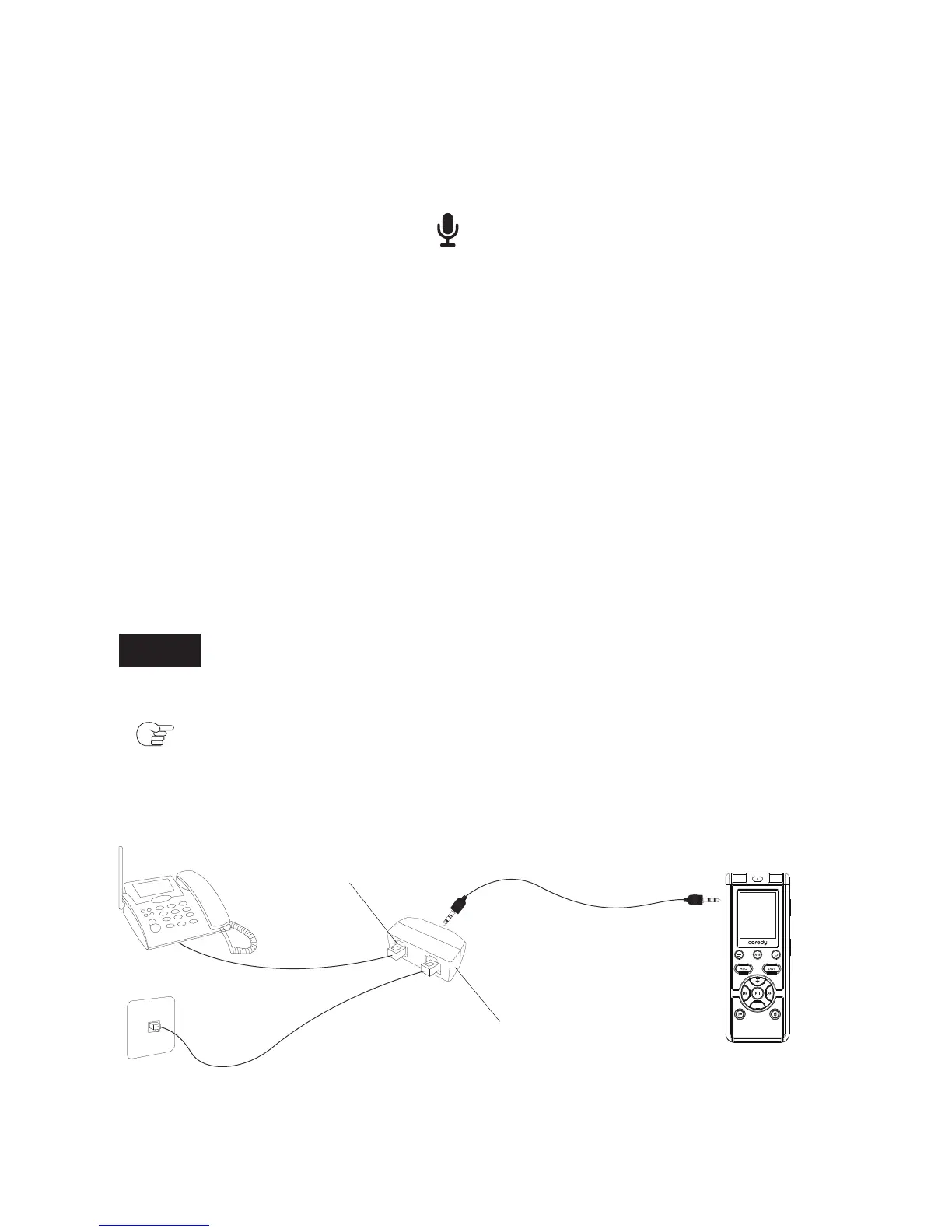
① Connect the Telephone recording adapter to you
telephone and Coredy recorder as below.
② Press REC to start recording.
③ Start playback on the piece of equipment connected
to the Recorder.
④ Press SAVE to stop recording.
2.4.3 Recording from Telephone
Note
VOR Function can not be used for Telephone recording
( p.2.3).
Connect the audio output connector (stereo mini-jack) of
other equipment to the jack of the Coredy recorder
using an audio connecting cable.
The built-in microphones are automatically cut off and the
sound from the connected piece of equipment is recorded.
LINE-IN Audio Cable
Telephone Recorder Adapter
Telephones Cable
Land Line
RJ11 TELPHONE Jack
34



 To Next Page