IDC Pro 255 Service Manual
Publication Number: 621058649SER - 12 - © 2016, Cornelius Inc.
Touch Controller Removal
Disconnect power to the unit before accessing displace assembly.
Table 5.
Step Action
1
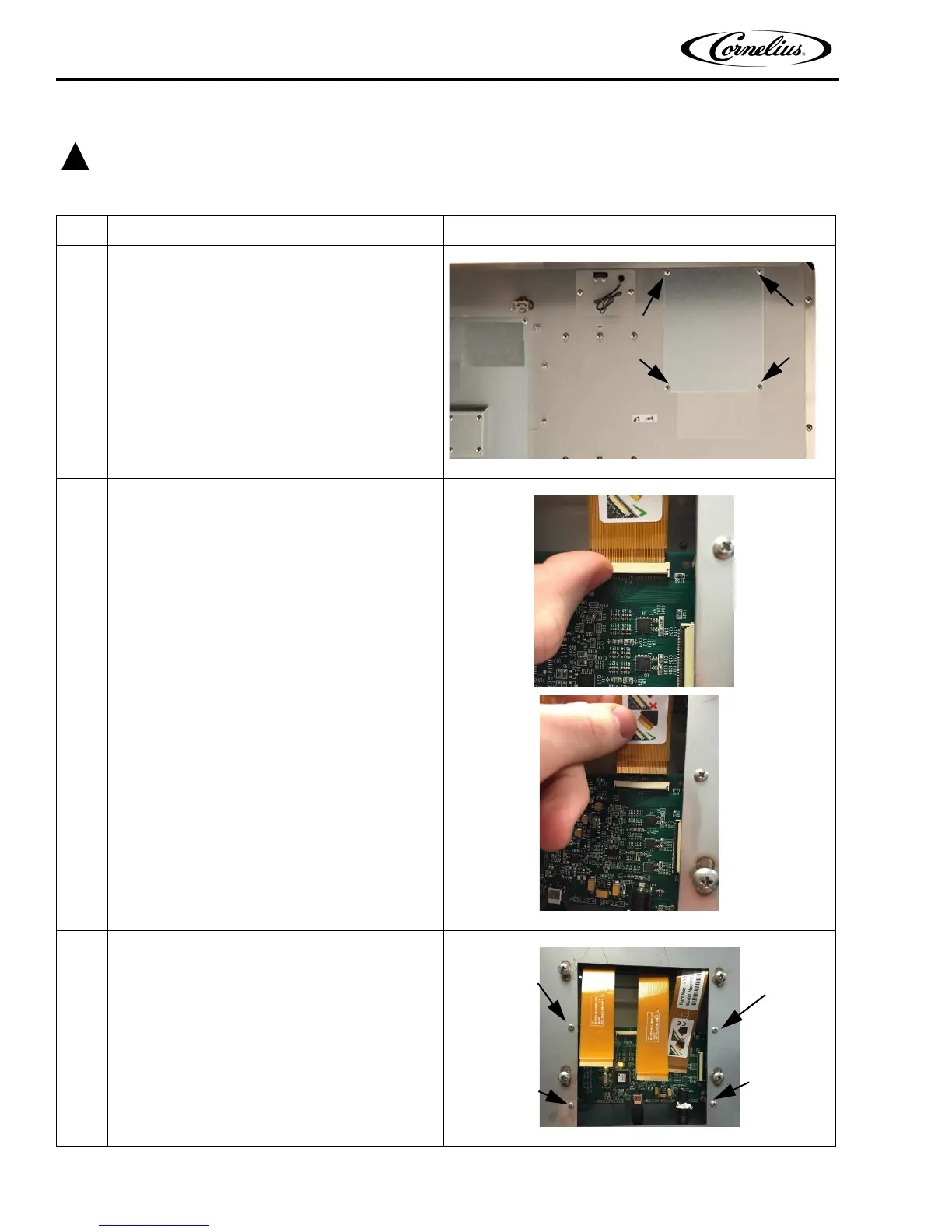
Remove touch controller board cover (top right on
back of door) by unscrewing the four screws as indi-
cated in Figure 16.
Figure 16.
2
Unlock the touch tails from board by flipping up
black tabs and carefully remove touch tails from the
board.
Figure 17.
3
Unscrew the four screws and take the touch control-
ler board out.
Figure 18.






 To Next Page