Installation/removal
Cornelius Deutschland GmbH
Document no. TD0003100
Version 18/03/2019, Index 0
Installation and service manual Tower
Nueva
10
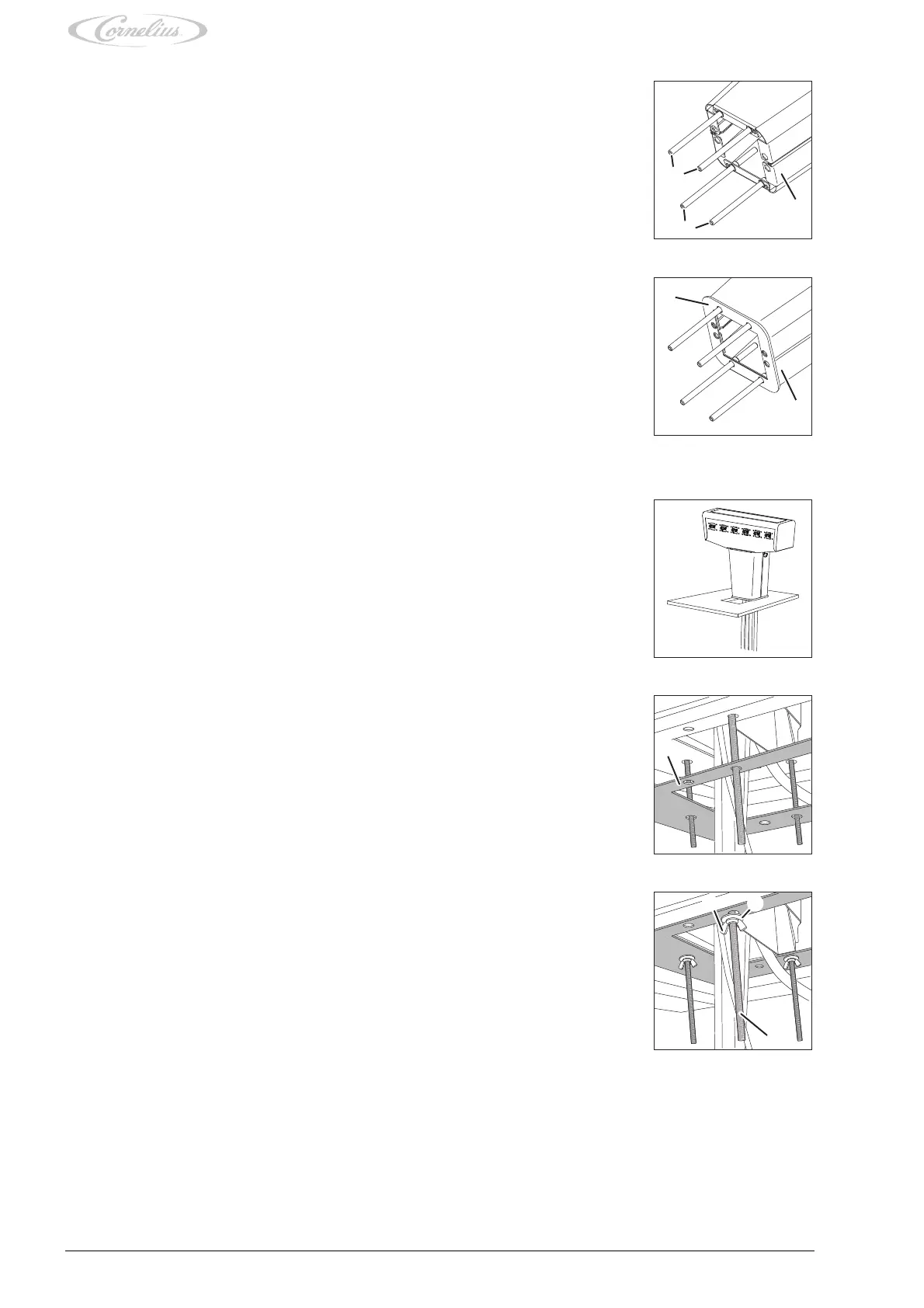
3. Feed the tubes and cables through the opening into the supporting structure in a downward motion.
1. Attach the threaded bolts (Fig. 3/1), on the stand (Fig. 3/3) of the unit, by screwing the threaded
bolts into the stand (Fig. 3/3).
Fig. 3
2. Position the gasket (Fig. 4/1) on the stand (Fig. 4/2) of the unit.
Fig. 4
4. Place the unit onto the prepared supporting structure.
Fig. 5
5. Position the sealing plate (Fig. 6/1) against the supporting structure.
Fig. 6
6. Attach the unit to the supporting structure using threaded bolts (Fig. 7/3), wing nuts (Fig. 7/1)
or nuts and washers (Fig. 7/2), and tighten the wing nuts or nuts evenly.
Check that the unit is properly attached. After attachment, the unit must not tilt or overturn.
Fig. 7














 To Next Page