Installation/removal
Cornelius Deutschland GmbH
Document no. TD0003100
Version 18/03/2019, Index 0
Installation and service manual Tower
Nueva
12
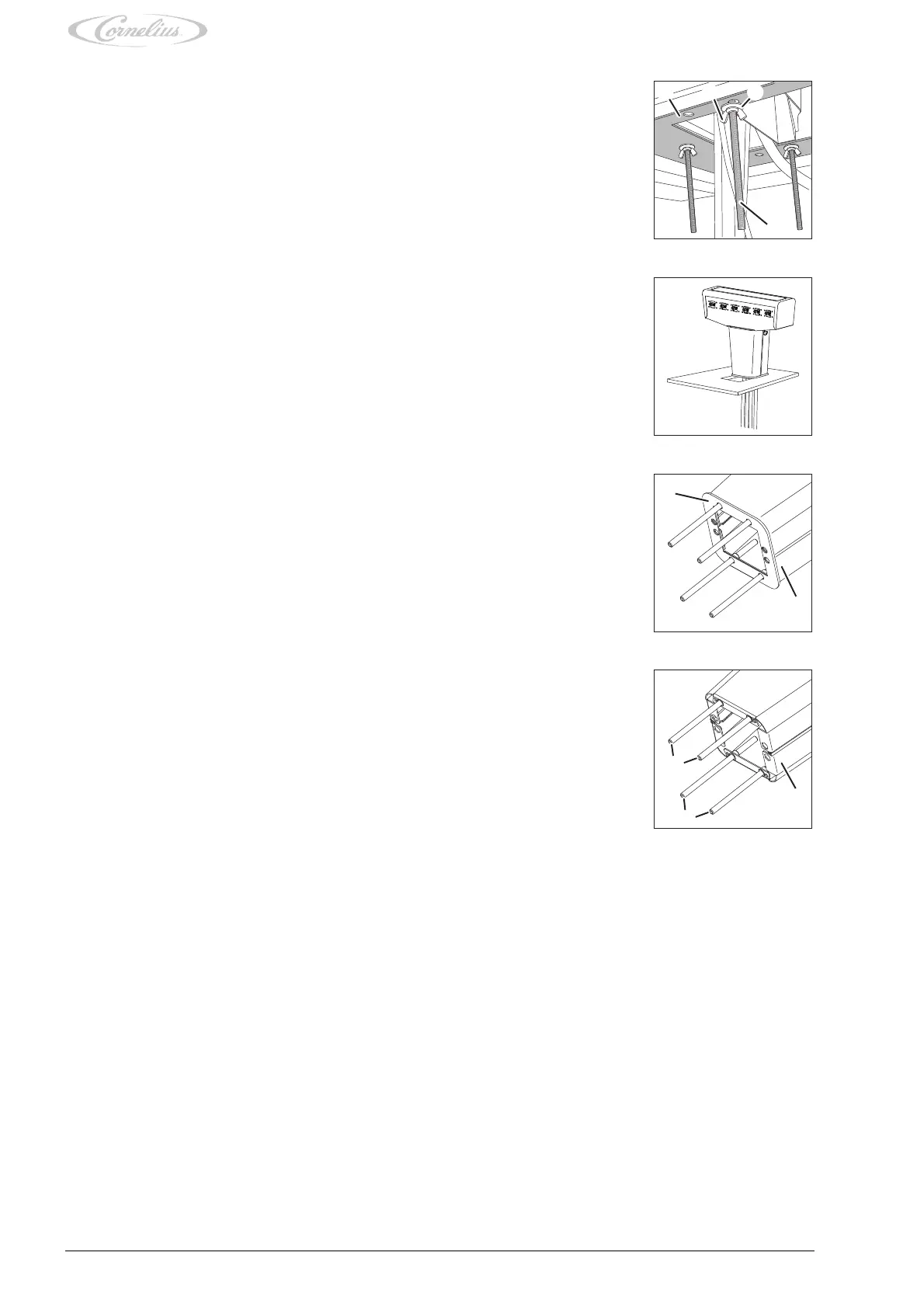
4. Remove the wing nuts (Fig. 12/2) or nuts, washers (Fig. 12/3) and sealing plate (Fig. 12/1)
from the threaded bolts (Fig. 12/4) used to attach the unit to the supporting structure.
Fig. 12
5. Lift and remove the unit from the supporting structure.
6. Pull out the tubes and cables through the opening of the supporting structure in an upward mo-
tion.
Fig. 13
7. Remove the gasket (Fig. 14/1) on the stand (Fig. 14/2) of the unit.
Fig. 14
8. Remove the threaded bolts (Fig. 15/1), on the stand (Fig. 15/3) of the unit, by unscrewing the
threaded bolts from the stand (Fig. 15/3).
9. Pack the unit as described in chapter 2.
Fig. 15














 To Next Page