USING THE DISPENSER
- 32 -
COROB™ D600 - D700 - D800TX
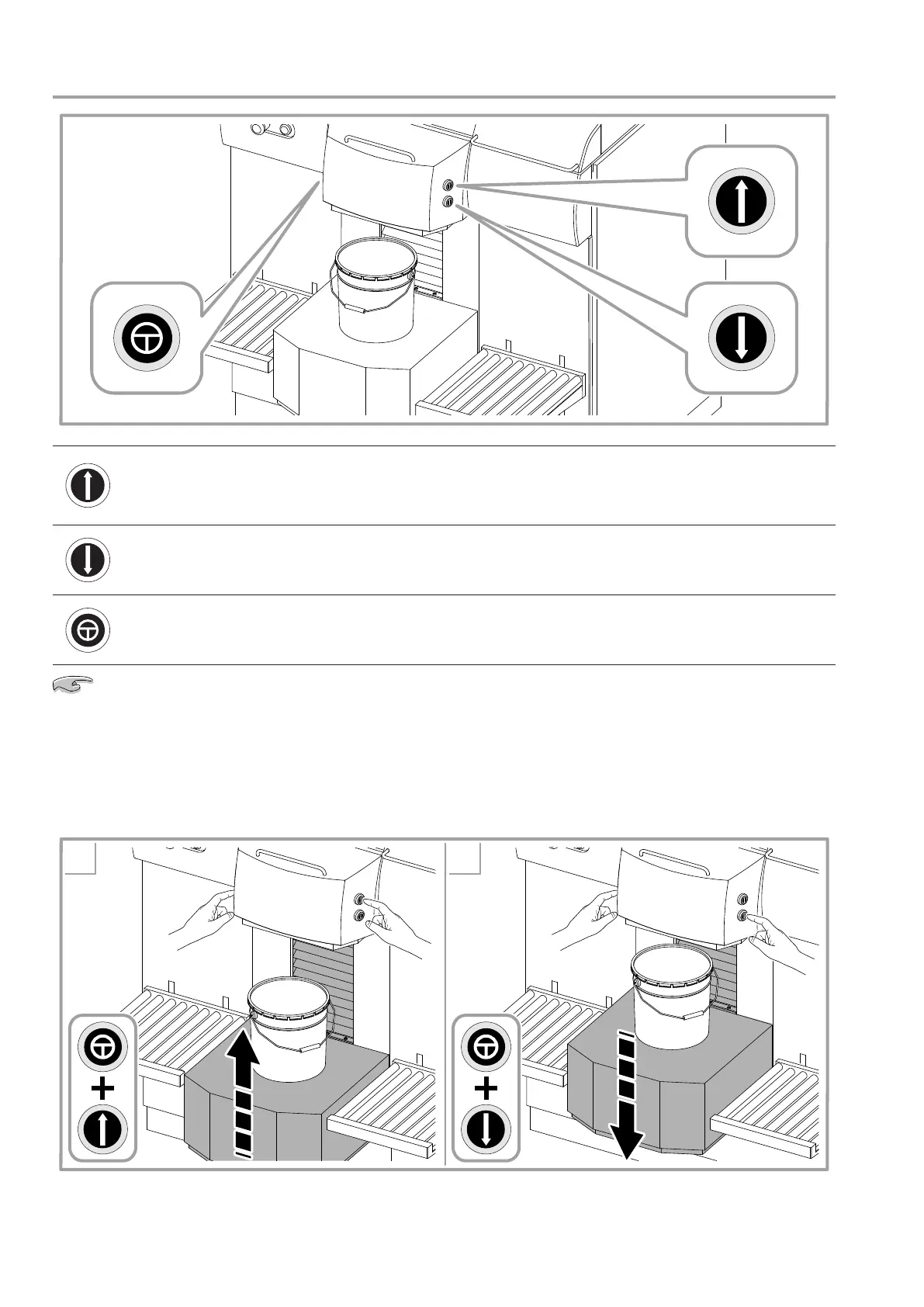
6.3.1 Loading the can - Semiautomatic shelf
Shelf UP button
This button, when pressed with the safety button, causes the
shelf to rise and, when released, to stop immediately. If it is not
released, the shelf stops automatically when the can resting on it
is detected by the photocell.
Shelf DOWN button
This button, when pressed with the safety button, causes the shelf
to lower and, when released, to stop immediately.
SAFETY button, to enable
shelf movement
This button, when pressed with the up or down button, enables
the shelf to move respectively up or down and, when released, to
stop immediately.
With the purpose to prevent any crushing risks, the semiautomatic shelf is tted with a lower safety
plate (chapter 3.5). The safety plate intervenes by causing the shelf to stop if it is inadvertently touched by the
operator.
1. Place the can on the shelf. Use the panel roll conveyors, if tted, to slide and ease heavy cans on the shelf
(chapter 6.3.3). Press and hold down the Safety and Up buttons to raise the shelf, which stops when the
can is correctly positioned.
2. If necessary, lower the shelf by means of the Safety and Down buttons.
1 2



 To Next Page