
 Need help?
Do you have a question about the Cosmote Speedport Plus 2 and is the answer not in the manual?
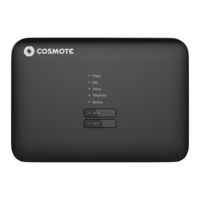
Provides a general description of the Speedport Plus 2.
Lists all components included in the product package.
Details the technical capabilities and supported features.
Describes the physical ports and buttons on the device.
Explains the status indicated by the device's LEDs.
Lists detailed technical parameters of the device.
Step-by-step instructions for connecting the device to the network.
How to access and log into the device's configuration interface.
Explains the main screens and navigation of the device's GUI.
Displays overall system information like firmware version and uptime.
Shows the status of the Wide Area Network (Internet) connection.
Displays the status of the Local Area Network (wired connections).
Shows the status of the wireless network connections.
Details the status and line quality of the DSL connection.
Provides information on the telephony service status.
Shows the status of any active mobile network connection.
Displays hardware and software events for diagnostics.
Manages network security by configuring firewall levels.
Configures parameters for the Internet and WAN connection.
Configures settings for mobile data connectivity.
Manages port forwarding and DMZ settings for network access.
Manages content access, MAC filtering, and URL blocking.
Filters network traffic and configures Dynamic DNS for remote access.
Manages Universal Plug and Play for network device interaction.
Configures basic Wi-Fi parameters like band steering and radio bands.
Sets up Wi-Fi network name (SSID) and security encryption.
Schedules the activation and deactivation of the Wi-Fi network.
Controls device access to the Wi-Fi network using MAC addresses.
Adjusts Wi-Fi mode, bandwidth, and signal power.
Scans and displays information about surrounding Wi-Fi networks.
Sets up SIP accounts for VoIP calls.
Assigns SIP accounts to specific telephony ports.
Secures the device by setting or changing the administrator password.
Manages settings backup, restore, factory reset, and device restart.
Updates the device's firmware to the latest version.
Configures IP addresses, subnet masks, and DHCP server parameters.
Sets the device's time by synchronizing with an internet time server.
Resets the device to its original factory default settings.
Solves common issues related to power, connectivity, and Wi-Fi.
Addresses problems with making or receiving calls.
Solutions for issues accessing the device's graphical user interface.
 General
| Frequency Bands | 2.4 GHz and 5 GHz |
|---|---|
| VoIP | Yes |
| Firewall | Yes |
| Power Supply | 12V DC |
| Ethernet Ports | 4 |
| Security Protocols | WPA2 |
| DSL Standards | ADSL, VDSL |
| USB Ports | 1 |
| Wi-Fi Standard | Wi-Fi 5 (802.11ac) |

 To Next Page