15
Crane Electronics Ltd
The force in torque management
Crane Electronics Ltd
Watling Drive
14 88
-electronics.com
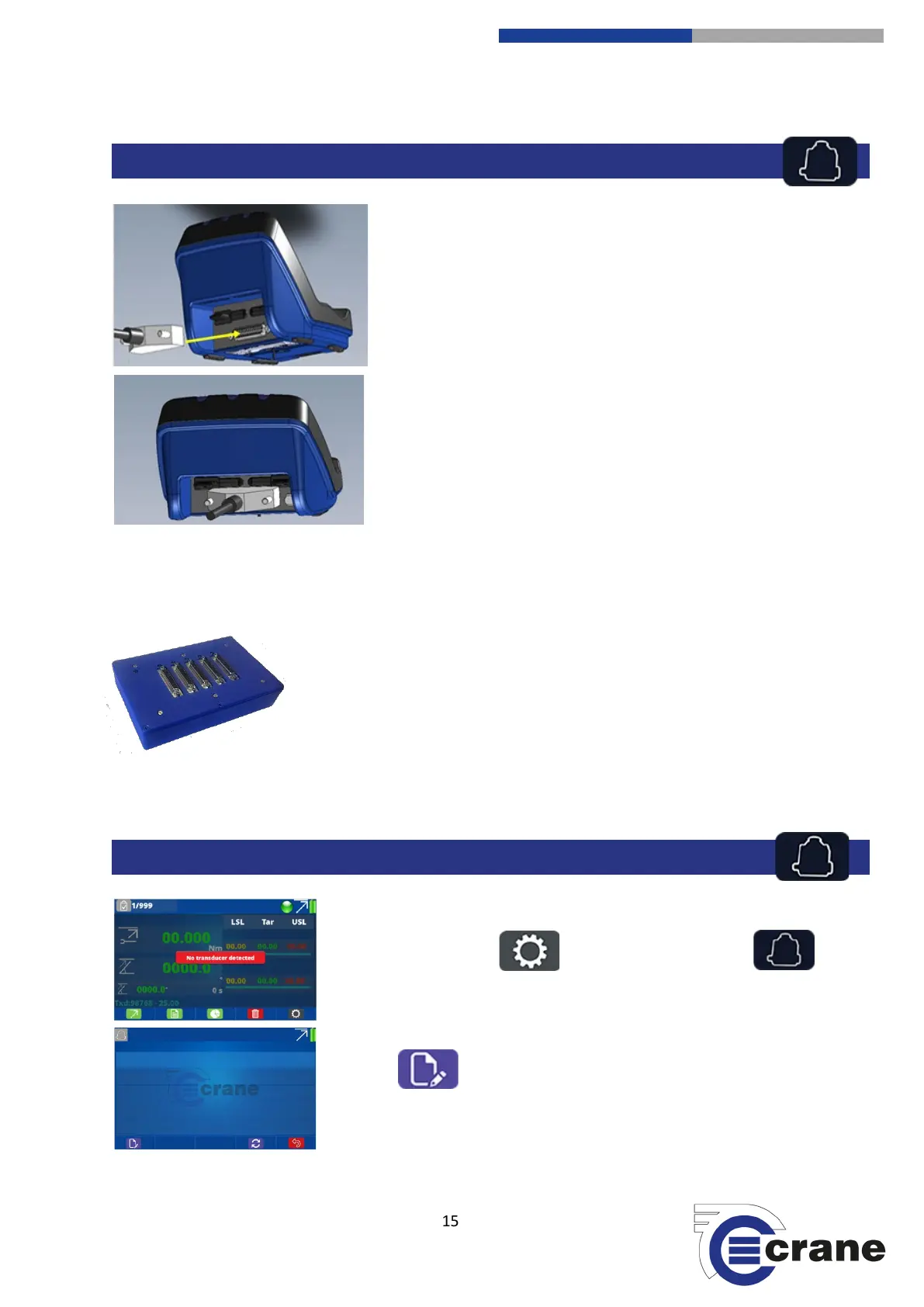
Plug the male 25-way D-type connection on the transducer to the
female connection port on the back of the TorqueStar.
All Crane UTA transducers will automatically be recognised.
Industry Standard (IS) Transducers will have to be manually
inputted (See transducer set-up).
You can store up to 10 x IS transducers. You can use 1 x UTA transducer and have 10 x IS stored, or you can
connect 5 x UTA transducers at the same time by using a 5-Way transducer switching box.
5-Way auto transducer switching box:
Allows connection of up to 5 transducers and the capability to switch between
them with ease. Automatic recognition of UTAs and no hardware modifications
are required to connect. Uses 25-way D-type interface.
Part Number: TO-899-09CR-0-0
RS232 Cable Port to Port: CBL-757-0-0-0-0
To manually set up an IS or force transducer select the settings icon from
the Measurement screen and then the transducer icon.
You will come to this screen enabling you to set up a transducer. Press the
edit icon to manually input the transducer you wish to connect.



 To Next Page