18
Crane Electronics Ltd
The force in torque management
Crane Electronics Ltd
Watling Drive
14 88
-electronics.com
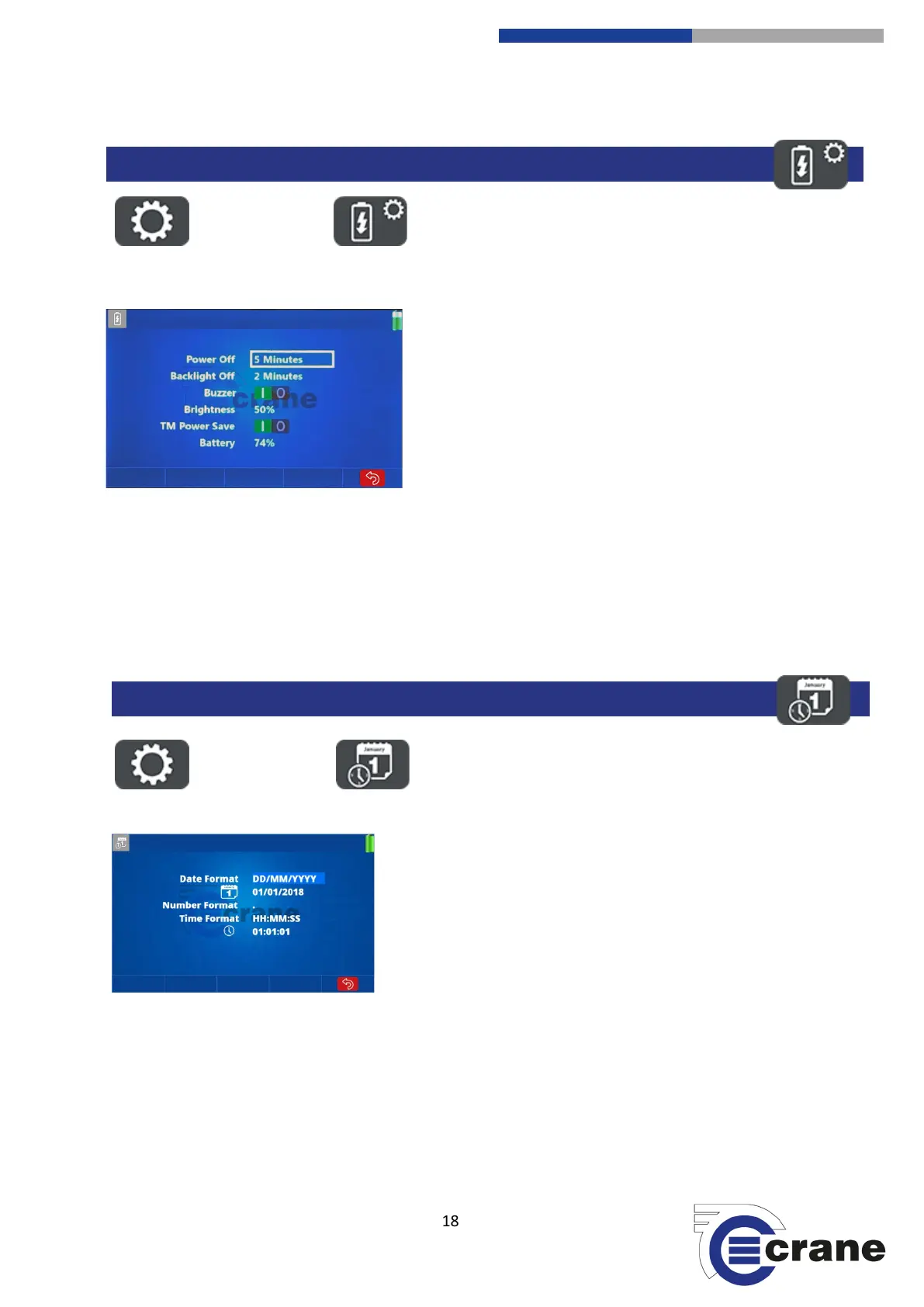
Select the Settings Icon. Select the Power Icon.
You can change the ‘Power Off’ time by using the Up and
Down arrows to highlight the current minutes. Use the Left
and Right arrows to toggle between time limits. You can set
‘Never Off’ or between 1 - 200 minutes.
The same process is followed to change the ‘Backlight Off’
setting. The ‘Buzzer’ can be toggled on or off and the
‘Brightness’ can be changed from 20% - 100%. A lower
brightness saves battery power. ‘Battery’ level is an indicator
to the unit’s power status. If an external power source is
connected, then it will show as 100%.
The ’Backlight Off’ time cannot be greater than the ‘Power Off’ time.
The ‘TM Power Save’ turns the Torque Module power off when not being used to talk to transducers in
measurement mode.
The ‘Timer’ does not operate if an external power supply is connected.
Select the Settings Icon. Select the Date/Time Icon.
Date Format – Using the Up and Down arrows you can navigate.
Highlight the ‘Date Format’ and press of the left or right arrows to
change the format. There are three to choose from:
DD/MM/YYYY, MM/DD/YYYY, YY/MM/DD.
Date – To change the date, highlight the current date stored, press
the green OK button and use the Up and Down arrows to change
the dates. The Left or Right keys switch between day, month and
year. To save, press the green button.
Number Format – Dot or Comma for decimal place.
Time Format – Set how you want the time displayed. HH:MM:SS, HH:MM using the left and right arrow keys.
Time – Highlight the current time, press the green OK button and then you can use the arrow keys to change
the time, using the Left and Right arrows to move between the hours, minutes and seconds.



 To Next Page