14
Crane Electronics Ltd
The force in torque management
Crane Electronics Ltd
Watling Drive
14 88
-electronics.com
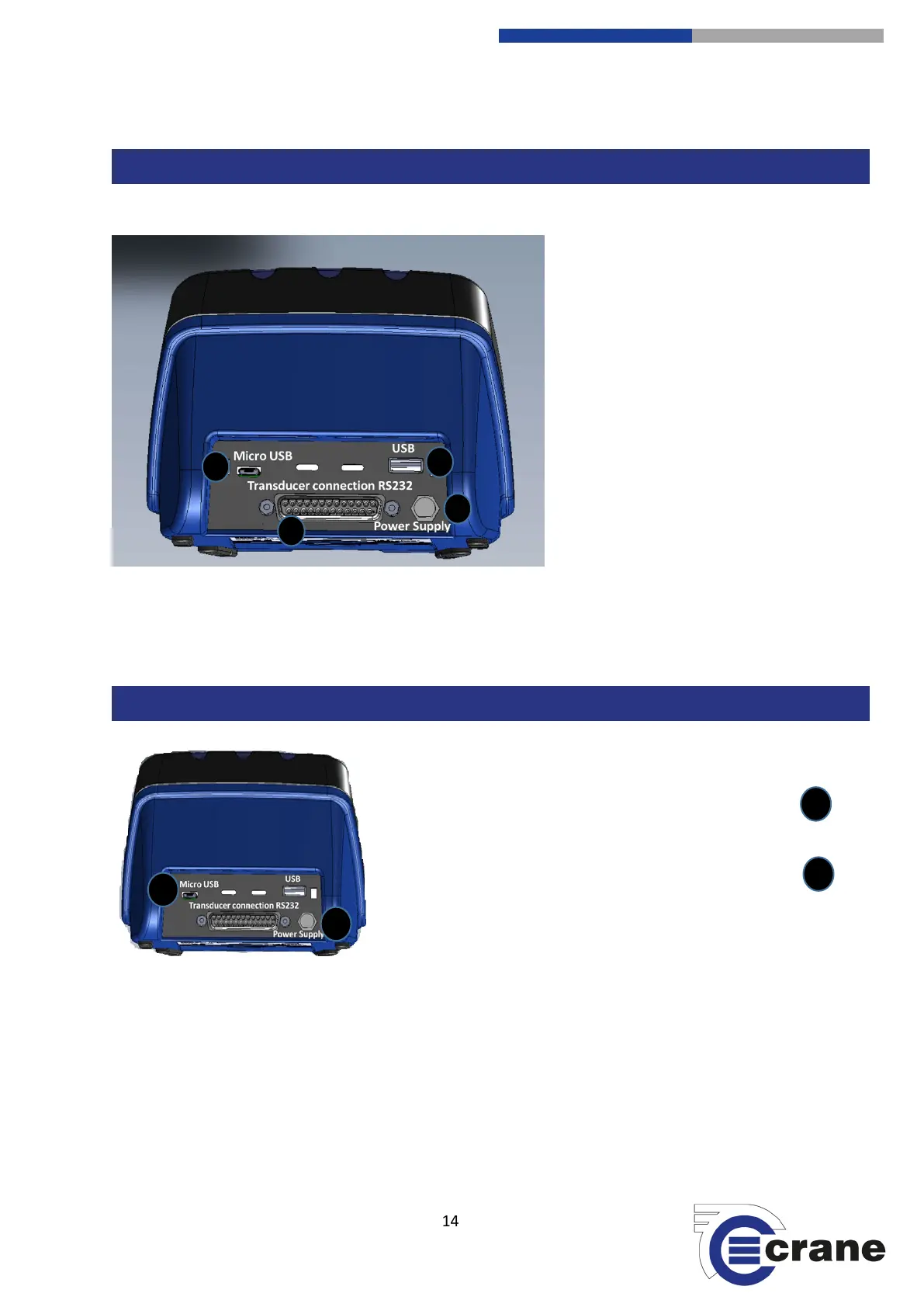
TorqueStar Pro has connectivity using
the following:
1) Micro USB (charging or streaming)
2) USB (USB stick or OMS Lite)
3) 25-way D-type female transducer
port
4) 5V DC Power Supply
Charging can be done in two ways:
1) Connect Micro USB on the TorqueStar to USB on a
laptop/PC or USB charger.
2) Connect the 5V DC port with a DC power supply.



 To Next Page