20
Crane Electronics Ltd
The force in torque management
Crane Electronics Ltd
Watling Drive
14 88
-electronics.com
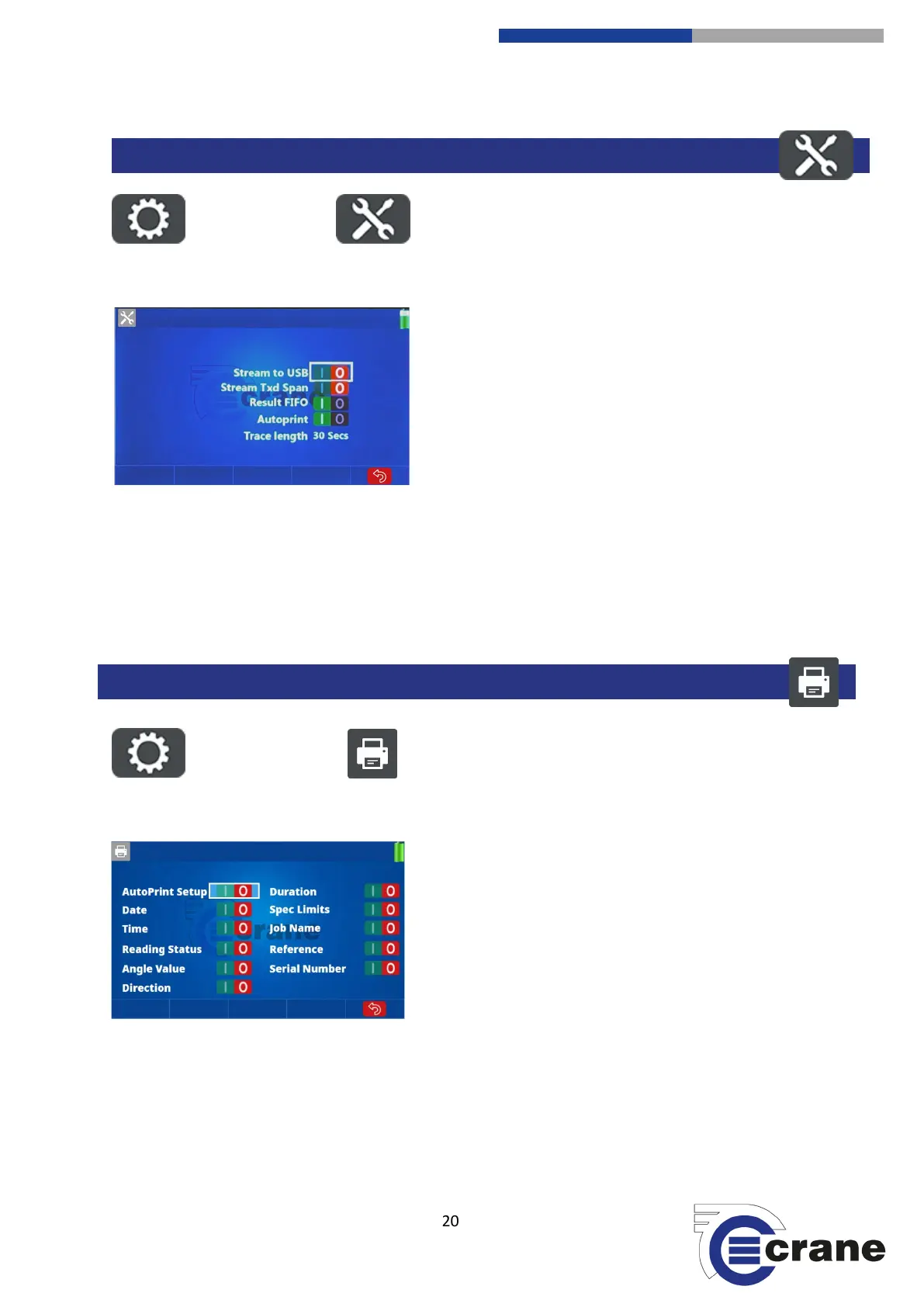
Select the Settings Icon. Select the Misc. Torque Icon.
Use the Up and Down arrows to navigate and use the left
and right arrows to set the user requirement.
Stream to USB updates torque value to the USB continuously
whilst taking readings. Stream is on Micro USB port.
The span of the connected transducer can be added to
stream.
FIFO is First In First Out. If off, it can only take 999 readings.
If on, you can see the last 999 readings.
- Auto Print sets print out for the end of results and in
reading list.
- Trace length: 0 (No trace), 30s (data point every 1ms), 60s
(data point every 2ms) 2 mins, 5 mins, 10 mins, 20 mins, 1
hour, 2 hours, 4 hours, 10 hours.
Select the Settings Icon. Select the AutoPrint Icon.
AutoPrint set-up.
Use the left and right arrows to change the settings, use the
up and down arrows to scroll through the menus.
MISCELLANEOUS TORQUE SETTINGS



 To Next Page