21
Crane Electronics Ltd
The force in torque management
Crane Electronics Ltd
Watling Drive
14 88
-electronics.com
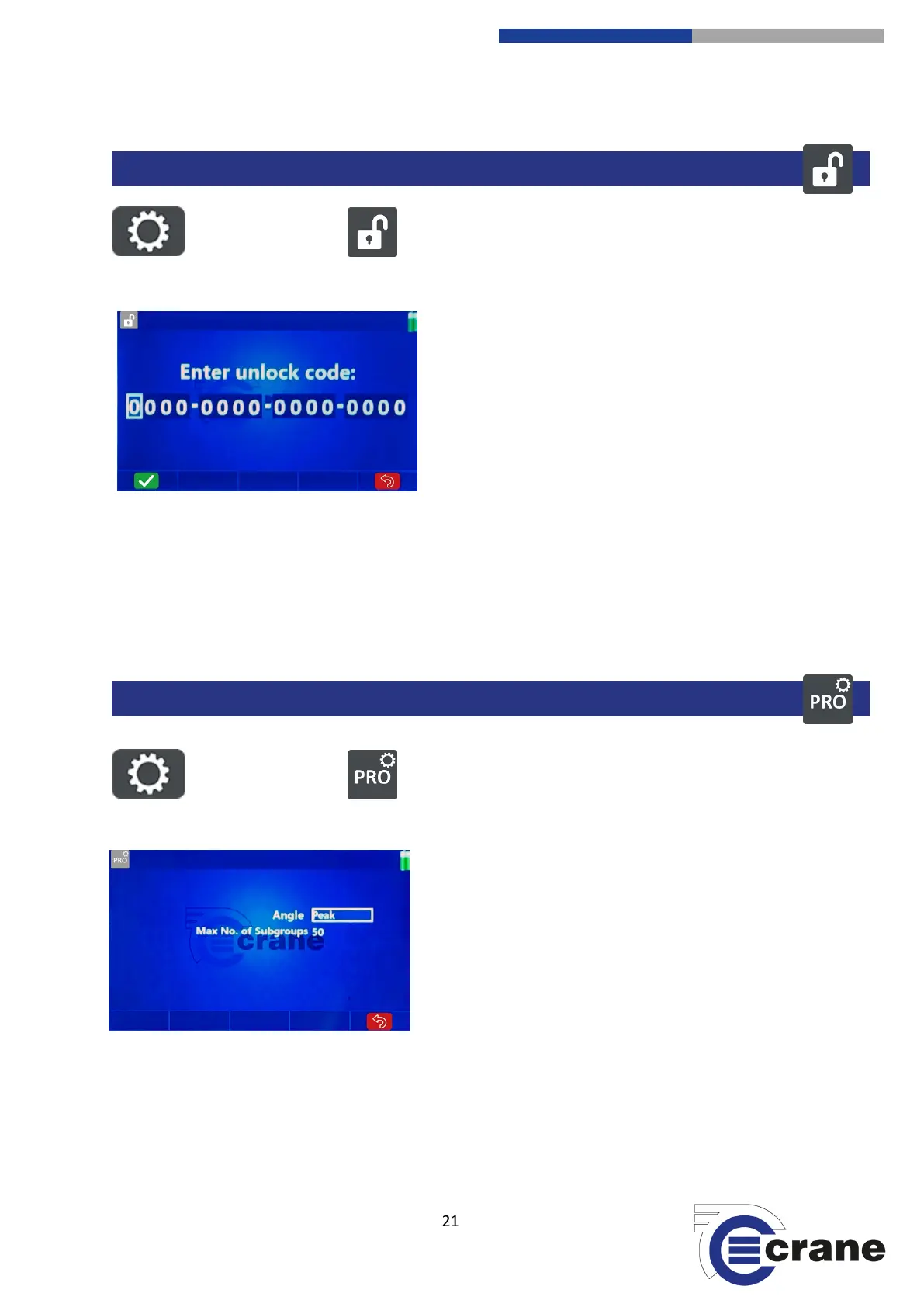
Select the Settings Icon. Select the Unlock Icon.
The unlock code can be provided by Crane to enable
features on the TorqueStar. With no unlock code the
TorqueStar will show ‘Demo’ on the splash screen and will
work in basic Plus mode. The Plus unlock code removes
‘Demo’ from the splash screen.
Plus with ‘Graphs’ unlock code allows traces of readings to
be viewed and advanced statistics. These come as standard
on Pro.
Pro unlock code upgrades Plus to Pro. The same hardware and firmware is used so the unit does not need to
be returned to Crane. The unlock code is remembered when the TorqueStar is turned off/on.
Select digit position with Left and Right arrow keys. Select the Hex number (0 – 9 A – F) with Up and Down
arrow keys. Click accept (F1) icon when code is entered. Note: the unlock code is dependent on the serial
number of the TorqueStar so it cannot be shared between devices.
Select the Settings Icon. Select the Pro Settings Icon.
Angle Value can be set as:
- Peak (Angle at Peak Torque)
- Final (Angle seen before torque goes below Angle Start Torque for the final time)
PRO SETTINGS (TorqueStar Pro Only)



 To Next Page