22
Crane Electronics Ltd
The force in torque management
Crane Electronics Ltd
Watling Drive
14 88
-electronics.com
Max. No. of Subgroups
- Set by OMS Lite and is maximum number of subgroups per job. It affects the maximum
number of jobs it can store (Note. the number of jobs stored is also affected by number of readings
per subgroup and can only save a maximum of 20,000 readings).
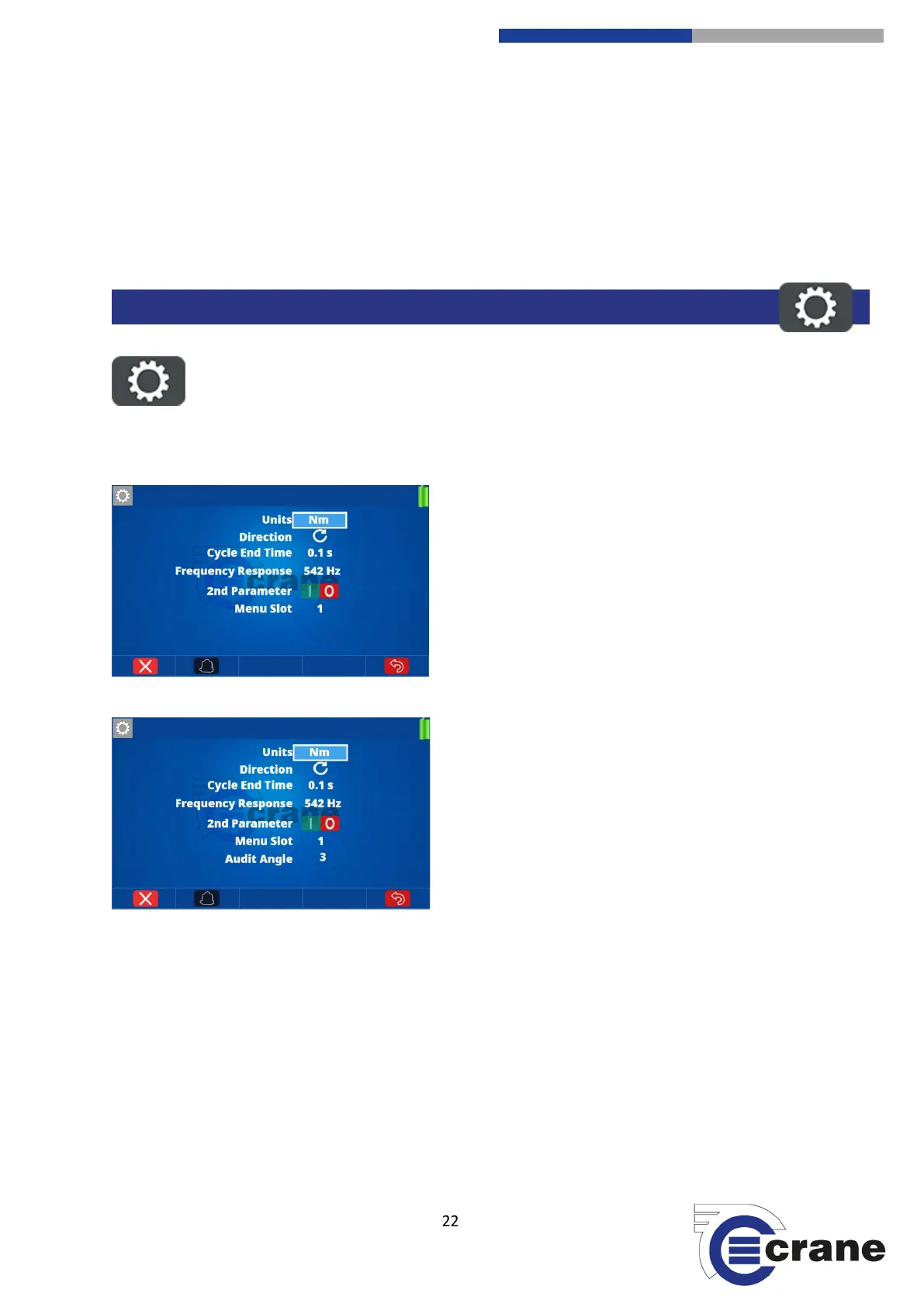
Select the Settings Icon, when on a measurement screen.
Using the Up and Down arrows on the device you can
select the setting that you require. Using the Left and
Right arrows will change the setting to what you require.
Once completed you can press the return key to go back
to the measurement screen.
Units = Displayed torque units
Direction = Clockwise, Anti-clockwise, Auto
Cycle end time = 0.2s, 0.5s, 1.0s, 2.0s, 5.0s,
10.0s, 20.0s
Freq. response = (Hz) 75, 151, 256, 307, 384,
542, 768, 921, 1024, 1316, 1536, 2304, 3072,
4608
The Menu Slot is the number from the left of the
screen that the measurement icon occupies
Audit Angle is shown when measure mode is
Audit.
SETTINGS MEASUREMENT SCREEN



 To Next Page