30
Crane Electronics Ltd
The force in torque management
Crane Electronics Ltd
Watling Drive
14 88
-electronics.com
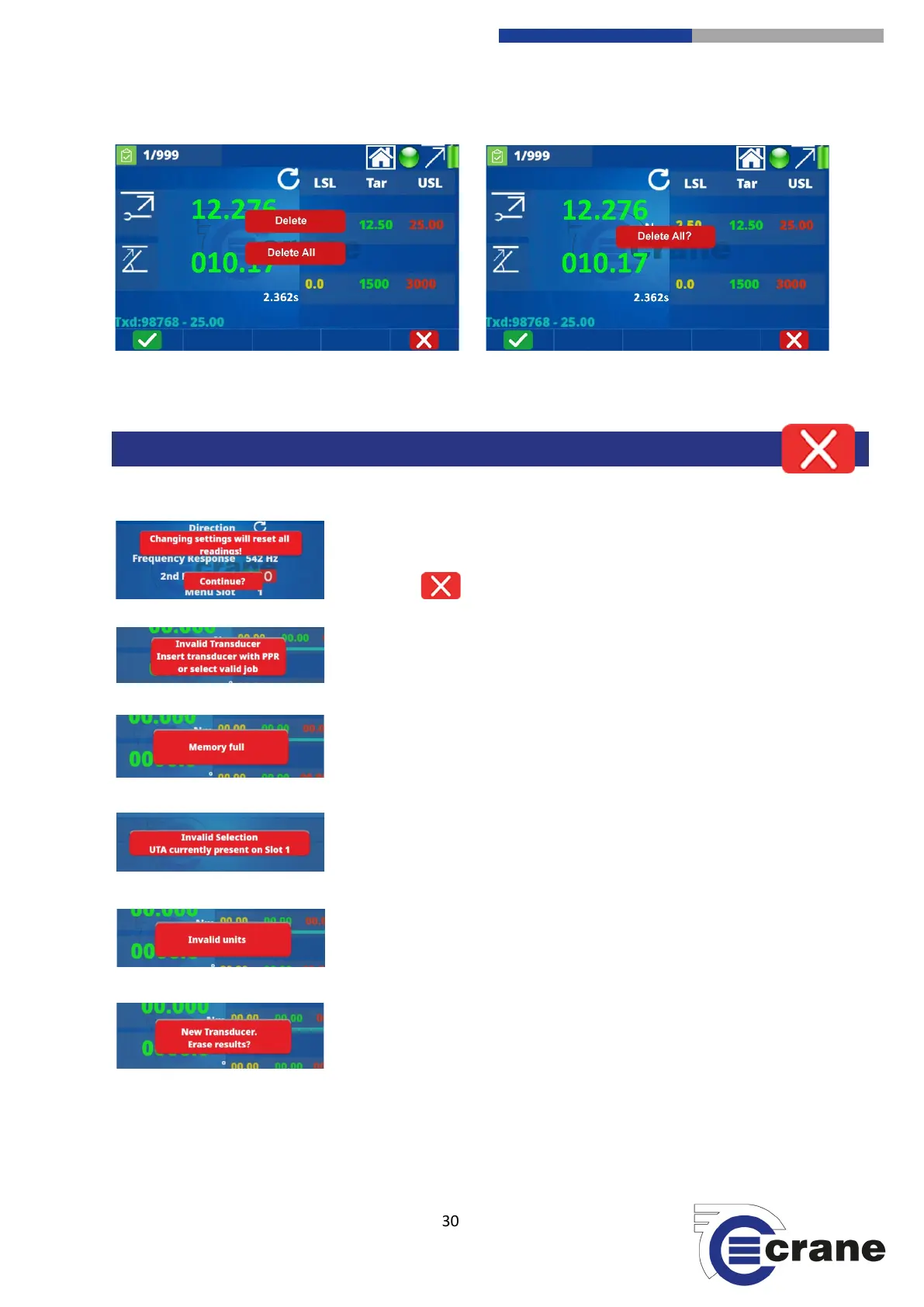
Below are a series of warning screens that can appear during operation of the TorqueStar:
If you decide to change settings whilst in the middle of readings then you
will be warned. If this is what you wish to do then press the green button, if
not press the button.
Warning messages similar to this will appear if you try and attach or select
the wrong transducer for the job required.
The TorqueStar will warn you if your memory is full. You will need to
upload to a USB, print out your results or delete readings.
If you are trying to select a transducer that is not compatible or choose the
wrong one then you will be issued with a warning message. You can go
back using the red ‘back’ key.
If you have selected the wrong units then you will see this message.
If you attach a new transducer whilst in the middle of readings then this
will erase all the results. Press the green ‘tick’ or the red ‘cross’.



 To Next Page