37
Crane Electronics Ltd
The force in torque management
Crane Electronics Ltd
Watling Drive
14 88
-electronics.com
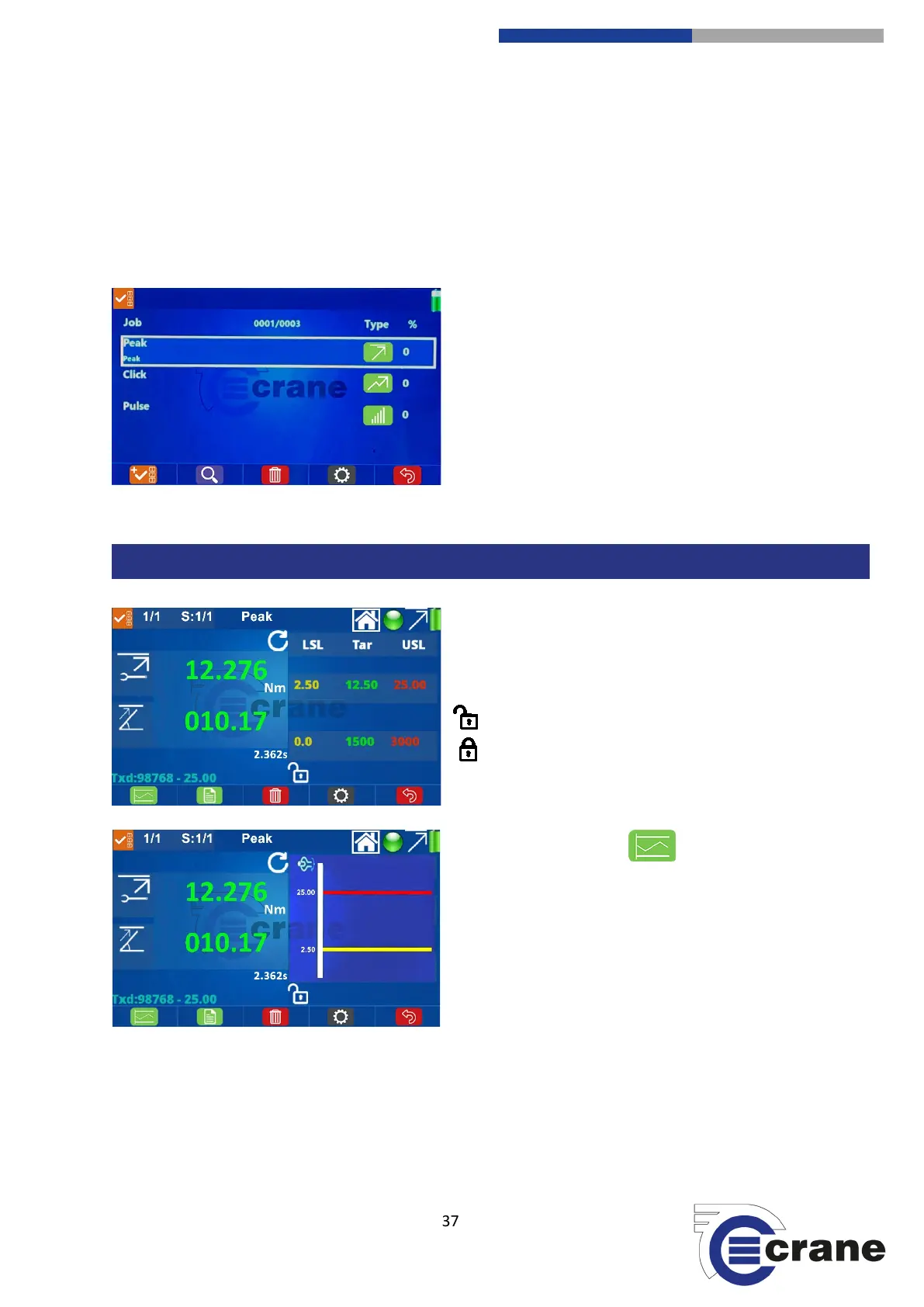
When listing jobs, you can see up to 4 at a time. Use the up and down arrow keys to scroll through the job list.
Pressing the green key on a highlighted job enters the job measurement mode.
The job list shows - in the top middle of the display - which job number it is in the list and how many there are
in total.
Against each job it also displays the job type (e.g. peak) and the percentage of completion.
Similar to Check measurement screen plus:
S:X/Y = Informs which subgroup ‘X’ out of ‘Y’ you are in.
Job Name = (e.g. JOB1) is top centre of the display.
Unlocked = (Can take readings)
Locked = (Completed all readings)
Select the Switch View icon to switch between:
- Line Graph = (Readings with LSL & USL limits)
- Torque Thresholds = (View Torque Limits)



 To Next Page