27
Crane Electronics Ltd
The force in torque management
Crane Electronics Ltd
Watling Drive
14 88
-electronics.com
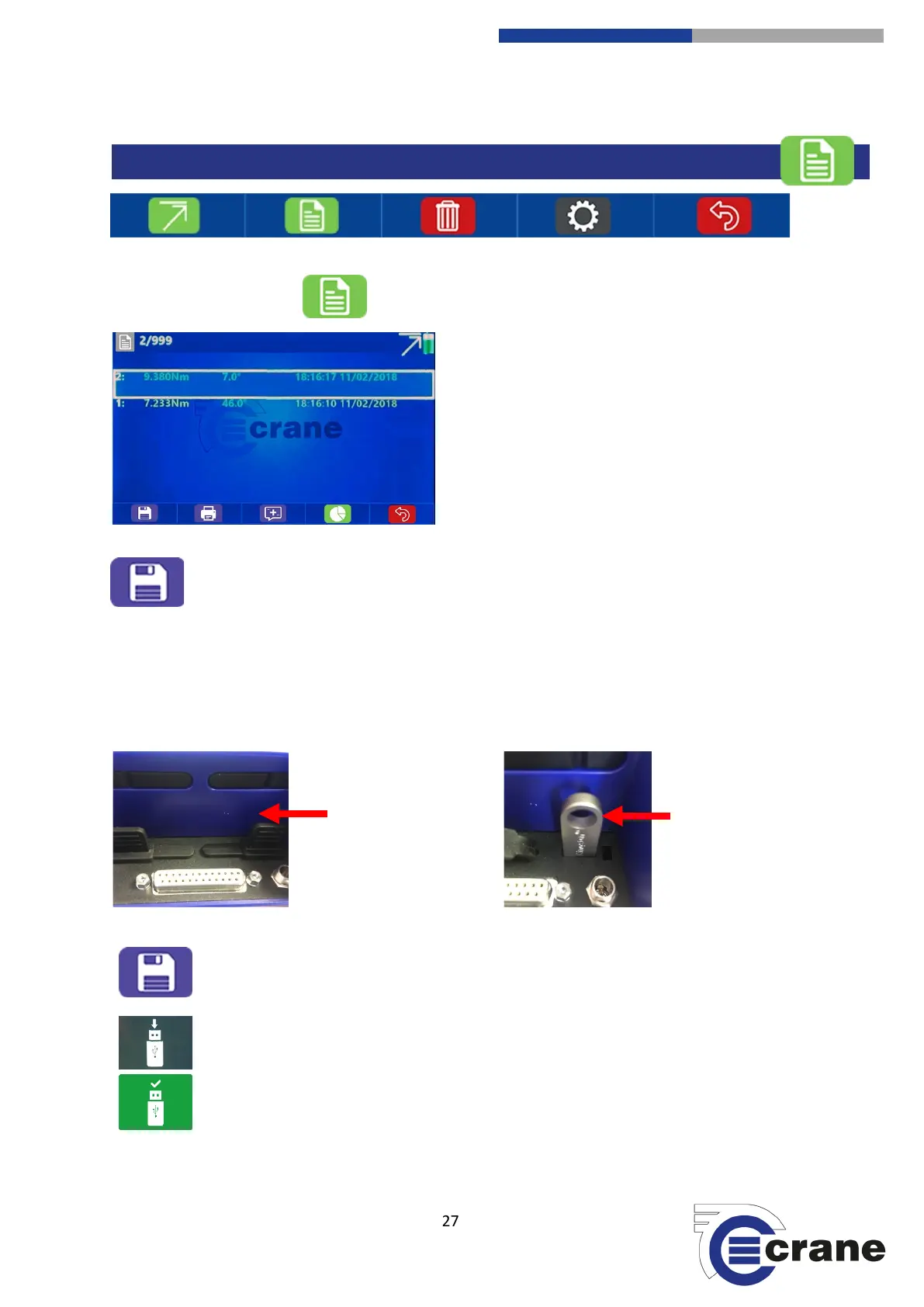
Pressing the readings list icon will take you to the readings screen.
The ‘Save’ icon will let you save your reading to a USB stick. Insert the USB stick and save to USB.
For further information go to the ‘Saving – USB’ section in this manual.
Saving readings to a USB device:
Insert a USB device into the back of the TorqueStar. The standard USB socket can be located at the rear of the
unit and is sealed with a plastic protector. Remove the protector and insert the USB device.
USB port protector. Insert USB.
When clicking on the Save Icon, you will be asked to insert a USB Stick. The USB Icon will
appear on the screen.
The USB Memory Stick icon will automatically go green and save the readings to the USB Stick
if attached.



 To Next Page