28
Crane Electronics Ltd
The force in torque management
Crane Electronics Ltd
Watling Drive
14 88
-electronics.com
Saves in folder \Crane\Export
Filename [MeasureMode] Date_Time.csv
Date & time format altered in settings represents the time of export.
We recommend you use the USB flash drive supplied with the TorqueStar (16GB USB 2.0). It is formatted as
FAT32.
The ‘Print’ icon will allow you to print all your readings using format in Auto Print settings.
Pressing the ‘Add Comment’ icon will open a window of text comments. These are different
comments the user is able to add to a reading to give details of any issues that occurred during
the tightening process. Once the required text is highlighted press the ‘ok’ key to confirm and
add this to the reading.
Comments Available:
Operator Error / Slipped / Fastener Missing / Fastener Location /
Prod. Down time / Not on Station / Production Error / Patch Bolt
Set / Loose Fastener / Wrong Fastener / Wrong Tool / Tool
Malfunction / Low Volume / Track Stop / Crossed Thread /
Stripped / Bad Part / Part Shortage / Not Determined
View Statistics of the Readings (see next page).
The ‘Back’ icon will take you back at any time to the measurement screen.
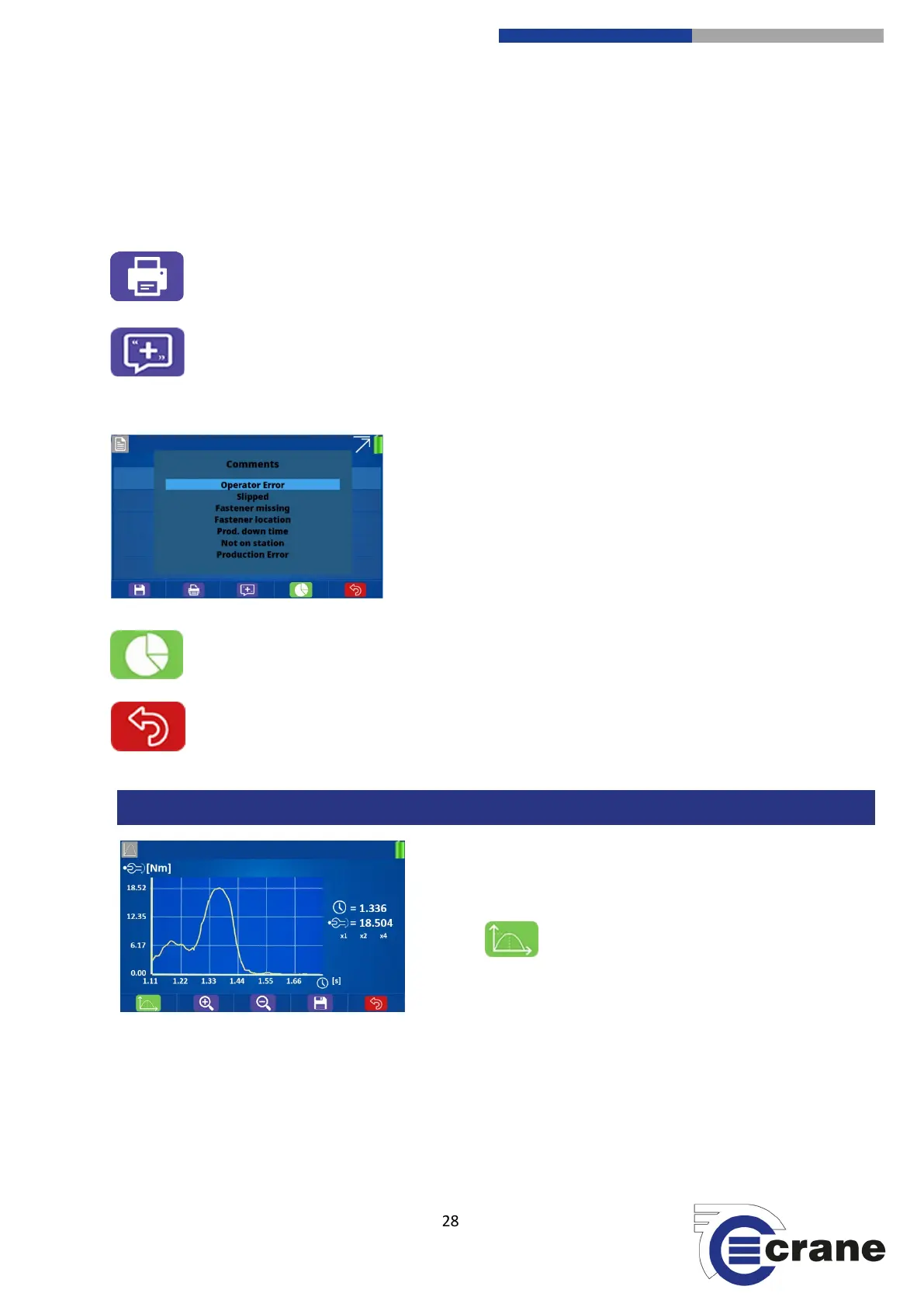
When in the reading list, pressing the green button for a
selected reading will show a graph of the readings.
The icon switches between Torque vs Time,
Angle vs Time and Torque vs Angle.
A red cross (cursor) will highlight the feature found on that measure mode. You can zoom in (except on Torque
vs. Angle)
The up and down arrow keys change the speed of cursor movement. The parameter values at the cursor
position are displayed on the right hand side of the graph. The plus and minus icons allow you to zoom in and
out of the trace. Zoom in centres on the cursor and you can zoom in until all trace points are displayed.



 To Next Page