19
Crane Electronics Ltd
The force in torque management
Crane Electronics Ltd
Watling Drive
14 88
-electronics.com
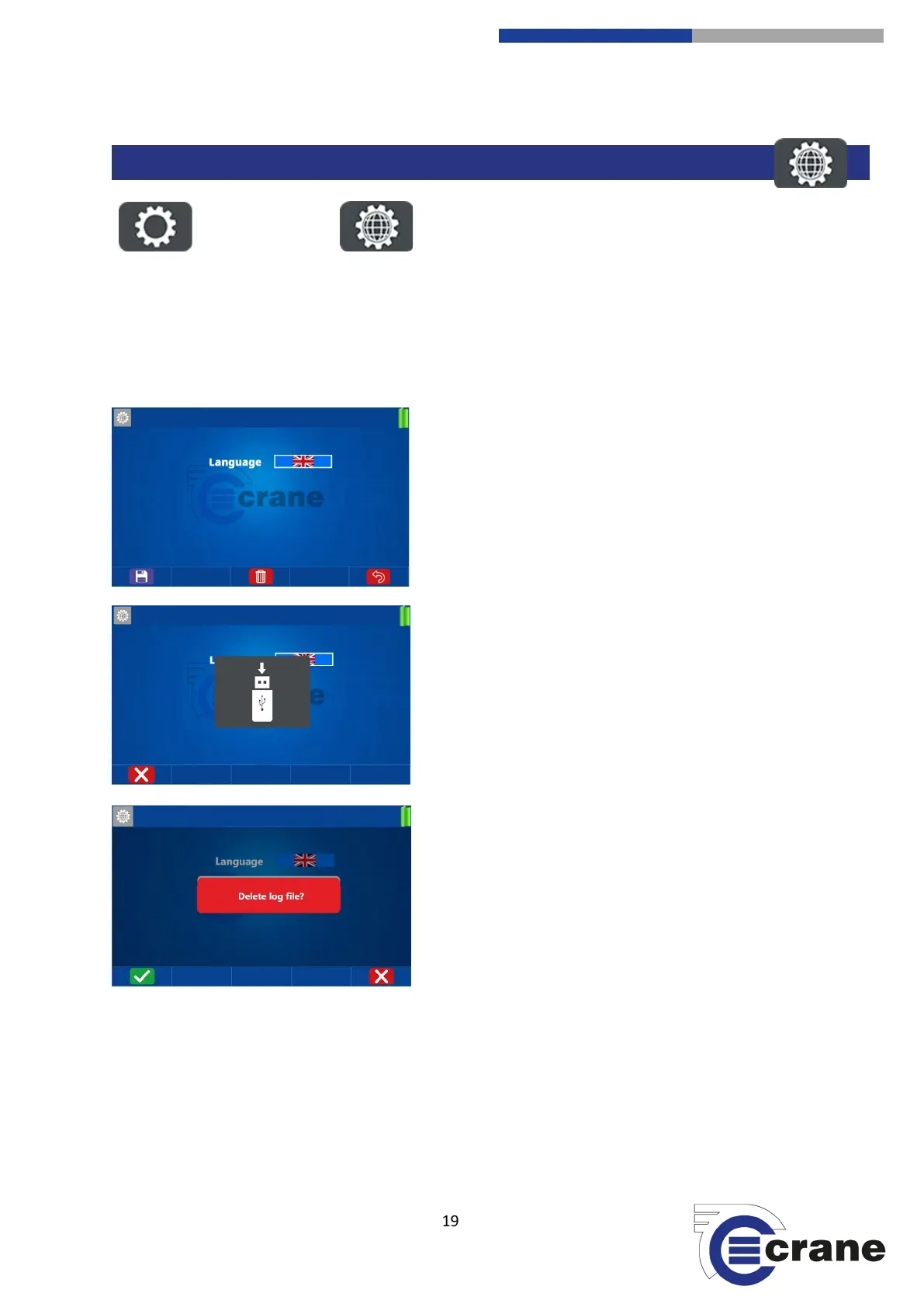
Select the Settings Icon. Select the Language Settings Icon.
Language Settings.
Use the Left and Right arrow keys to change the language in the TorqueStar. Available languages are: English,
French, German, Chinese, Polish, Hungarian, Italian, Portuguese, Spanish, Turkish, Swedish, Czech.
The TorqueStar stores a log file to aid the solving of any
issues arising in the software.
Save (F1) icon allows the log file to be stored on a USB flash
drive automatically. If no USB drive is available, press the
cancel icon (F1) to return.
The delete icon allows the log file to be deleted. Press accept
or cancel icon.
The logging cannot become full as a FIFO principle is employed to make sure only recent information is
recorded.
Stored in \Crane\logs\ folder on the memory stick as file ‘log.date-time’.
The log file can also be uploaded into OMS and OMS Lite (Pro only).



 To Next Page