17
Crane Electronics Ltd
The force in torque management
Crane Electronics Ltd
Watling Drive
14 88
-electronics.com
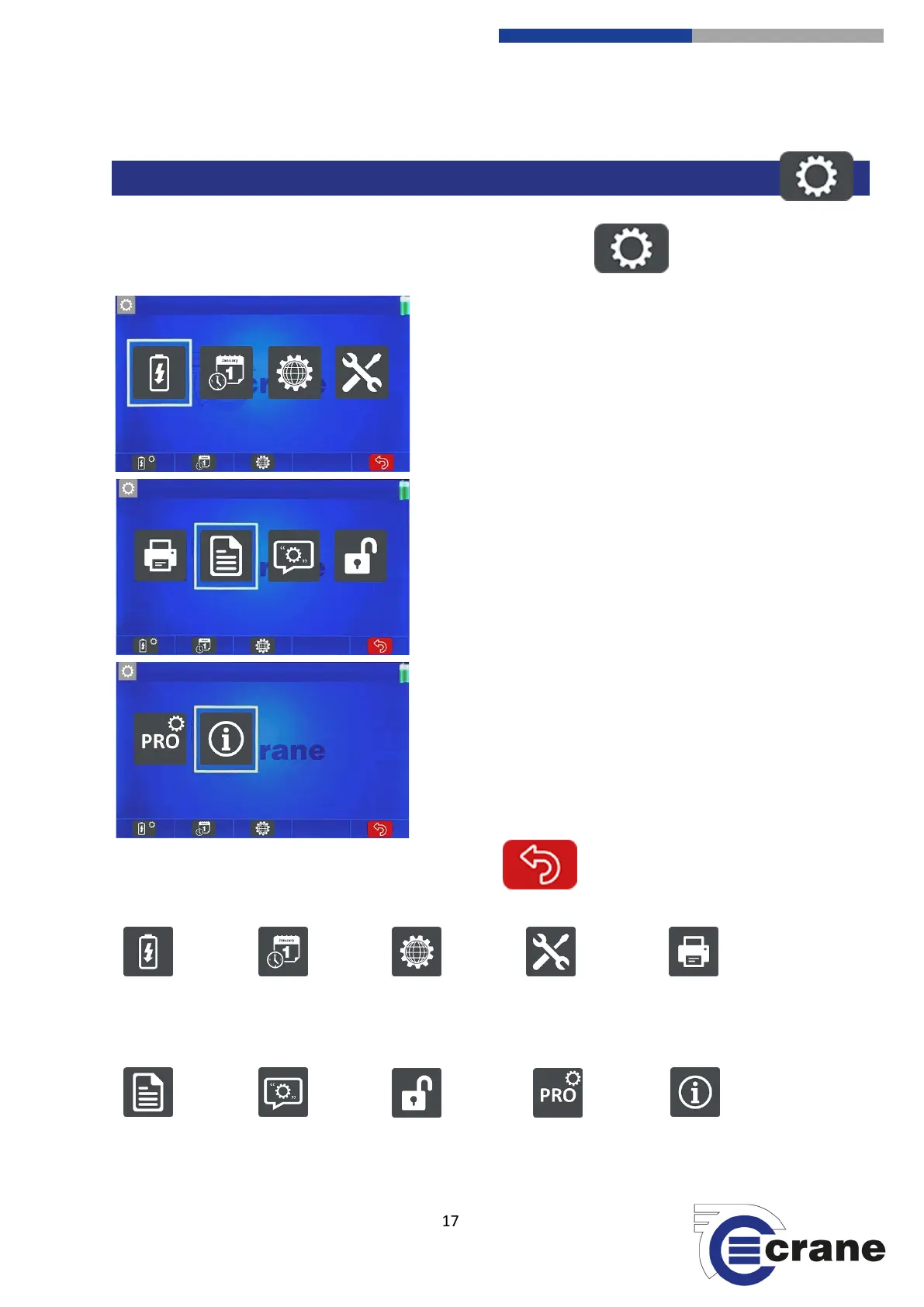
Settings can be accessed by selecting the Settings Icon on the home screen:
Use Left and Right arrow keys to move between the
different settings functions and select the chosen
function with the green key.
The ‘Back’ icon (F5) will take you back to the previous screen.
Power Settings Date & Time Settings Language Settings Misc. Torque Settings AutoPrint Settings
Readings Settings Comments Settings Unlock TorqueStar Pro Settings Splash screen



 To Next Page