13
Crane Electronics Ltd
The force in torque management
Crane Electronics Ltd
Watling Drive
14 88
-electronics.com
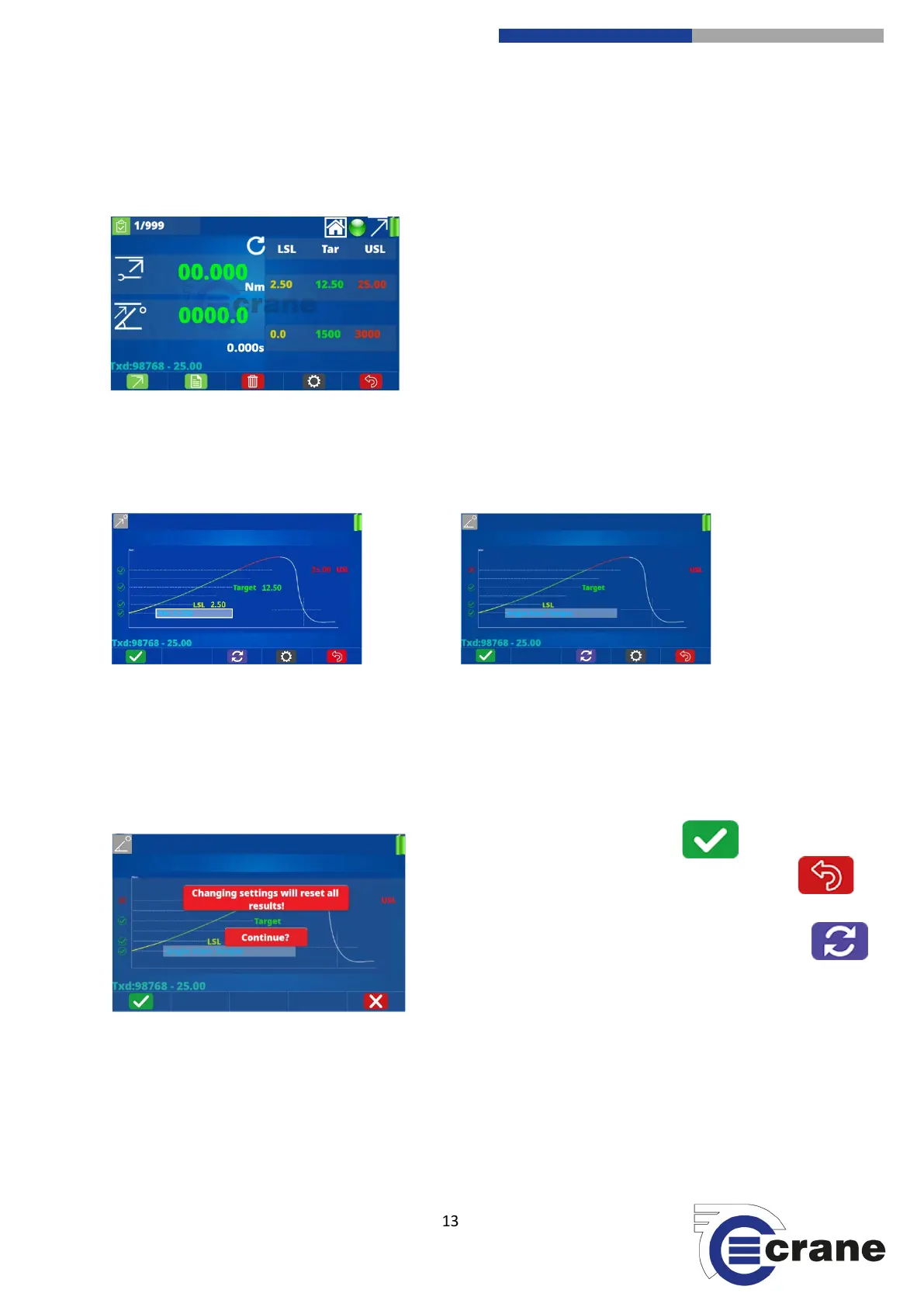
If a transducer is already plugged in then, depending on what span Nm (or torque range), it will automatically
populate the LSL (lower specification limit), target torque and USL (upper specification limit). If the transducer
has angle, this will also automatically be populated.
If you wish to change the LSL, target torque and USL, you can toggle using the Up and Down arrow keys to
highlight the torque and angle limits. The selected function is within a white rectangle. Press the green button
and you will be taken to the screen below. There is a Home icon at the top of the display. If it is highlighted
with the Up and Down arrow keys, pressing the green button will take you back to the Home screen.
Torque Angle
Use the left and right arrows to move to the Limit that you wish to change. When highlighted press the green
button. To change the limits use the Up and Down arrows and the Left and Right arrows to go to another
number. Once you have set the desired number, press the green button. Continue following this process until
all your limit settings are correct.
If you are changing a transducer or changing the limits then this will reset all the results.
If all is OK then press the green ‘tick’.
If this screen isn’t displayed then press the back button
to return to the measuring screen.
If you change your mind before pressing the green tick
icon (F1) then press refresh (F3) to restore original limits.
The settings icon (F4) takes you to measurement settings.



 To Next Page