the display is OFF, and the dual seven-segment display is OFF. If the VPD selects use of
the display, the seven-segment display is ON and displays the number stored in VPD.
Mute/Input Switch
Sets the unit identification display and transitions alarm states.
Power On/Standby LED (Green/Amber)
Amber: ONLY standby power is available.
Green: system power is available.
Module Fault LED (PSU/Cooling Fan/SBB Status) (Amber)
Illuminated when there is a system hardware fault (may be associated with a fault LED on a
PSU or I/O module to help identify the component with a fault).
Logical Status LED (Amber)
Indicates a change of status or fault from something other than the enclosure management
system. This may be from an internal or external source and communicated to the enclosure
(normally via SES). It is usually associated with a disk drive and LEDs at each disk drive
position to help identify the affected drive.
Drawer 1 Fault (Amber)
Drive, Cable, or Sideplane fault.
Drawer 2 Fault (Amber)
Drive, Cable, or Sideplane fault.
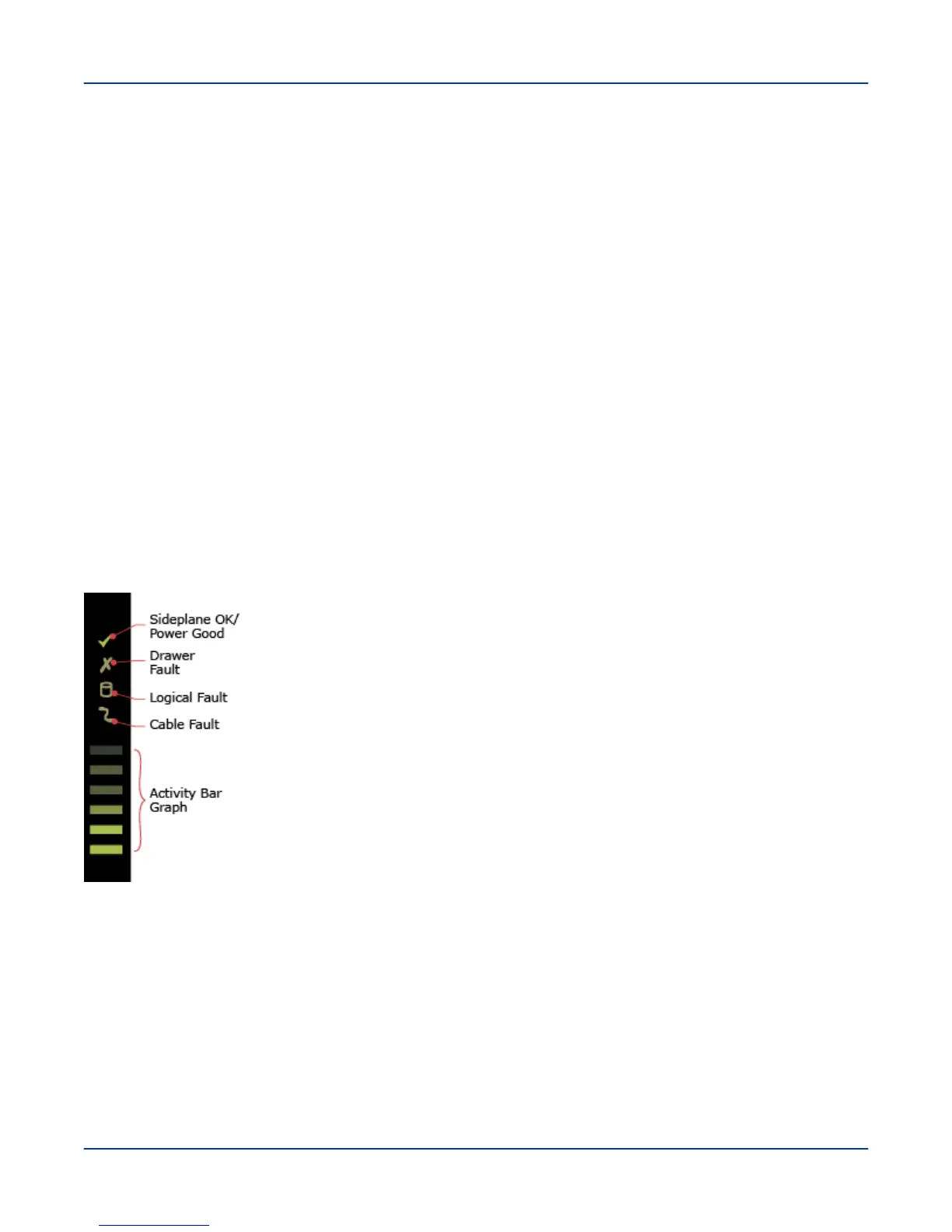
Figure 82. 5U84 Drawer Status LEDs
Sideplane Card OK/Power Good
Power LED (Green): On
Fault LED (Amber): Off
Cable Fault LED (Amber): Off
Drawer Fault LED (Amber): Off
Sideplane Card Fault
Power LED (Green): Off
Fault LED (Amber): On
Activity Bar Graph (Green): Off
Reference
122



 To Next Page