12. When a green checkmark appears next to the filename, click Next.
The SSL certificate uploads and a content box displays information about the certificate.
IMPORTANT: ClusterStor L300 and L300N support LDAP over SSL (LDAPS), which requires an SSL
certificate. The certificate uploaded at this step is for general secure access to the management
console and is different from the SSL certificate required for LDAPS. For more information, refer to
Specify Lustre User Authentication via the LDAP Screen on page 80.
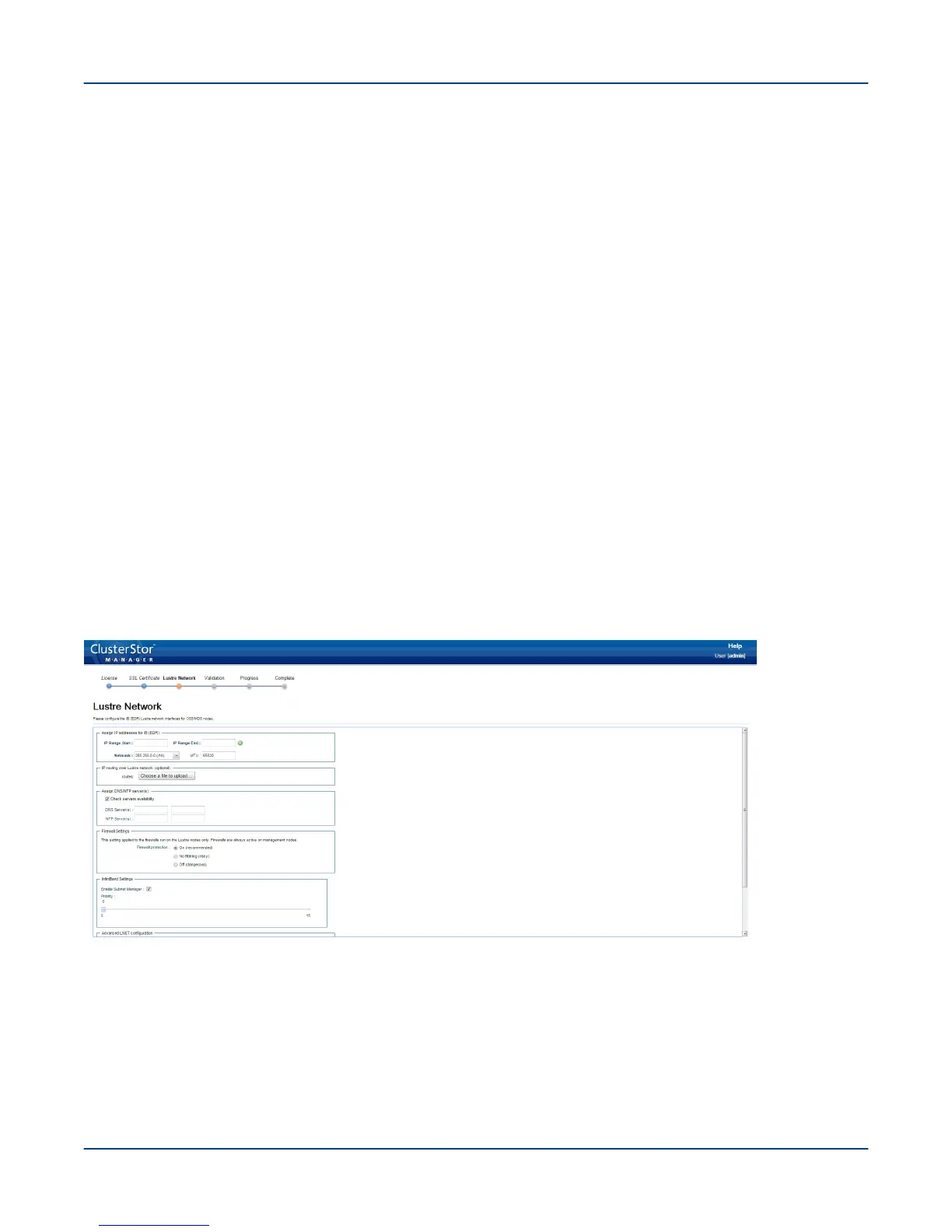
The Lustre Network screen displays. Proceed to Configure the Lustre Network Interfaces on page 68.
13.2
Configure the Lustre Network Interfaces
Prerequisites
The system is powered on, and (CSM) has created the administrator password, the license has been accepted,
and the SSL certificate has been uploaded, if desired. The Lustre Network screen has appeared.
About this task
This procedure configures the Lustre network interfaces by specifying IP addresses for the nodes and DNS and
NTP servers, along with the netmask address and the maximum transmit unit (MTU) value.
ClusterStor L300 and L300N systems support InfiniBand EDR, Omni-Path, 100GbE, or 40GbE networking on the
local data network (LDN).
Figure 54. CSM Lustre Network Screen
Procedure
1. Specify IP addresses for nodes (n000-nxxx) as a single range or as multiple ranges.
It is the administrator's choice whether to specify a single IP address range for all Lustre nodes in the
ClusterStor L300 and L300N system or use multiple IP address ranges for different nodes (for example, one
IP address range for the MGS and MDS nodes, and a separate IP address range for the OSS nodes). To
Perform the First-Run Configuration
68



 To Next Page