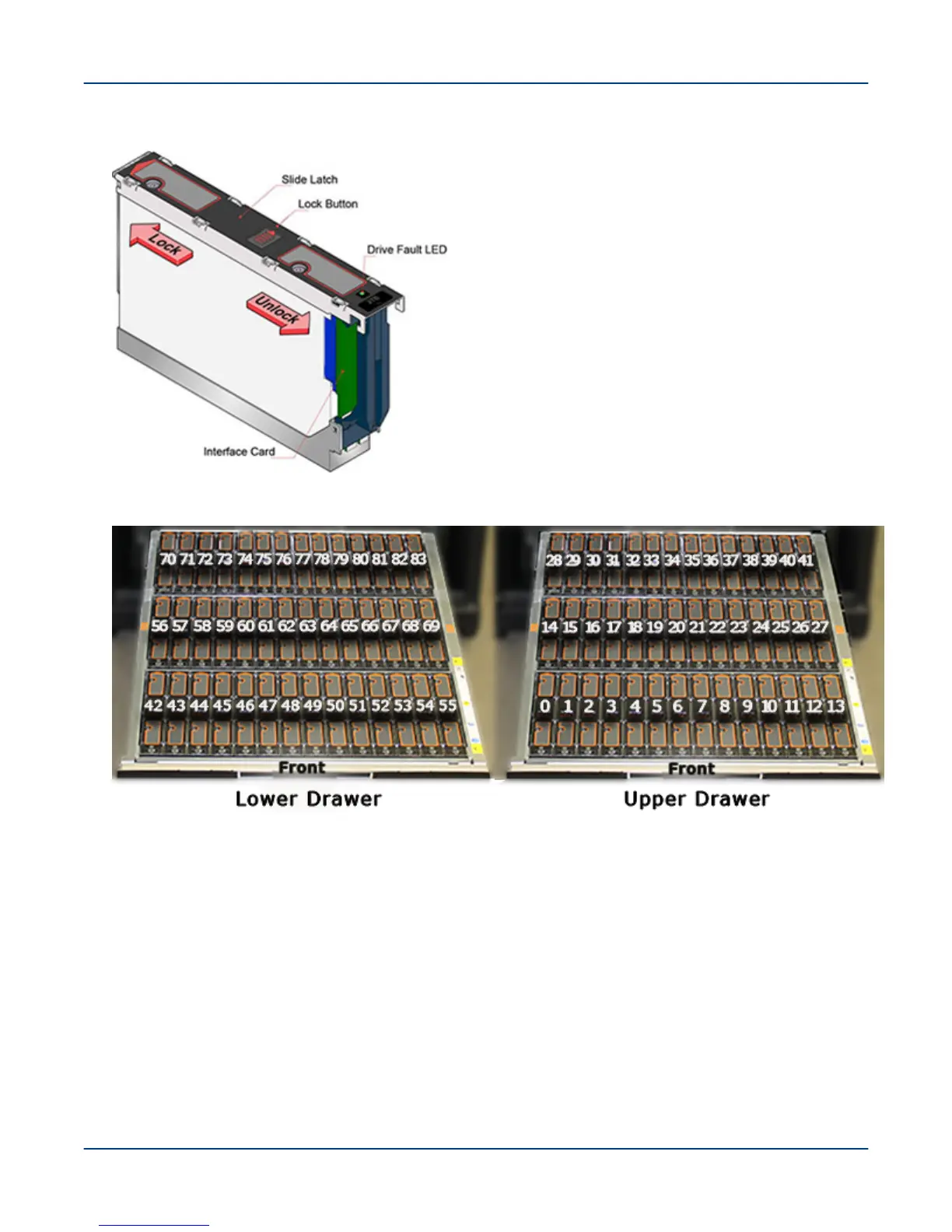
Figure 7. Disk Drive in Drive Carrier
Figure 8. 5U84 Drive Slot Locations
NOTE: The two drive carriers with SSD drives install in slots 28 and 70.
5. Close the first drawer, open the drawer above it, and populate it with disk drives from the rear slots to the front
slots, as before.
6. Repeat the process for the remaining 5U84 enclosures, working upwards.
Individual Disk Load Method
7. To manually install disk drives, remove the correct disk drive from the box of drives and slide the lock button
to the right (unlocked position), as shown.
Verify that the slide lock is in the unlocked position and that each disk is installed in the position in which it
was installed at the factory.
Install Disk Drives in a 5U84 Enclosure
21



 To Next Page