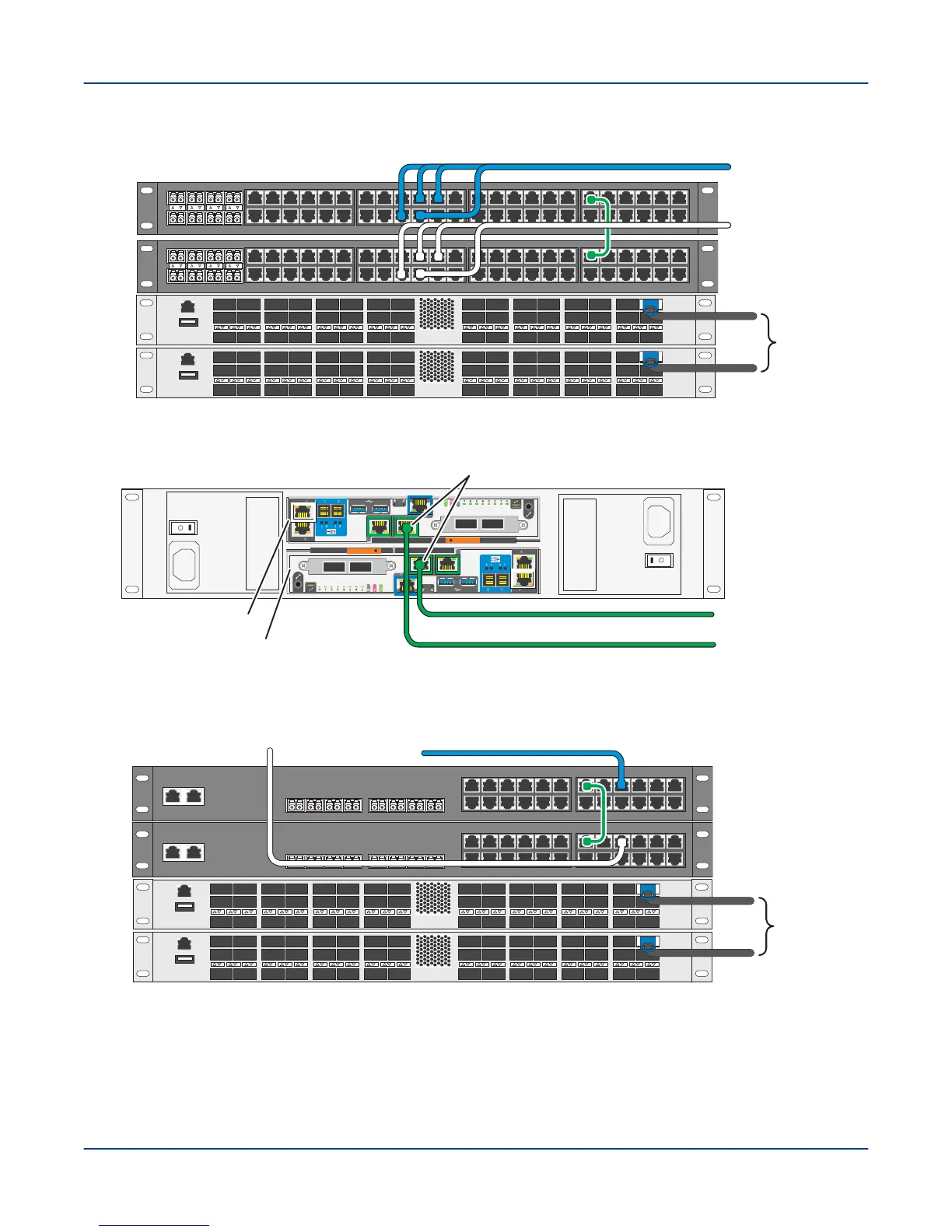
Figure 39. Cable Base Rack with 48-Port OPA LDN and Dual 48-Port LMN Using Core Switch
X5 X6 X7 X8X1 X2 X3 X4
13 14 15 16 17 18 19 20 21 22 23 241 2 3 4 5 6 7 8 9 10 11 1213 14 15 16 17 18 19 20 21 22 23 241 2 3 4 5 6 7 8 9 10 11 12
X5 X6 X7 X8X1 X2 X3 X4
13 14 15 16 17 18 19 20 21 22 23 241 2 3 4 5 6 7 8 9 10 11 1213 14 15 16 17 18 19 20 21 22 23 241 2 3 4 5 6 7 8 9 10 11 12
SW1
SW0
LMN to storage
racks 1, 2, 3 ... N
SW1 switch
LMN to storage
racks 1, 2, 3 ... N
SW0 switch
LDN to
customer
core switch
Figure 40. Cable SMU to External Administration Network
A
B
To external
administration
network (EAN)
EAC A Node n000
EAC B Node n001
pub0 interfaces (NIC 5)
SMU
Figure 41. Cable Storage Rack 48-Port OPA LDN Dual 24-Port LMN Using Core Switch
1 2 3
4
5
6 7 8 9
10 11
12
13 14 15
16
17
18 19 20 21
22 23
24
X1 X2 X3 X4 X5 X6 X7 X8
1 2 3
4
5
6 7 8 9
10 11
12
13 14 15
16
17
18 19 20 21
22 23
24
X1 X2 X3 X4 X5 X6 X7 X8
SW1
SW0
From base rack
SW1 switch
From base rack
SW0 switch
LDN to
customer
core switch
Procedure
1. In the base rack and each storage rack, connect an Omni-Path fabric data cable to the lower Omni-Path
switch (OPA0 in the diagrams) (available ports listed above), and then to the customer core switch.
Environment Connections
51



 To Next Page