c. Browse to, and select, the desired file.
d. Click Open.
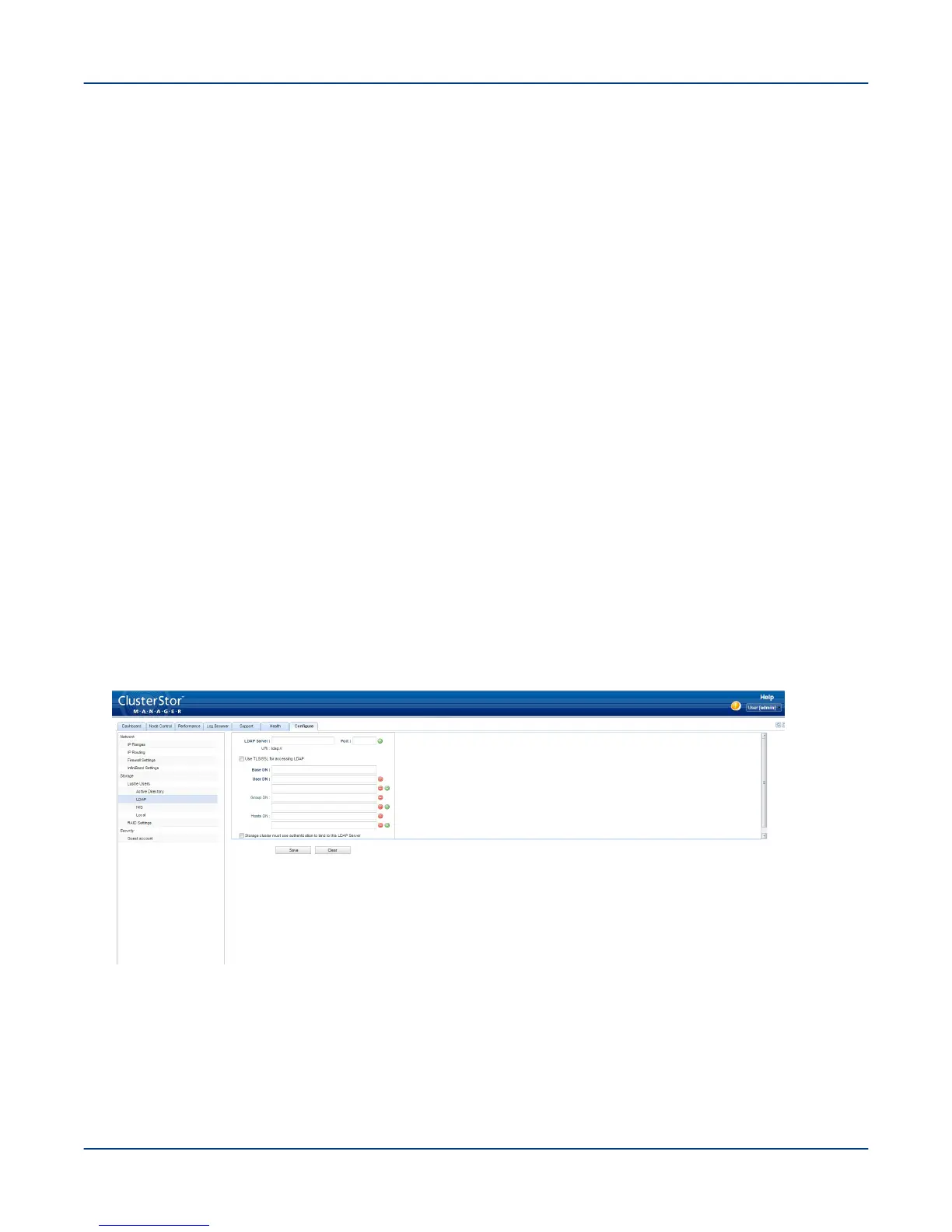
6. In the Base DN field, enter the base DN (distinguished name) value.
7. In the User DN field, enter a valid user DN value.
IMPORTANT: The User DN field remains blank until a base DN value is specified. After a base DN
value is provided, the User DN field updates to the base DN entry.
The auto-filled user DN entry may be replaced with customer-specific settings. If needed, specify additional
user DNs by clicking the green '+' button and entering a valid user DN value. A maximum of six user DNs may
be specified.
8. In the Group DN field, enter a valid group DN value.
IMPORTANT: The Group DN field remains blank until a base DN value is specified. After a base DN
value is provided, the Group DN field updates to the base DN entry.
The auto-filled group DN entry may be replaced with customer-specific settings. If needed, specify additional
group DNs by clicking the green '+' button and entering a valid group DN value. A maximum of six user DNs
may be specified.
9. In the Hosts DN field, enter a valid host DN value.
IMPORTANT: The Hosts DN field remains blank until a base DN value is specified. After a base DN
value is provided, the Hosts DN field updates to the host DN entry.
The auto-filled host DN entry may be replaced with customer-specific settings. If needed, specify additional
host DNs by clicking the green '+' button and entering a valid host DN value. A maximum of six user DNs may
be specified.
Figure 64. CSM LDAP Additional User, Group, and Host DN Values Screen
10. To require the Lustre cluster to use authentication to bind to the LDAP server, perform the following.
Perform the First-Run Configuration
83



 To Next Page