2. Unboxing
08
2.2 Install Accessories
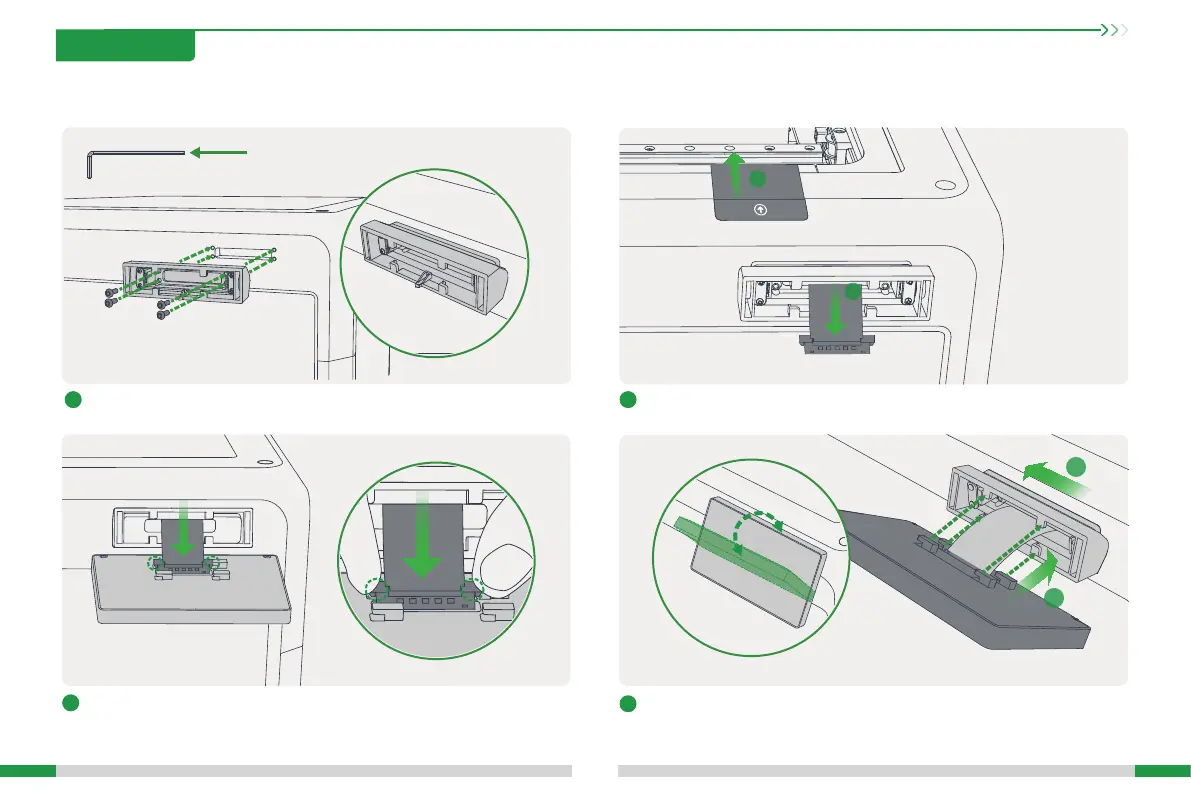
2.2.1 Install Printer Screen
2
A. Tear o the screen ex cable sticker; B. Thread the screen ex cable
through the screen base any entrance.
A
B
1
Install the screen base.
3
Connect the screen cable: Pay attention to the direction shown in the gure
and press to connect;
4
Snap the screen into the screen base: A. Align the screen clamping position
with the screen base clamping slot; B. Push to the left to lock.
A
B








 To Next Page