4.1 Filament Setup
4. First Use
18
1
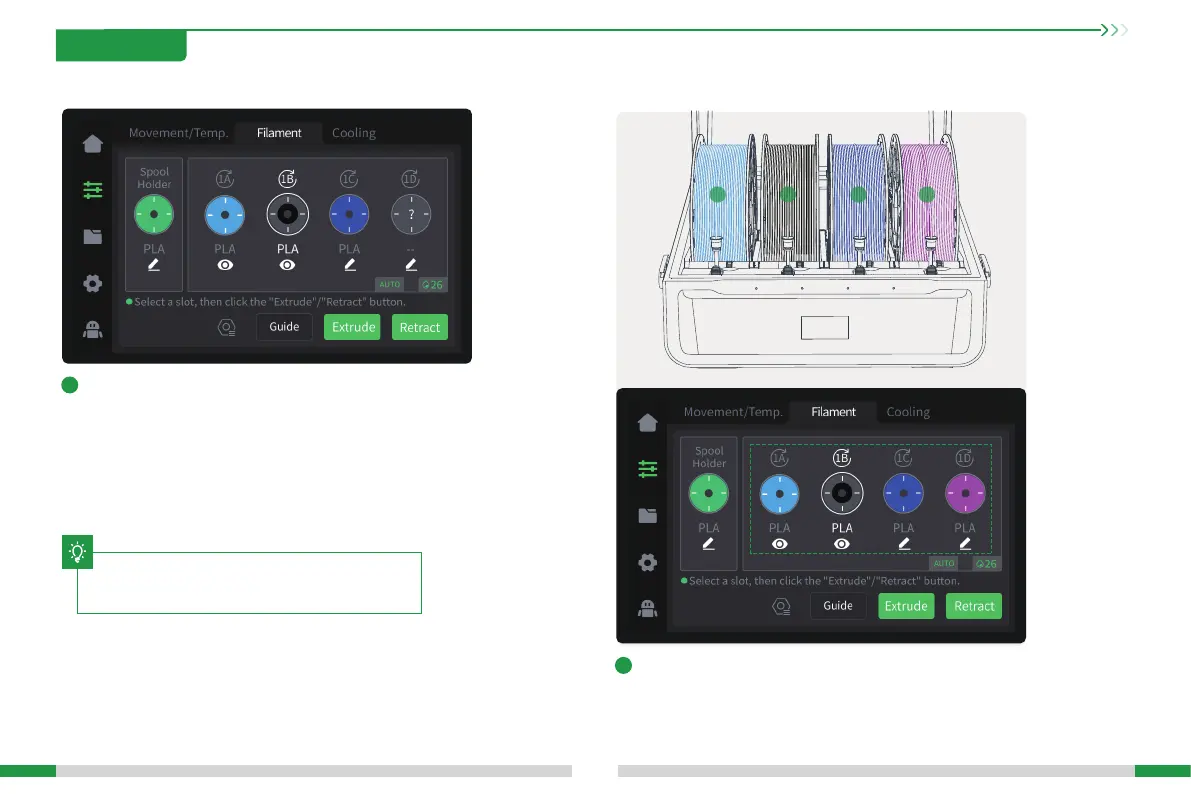
Put in lament and wait for tightening (RFID lament does
not need to be edited, in case of non-RFID lament, "?" will
be displayed after reading, and lament needs to be edited
manually);
2
Check whether the lament information displayed on the
screen corresponds to the lament in CFS.
1A 1B 1C 1D
The current inteace is for reference only. Please refer to
the latest software/rmware UI on the ocial website for
updates.
T







 To Next Page