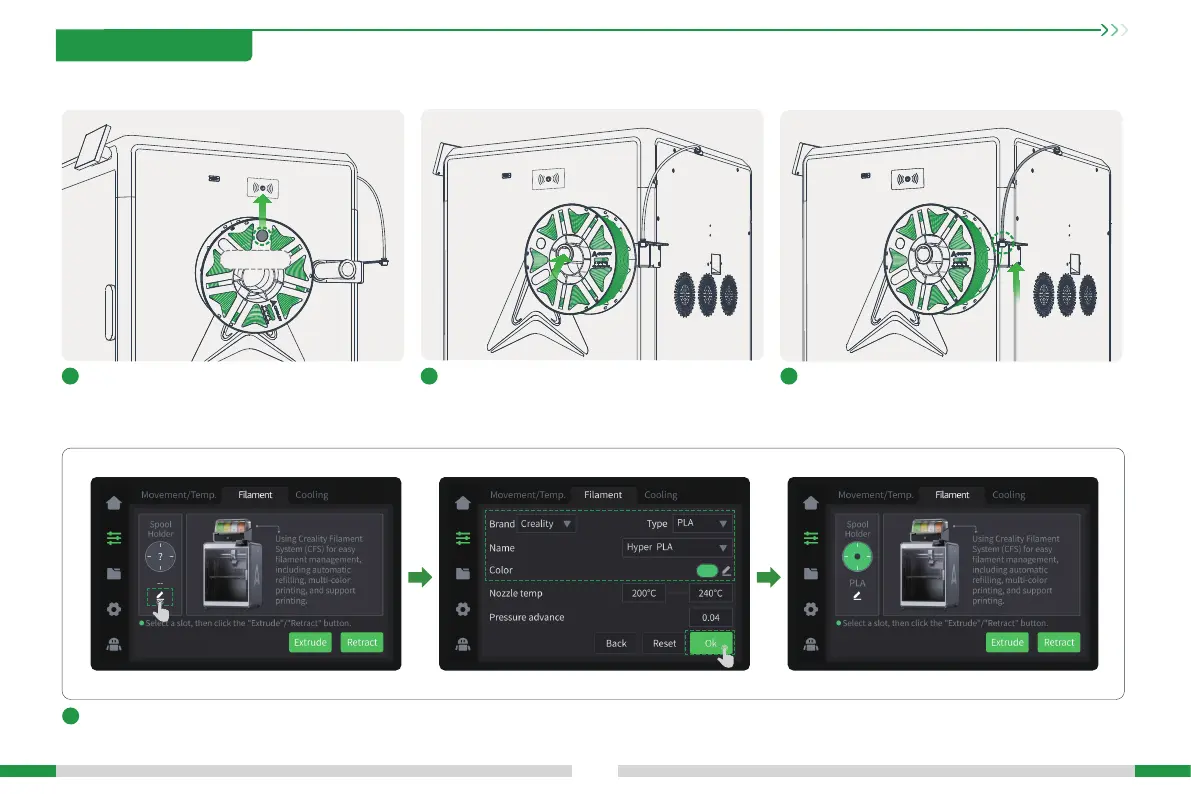
3.2 Loading Filament From Spool Holder
15
1
Hang the lament on the spool holder;If the laments suppo RFID recognition, align the
chip on the laments with the RFID recognition
position of the machine body to scan the laments,
and the lament information can be automatically set;
4
If the laments do not suppo RFID recognition, you need to manually click on the screen to set the lament information: Adjustment page → Filaments → Edit (as
shown below the material rack), set the lament brand-type-name-color respectively, and nally click OK to save the settings;
2 3
Thread the laments into the Teon tube and push
gently until they cannot be pushed;
Filament Chip
3. Product Usage







 To Next Page