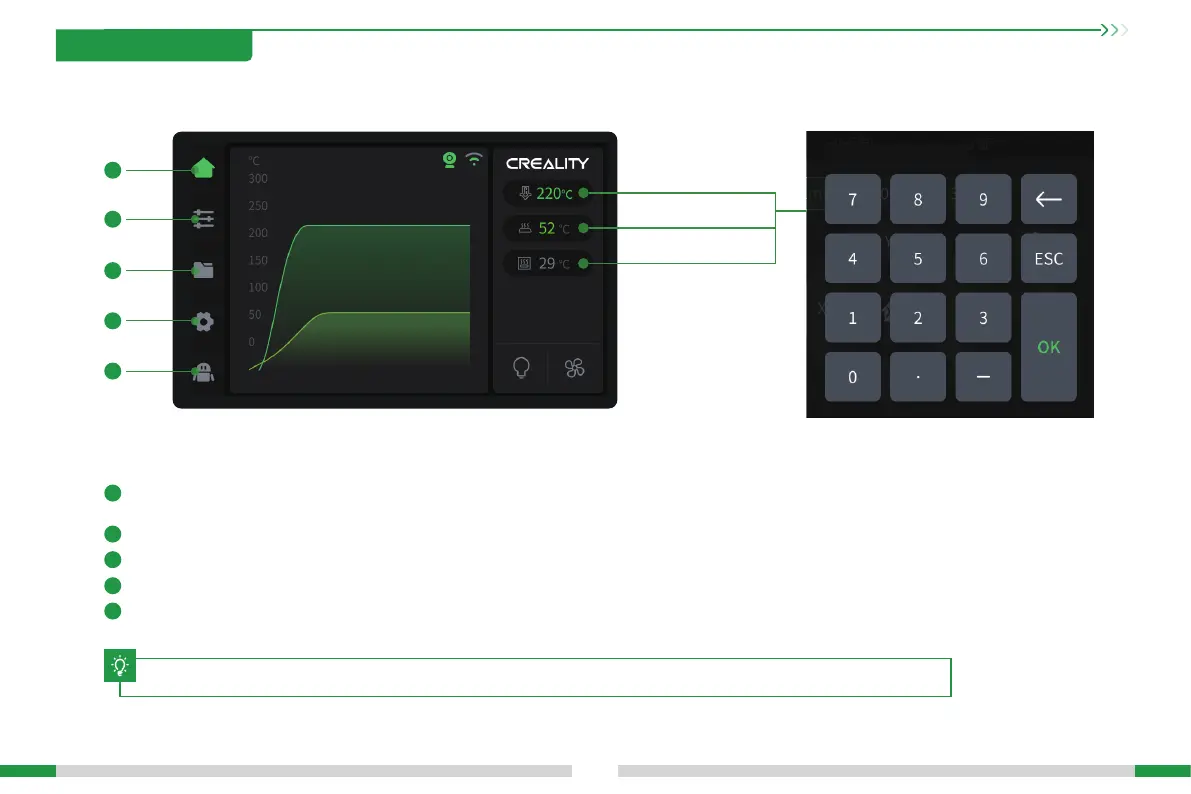
Parameters can be manually set
Nozzle temperature
Hotbed temperature
Chamber temperature
3.1 User Inteace
3. Product Usage
14
The current inteace is for reference only. Please refer to the latest software/rmware UI on the ocial website for updates.
T
Home: In idle state, you can view the temperature of each pa of the machine; during printing, you can view the model printing progress and other
information on this inteace;
1
1
Adjustment page: On this page, you can operate the machine to move, load laments, etc.;
2
File page: On this page, you can choose to print les and operate printing;
3
Function setting page: You can set network, camera and other functions; you can also view machine information;
4
Help page: You can expo logs or view machine wiki.
5
2
3
4
5
The left side is the navigation bar :








 To Next Page