Creality Print
Log in to the Creality Cloud website to download Creality Print 5.0 or above slicing :
https://www.crealitycloud.com/software-rmware/software/creality-print ;
20
4.3.1 Software Download and Installation
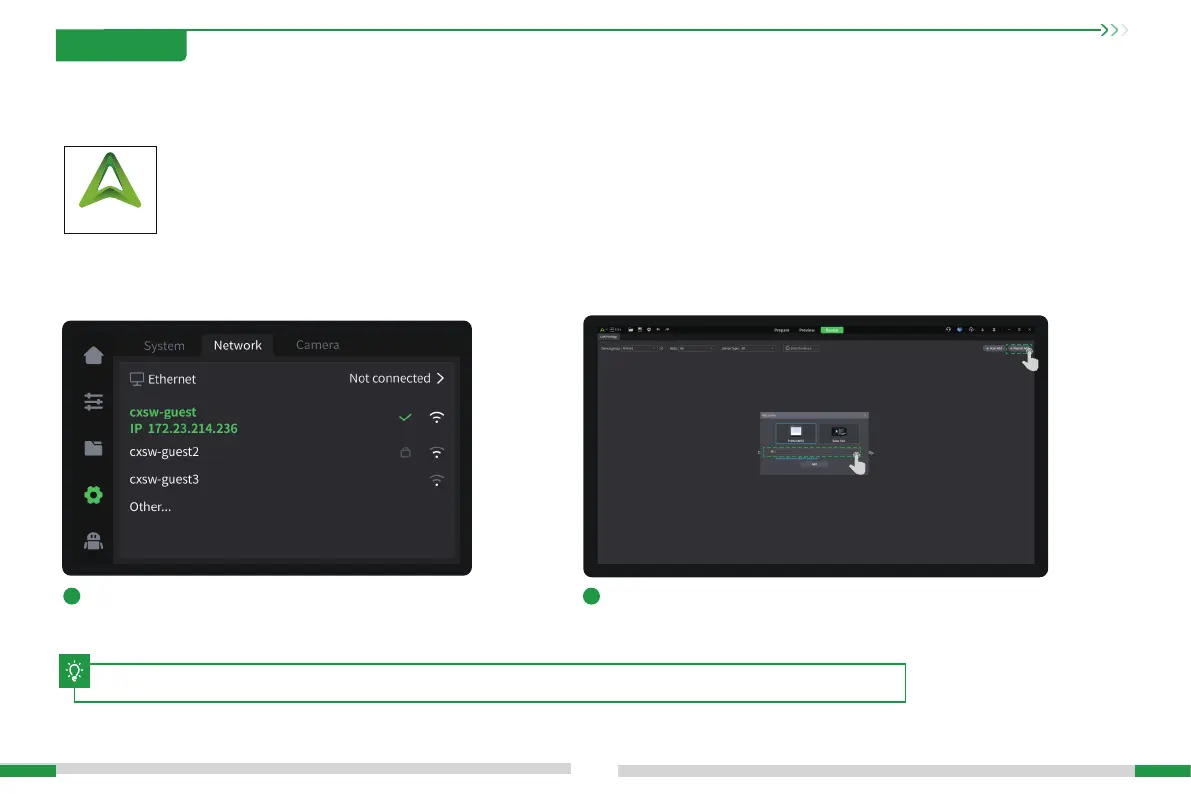
4.3.2 Bind Machine to LAN
1
Check the machine IP on the machine screen: Settings →
Network;
2
Enter the machine IP in the slicing software for binding: Manually add
→ Enter IP;
4.3 Creality Print Slicing
4. First Use
The current inteace is for reference only. Please refer to the latest software/rmware UI on the ocial website for updates.
T








 To Next Page