21
For more detailed slicing software usage tutorials, please log in
to the Creality 3D ocial Wiki:
https://wiki.creality.com/en/software/update-released
T
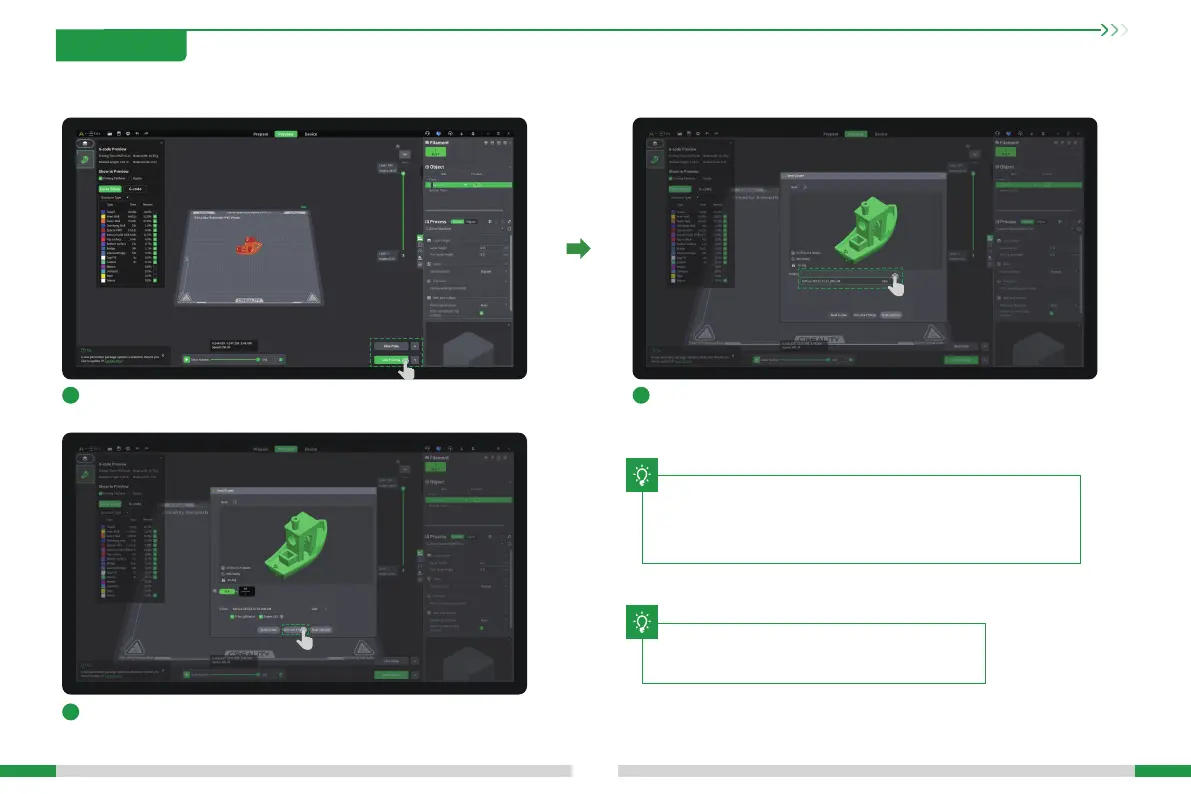
4.3.3 Slice and Send to Print
1
Click "Slice Plate", and click "LAN Printing" after slicing is completed;
3
Check the machine and lament information, and click "Click to Print".
2
Select the bound printer;
4. First Use
The current inteace is for reference only. Please refer to
the latest software/rmware UI on the ocial website for
updates.
T








 To Next Page